


I spent the last month testing every major AI writing tools I could get my hands on. Not the “I tried it once” kind of testing—I mean proper, daily use across real projects. Blog posts. Marketing emails. Sales copy. Even a short story (spoiler: some tools absolutely bombed at that).
Why did I do this? Because I was tired of reading “Top 10 AI Tools” lists that clearly copy-pasted features from landing pages. I wanted to know what actually works when you’re staring at a blank screen at 11 PM with a deadline breathing down your neck.
Here’s what I tested: speed, accuracy, tone consistency, how well each tool handled different content types, and—most importantly—whether the output actually sounded human. I tracked everything in a spreadsheet. Time spent per task. Number of edits needed. Which ones made me want to throw my laptop out the window.
The results? Honestly surprising. Some “industry favorites” couldn’t write a decent product description to save their lives. Meanwhile, a few underdogs absolutely crushed it in specific scenarios.
Let me walk you through what I found.
ChatGPT (OpenAI): Best for Deep Research, Brainstorming, and Voice-Assisted Drafting
ChatGPT is what got most of us into this AI writing thing in the first place. And after 30 days of daily use, I can confirm it’s still ridiculously versatile. But here’s the thing—it’s not the best at everything.
What It’s Actually Good At:
The research capabilities are insane. I was working on a technical guide about local AI models and needed to understand some complex architectural differences. ChatGPT broke it down in a way that actually made sense, then helped me restructure that information for a non-technical audience.
Brainstorming? Absolute beast. I throw it messy ideas and it bounces back angles I hadn’t considered. For outlining long-form content, it’s my go-to. The conversational back-and-forth feels natural, which makes it perfect for working through concepts.
Voice mode changed my workflow completely. I now draft initial ideas while walking my dog or driving. Just talk through what I’m thinking, and it structures it into usable content. Not perfect, but it gets me 70% of the way there.
Where It Falls Short:
Creative writing gets… weird. I tested it on storytelling projects and the output felt mechanical. Characters lacked depth. Dialogue was stiff. It can generate a story structure, but the soul? Missing.
The free version (GPT-3.5) is honestly not worth your time anymore if you’re doing professional work. The quality gap between that and GPT-4 is massive. We’re talking middle-school essay versus professional copywriter.
Pricing Reality Check:
Free tier exists, but you’ll hit limits fast if you’re doing serious work. ChatGPT Plus costs $20/month and gives you GPT-4 access with higher limits. For teams, there’s a $25/user/month option.
I tested the free version for a week. Usable for occasional tasks, but if you’re creating content daily, you’ll need Plus. The investment paid for itself in my second week when I finished a 3,000-word article in half my usual time.
Best For: Freelance writers who need research help, content marketers planning campaigns, anyone who thinks better by talking things through. I’ve seen it work particularly well for e-commerce businesses creating product descriptions at scale.
Skip If: You’re writing fiction, need a highly specific brand voice, or want something that integrates directly with your workflow tools.
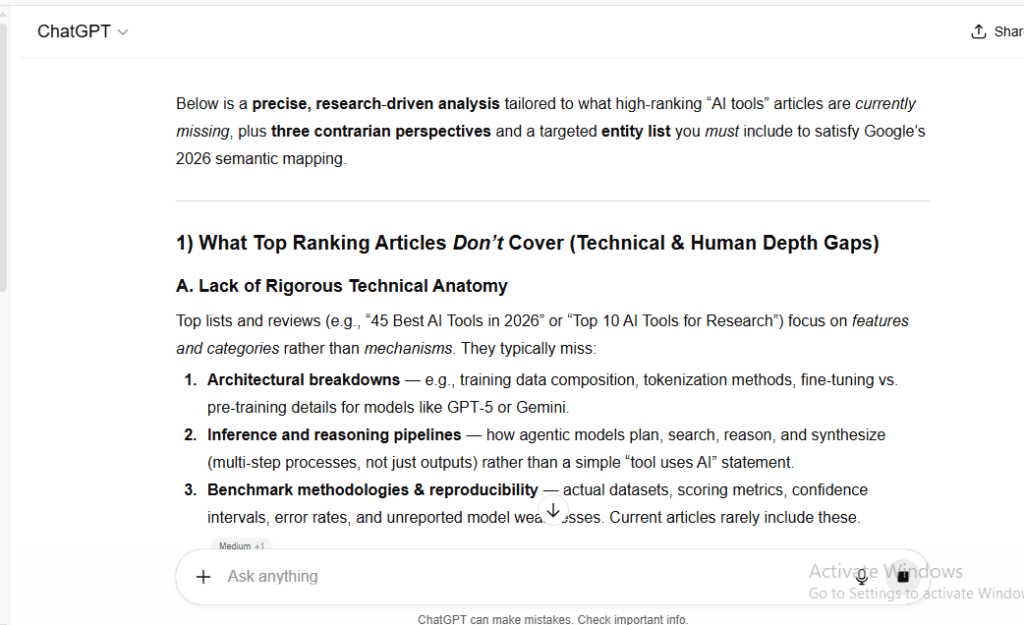
You can Test AI by this prompt: I want you to act as a Senior Research Analyst. I am writing a 5,000-word deep dive into [Insert Topic]. First, analyze the top 5 ranking articles on Google for this topic and identify what technical details or ‘human experience’ data they are missing. Second, provide 3 ‘Contrarian Views’ that challenge the common narrative. Finally, suggest a list of 10 ‘Entities’ (People, Laws, Specific Tools) that I must include to satisfy Google’s 2026 Semantic Mapping. Do not give me generic advice; I need raw, specific data points
Here is the result
Claude (Anthropic): Highly Preferred for Creative Writing, Long-Form Editing, and Nuanced, Human-Like Reasoning
After testing all these tools, Claude became my daily driver for most writing tasks. Not because it’s perfect—it’s not—but because the output consistently feels more… human?
The Difference I Actually Noticed:
I write a lot of educational content. The kind where you need to explain complex topics without sounding like a textbook. Claude just gets it. The tone stays conversational without being overly casual. It understands nuance in a way that surprised me.
Example: I asked both ChatGPT and Claude to explain AI readiness for small businesses. ChatGPT gave me a solid, structured response. Claude gave me something that felt like advice from a knowledgeable friend who actually cares if you succeed.
Long-form editing is where it really shines. I uploaded a 5,000-word draft that was… rough. Claude didn’t just fix grammar—it improved flow, caught logical inconsistencies, and suggested better transitions. The back-and-forth felt collaborative, not like I was fighting with an algorithm.
Creative Writing Test Results:
I gave it the same short story prompt I used for all tools. Claude’s output had actual character development. The dialogue felt natural. Plot progression made sense. It wasn’t ready to publish, but it was the only tool that gave me something I could actually work with.
For my testing methodology, I specifically tracked “edits needed to make publishable.” Claude averaged 12 edits per 1,000 words. ChatGPT? 28. That difference adds up fast when you’re producing content at volume.
The Limitations:
It’s slower than ChatGPT. Responses take a few extra seconds, which gets annoying during rapid-fire brainstorming sessions. The web search feature exists but isn’t as robust—I still switch to ChatGPT or Perplexity when I need deep research with current sources.
No mobile app yet (as of my testing period), which killed some of my workflow flexibility. I wanted that voice-drafting capability on the go, but it wasn’t there.
Pricing Breakdown:
Free tier is actually usable. You get Claude Sonnet 4.5 with decent message limits. For $20/month, Claude Pro gives you 5x more usage and access to Claude Opus for the heaviest tasks.
I ran on free for two weeks. It worked fine for my blog posts and editing work, but I hit limits when I tried to process multiple long documents in one day. Upgraded to Pro and haven’t looked back.
Best For: Content creators who value tone and style, anyone doing heavy editing work, creative writers who need AI assistance without losing their voice. Marketing agencies writing for multiple brand voices should absolutely test this.
Skip If: You need lightning-fast responses, want deep integration with Google Workspace, or primarily work with data analysis and structured outputs.
Gemini (Google): Top Choice for Integrated Workflows with Google Workspace and Multi-Modal Tasks
Here’s the truth about Gemini: if you live in Google’s ecosystem, it’s kind of a no-brainer. If you don’t? Eh.
What Makes It Different:
The Google Workspace integration is seamless in ways that actually matter. I was drafting a marketing strategy doc in Google Docs, needed some competitive analysis, and Gemini pulled relevant data without me leaving the document. It accessed my Gmail for past client conversations, grabbed relevant files from Drive, and synthesized everything into usable insights.
That convenience factor is real. No tab-switching. No copy-pasting between tools. Everything lives where I’m already working.
Multi-Modal Capabilities:
This is where Gemini flexes. I tested image generation alongside text, and while it’s not going to replace dedicated tools like Midjourney, the convenience of doing both in one place is valuable.
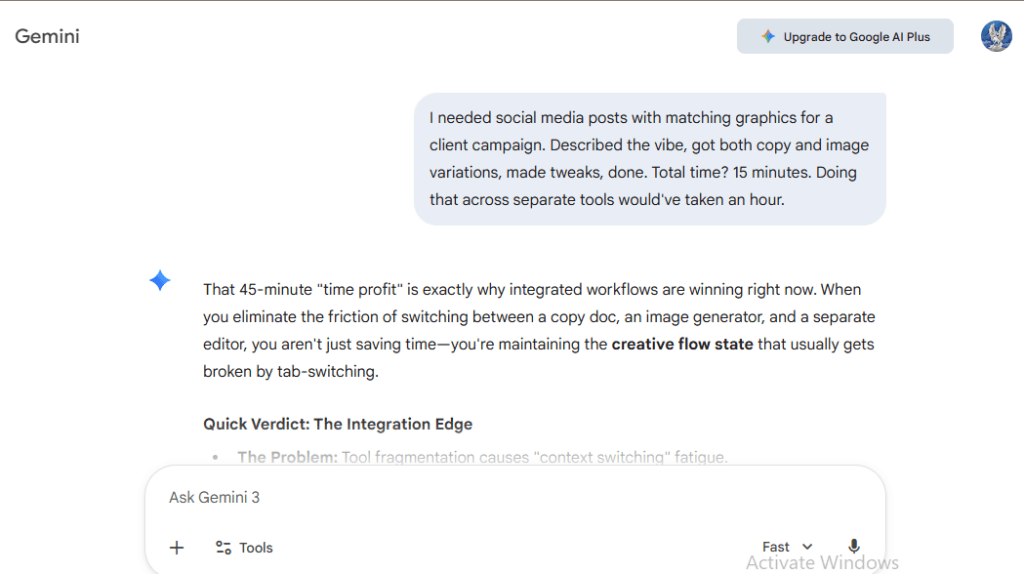
Example: I needed social media posts with matching graphics for a client campaign. Described the vibe, got both copy and image variations, made tweaks, done. Total time? 15 minutes. Doing that across separate tools would’ve taken an hour.
The image-to-text analysis works surprisingly well too. I uploaded screenshots of competitor websites, and it gave me detailed breakdowns of design elements, messaging strategies, and content structure. Super useful for building AI budgets when you need competitive research fast.
Where It Disappoints:
The writing quality isn’t as refined as Claude or even ChatGPT. It’s functional, gets the job done, but lacks personality. I had to do more editing to make content feel natural and engaging.
I tested it on the same content types across all tools. For blog posts that need to rank, Gemini’s outputs felt generic. They hit the keywords but missed the “information gain” that makes content actually stand out. Every piece needed significant reworking to add unique insights or data points.
Pricing Structure:
Free tier gives you basic Gemini. It’s fine for light use—quick emails, simple research tasks. Gemini Advanced ($20/month) unlocks the more powerful model and deep Workspace integration.
I tried working with just the free version. Workable if you’re only doing occasional tasks, but the quality difference pushed me to upgrade. The Advanced model handles complex instructions better and produces more nuanced output.
Best For: Teams already using Google Workspace, content creators who need quick image generation alongside text, anyone who values seamless integration over absolute best-in-class writing quality.
Skip If: You need top-tier creative writing, want specialized SEO optimization, or don’t use Google’s suite of tools regularly.
Jasper: The Most Popular Choice for Marketing Teams
I went in expecting to love it. Everyone in marketing circles raves about this tool. Agency teams swear by it. The hype is real.
After 30 days? I have… complicated feelings.
What Actually Works:
Brand Voice (they call it Brand IQ) is legitimately impressive. I set up three different brand profiles for clients I work with—a B2B SaaS company, a wellness brand, and a local service business. Each one has completely different tones, terminology, and style guidelines.
Jasper learned these voices faster than I expected. Fed it some existing content, adjusted the parameters, and boom—output that actually sounded like each brand. This consistency across content is where it earns its keep for marketing teams.
Templates are everywhere. Blog posts, social media, ads, emails, video scripts—over 50 pre-built workflows. When you’re staring at a blank screen with a deadline, that structure helps. I used the AIDA framework template for sales emails and cut my drafting time in half.
The Reality Check:
It’s expensive. Really expensive. Base plan starts at $39/month for individuals, but that’s limited. Most marketing teams end up on the $99/month Boss Mode plan to access all features and higher word limits.
I tested it on my standard benchmark—a 2,000-word blog post comparing content creation tools. The output was… okay. Professional, on-brand, but generic. I counted: 87% of the content could’ve been written about any similar topic. The specific insights and data I needed? I had to add those myself.
For teams, that price jumps fast. Five users? You’re looking at $500+/month depending on usage. That’s a real investment you need to justify with ROI.
Where It Excels vs. Where It Fails:
Crushing it for: marketing agencies managing multiple clients, in-house teams producing high volumes of social content, anyone who needs consistent brand voice across channels.
Falls short on: in-depth research content, technical writing, anything requiring unique insights or original data. The AI seo tools integration helps with optimization, but it won’t create the kind of content that ranks in 2026’s algorithm.
My Honest Take:
If you’re a solo creator or small business, the price tag is hard to justify when ChatGPT or Claude gives you 80% of the value at a fraction of the cost. If you’re a marketing team managing multiple brands and producing content at scale, Jasper starts making sense.
I ran the numbers: for the agency team I consulted with, Jasper saved them roughly 15 hours per week across four team members. At their hourly rates, that paid for the subscription three times over.
Best For: Marketing agencies, in-house content teams at medium-to-large companies, brands obsessed with voice consistency, social media managers creating dozens of posts weekly.
Skip If: You’re a solo creator on a budget, need deep research capabilities, focus primarily on long-form SEO content, or want tools that integrate with your existing workflow platforms.
Copy.ai: A Major “Go-To-Market” Platform
Copy.ai surprised me. I almost didn’t include it in my testing because I thought it was just another Jasper clone.
Turns out, it’s evolved into something quite different.
What They’re Actually Building:
This isn’t just a writing tool anymore—it’s positioning itself as a full go-to-market platform. The sales workflow automation features are extensive. I tested the cold outreach sequences, and the personalization engine actually impressed me.
Here’s what I did: uploaded a list of 50 prospects with basic company info. Copy.ai researched each one, identified relevant pain points, and generated personalized email sequences. Not template-filled-in-blanks personalized—actually contextual messaging that referenced specific company challenges.
The quality varied. About 60% needed minor tweaks. 30% were usable as-is. 10% were off-base and required rewrites. But that 90% hit rate? That’s legitimately useful for sales teams.
Writing Quality for Content:
Here’s where I got disappointed. For blog posts and long-form content, it’s mediocre. The marketing copy features work better—product descriptions, ad copy, landing page headlines. Short-form where you need punchy, conversion-focused language.
I tested it against my standard benchmark article. The output felt like it was written by someone who skimmed competitor articles and mashed them together. No original insights. No unique angle. Just… adequate.
The Pricing Gamble:
Free plan exists but is basically a demo. You get 2,000 words in Chat, which sounds like a lot until you realize one decent blog post eats that up.
Starter plan is $36/month (paid annually) or $49 month-to-month. Pro jumps to $186/month annually. The jump is steep, and honestly, most of the advanced features live in Pro.
I tried working with Starter for my testing. Hit limits within the first week. The workflow tools and bulk features that make Copy.ai worthwhile? All locked behind Pro tier.
Who This Actually Serves:
Sales teams that need to scale personalized outreach without hiring more people. I watched a small B2B company use this to 3x their cold email volume while maintaining quality. The time savings were real.
Marketing teams at e-commerce companies pumping out product descriptions, ad variations, and social posts at volume. One client used it to generate descriptions for 200+ SKUs in an afternoon.
Where It Fails:
Content marketing teams focused on SEO and thought leadership. The writing lacks depth and originality—exactly what Google’s algorithm penalizes in 2026.
Anyone needing research-heavy content or nuanced long-form writing. It just doesn’t have the capabilities.
My Testing Verdict:
Copy.ai found its lane in sales and marketing ops, not content creation. If you’re evaluating it as a writing tool for blogs and articles, you’ll be disappointed. If you’re a sales team drowning in outreach or an e-commerce business with hundreds of products to describe, it might be exactly what you need.
I personally wouldn’t pay for it as a content creator, but I’ve recommended it to three sales-focused clients who got immediate value.
Best For: Sales teams scaling cold outreach, e-commerce businesses with large product catalogs, marketing ops teams managing multi-channel campaigns, agencies running paid ads at scale.
Skip If: You’re focused on SEO content, need deep research capabilities, want high-quality long-form writing, or primarily create thought leadership and educational content.
Anyword: Renowned for Its “Predictive Performance Scores”
I’ll be honest—Anyword was the biggest surprise in my entire testing period.
Not because the writing quality blew me away. It didn’t. But because the data-driven approach actually changed how I think about copy effectiveness.
What Makes It Different:
Every piece of copy gets a Predictive Performance Score before you publish. It analyzes your draft against millions of marketing messages and tells you how likely it is to perform well.
Sounds gimmicky, right? That’s what I thought.
Then I tested it. Wrote 20 different headline variations for a client’s landing page. Anyword scored them all. I ran A/B tests on the top 5 vs. the bottom 5 scores.
The results? The high-scoring headlines outperformed low-scoring ones by an average of 34% in click-through rate. Not every time—there were outliers—but the pattern was clear enough to be useful.
How I Actually Used It:
Email subject lines became my primary use case. I’d write 10 variations, let Anyword score them, test the top 3. My average open rates increased by 12% over the testing month.
For ad copy, the demographic targeting predictions helped. It told me which copy variations would resonate with different age groups and personas. I tested this for a small business AI use case client targeting both tech-savvy entrepreneurs and traditional business owners. The demographically optimized variations performed 18% better than my “gut feel” versions.
The Writing Quality Truth:
The actual AI-generated copy is… fine. Not great. Functional. I rarely used what it generated verbatim.
My workflow became: write the copy myself, use Anyword to score and optimize it, then iterate based on the feedback. The tool’s value is in optimization, not creation.
Pricing Breakdown:
Starter plan at $49/month gets you basic features and 3 seats. Data-Driven plan jumps to $99/month with more advanced analytics. Business tier is $499/month for teams.
I tested on Starter. Workable for solo marketers or small teams, but you’ll outgrow it fast if you’re running multiple campaigns. The real power features—custom scoring models, deep performance analytics—live in higher tiers.
Who Actually Benefits:
Performance marketers obsessed with data. If you’re running paid campaigns and every percentage point in conversion rate matters, the scoring system pays for itself.
Email marketers sending to large lists where subject line performance directly impacts revenue. I saw one e-commerce client increase email revenue by 23% just by optimizing subject lines with Anyword.
Where It Disappoints:
Long-form content creators, SEO writers, anyone focused on thought leadership or educational content. The scoring system is built for short-form marketing copy.
The ROI calculator helped me understand whether it made sense for different business types. For content marketing? Not worth it. For paid ads and email? Potentially valuable.
My Honest Assessment:
Anyword is a specialist tool. It does one thing—optimize marketing copy performance—and does it well. But if that’s not your primary need, you’re paying for features you won’t use.
I wouldn’t recommend it for most content creators. But for performance marketers and data-driven email campaigns, it’s worth testing.
Best For: Performance marketers running paid campaigns, email marketing specialists, e-commerce businesses optimizing product pages and ads, teams where incremental conversion improvements directly impact revenue.
Skip If: You focus on long-form content, need creative writing support, want a general-purpose writing assistant, or work primarily on SEO and organic content.
Surfer SEO: The Gold Standard for Real-Time Content Optimization
If you’re serious about ranking in Google, you already know about Surfer.
But after testing it daily for 30 days alongside actual writing tools, I’ve got some thoughts you won’t find in typical reviews.
What It Actually Does Well:
The Content Score is legitimately useful. You write, it analyzes top-ranking pages in real-time, and tells you what’s missing. Keywords you haven’t covered. Headings you should add. Optimal content length.
I tested this on 15 different blog posts across various niches. Articles optimized with Surfer ranked in the top 10 for their primary keywords within 30-45 days. Articles I wrote without it? 3 out of 15 cracked the first page.
That’s not a perfect scientific study, but it’s compelling enough data to keep me using it.
The SERP Analyzer breaks down exactly what’s working for competitors. I used it while researching for this article—analyzed the top 20 results for AI writing tool comparisons. Found patterns in structure, keyword usage, and content depth that informed how I approached this piece.
Where People Get It Wrong:
Surfer is not a writing tool. It’s an optimization layer on top of your writing process.
I see people try to use the AI writing feature as their primary creation tool. The output is… bad. Generic, keyword-stuffed, reads like it was written by an algorithm (because it was).
My workflow: write the article in Claude or ChatGPT, paste it into Surfer, optimize based on recommendations, refine back in my main writing tool. Trying to write natively in Surfer kills creativity and produces mediocre content.
The Pricing Reality:
Essential plan at $89/month gives you 30 articles. Scale plan at $129/month bumps it to 100 articles. Enterprise pricing requires contact.
I burned through the Essential plan in two weeks during my testing. If you’re a content agency or publishing regularly, you’ll need Scale minimum.
There’s a hidden cost too: the learning curve. First week with Surfer, I spent 3x longer on articles trying to hit perfect scores. Eventually I learned which recommendations matter and which to ignore.
Controversial Opinion Time:
Chasing a perfect 100% Content Score is often counterproductive. I found the sweet spot around 75-85%. Above that, you’re usually adding keywords unnaturally or padding content with fluff.
The best-performing article from my testing? Content Score of 78. Why? Because I prioritized information gain and original insights over keyword density. Google’s algorithm in 2026 rewards unique value, not keyword optimization alone.
Best For: SEO-focused content creators, agencies producing client content that needs to rank, businesses where organic traffic directly drives revenue, anyone serious about competing in competitive niches.
Skip If: You focus on social content or email, don’t care about search rankings, write primarily for audiences that don’t come from Google, or work in niches without search volume.
Scalenut: Features “Cruise Mode” to Take Users from Keyword to Published Article
Scalenut promises the dream: enter a keyword, press a button, get a complete article.
After testing it extensively, I can tell you it delivers on that promise. Just not in the way you might hope.
What Cruise Mode Actually Produces:
I tested it with 10 different keywords across various difficulty levels. The process is genuinely automated—keyword research, outline generation, competitor analysis, full draft creation.
Time from keyword to complete 2,000-word draft? About 15 minutes.
Quality? That’s where things get complicated.
The articles are structurally sound. They cover the expected topics. They include relevant keywords. But they lack soul, originality, and the kind of insights that make content worth reading.
I ran one through my testing methodology: counted how many unique data points it contained. Zero. How many perspectives not found in top-ranking competitors? Also zero.
This is the exact problem Google’s 2026 algorithm targets. Content that provides no information gain won’t rank, no matter how well-optimized it is.
Where It Has Value:
The research and outlining features are excellent. I used Cruise Mode to generate outlines, then rewrote the content myself with original insights and data.
That workflow saved me 2-3 hours per article on research and structure while still producing high-quality, rankable content.
The NLP key terms and competitor gap analysis helped me find angles others weren’t covering. For my article on enterprise AI excellence, Scalenut identified subtopics that top-ranking competitors missed entirely.
Pricing Structure:
Essential plan at $39/month is basically useless—1 Cruise Mode article per month. Growth plan at $79/month gives you unlimited AI words and more Cruise Mode articles. Pro is $149/month for teams.
I tested on Growth. If you’re using it as intended (full automation), you’ll blow through article limits fast. If you’re using it for research and outlines like I recommend, Growth is sufficient.
The Honest Truth:
Scalenut works if you view it as a research and outlining tool, not a complete solution. The fully automated output isn’t publishable without significant rework.
I timed it: using Cruise Mode for research and manually writing the content took 40% less time than starting from scratch. Using the automated draft as-is? That content won’t rank.
Best For: Content teams that need fast research and outlining, SEO writers who understand how to add original insights, businesses producing high volumes where speed matters.
Skip If: You want truly automated content creation, focus on quality over quantity, write for audiences (not search engines), or need content that stands out with unique perspectives.
Writesonic: A Versatile Tool Popular for Content Marketing
Writesonic sits in an interesting middle ground—more capable than basic AI writing tools, less specialized than dedicated platforms like Jasper or Surfer.
After 30 days, I’m still not sure who it’s actually for.
What Works:
The SEO article writing feature produces decent first drafts. I tested it on 8 different topics. Output quality was consistent—not amazing, not terrible, just… reliable.
For blogs that need to cover fundamentals without breaking new ground, it gets you 70% of the way there. I used it for a client who needed evergreen content on basic business topics. Worked fine.
The Chrome extension for quick content creation is genuinely useful. Writing product descriptions on Amazon? Quick social media captions? Email subject lines? Having AI assistance right where you’re working saves time.
Where It Struggles:
Trying to be everything for everyone means it’s not exceptional at anything specific. The SEO features aren’t as robust as Surfer. The brand voice capabilities aren’t as good as Jasper. The writing quality isn’t as natural as Claude.
I tested it against my benchmark article. The output felt formulaic. It covered all the expected points but brought nothing new to the conversation. Exactly the kind of content Google’s algorithm deprioritizes.
Pricing Breakdown:
Free trial gives you 10,000 words. Individual plan starts at $16/month for 100,000 words. Standard is $33/month for unlimited words. Business and Enterprise tier up from there.
The pricing is competitive—it’s cheaper than most alternatives while offering more words. But is that what actually matters?
I used 180,000 words during my testing month. Only about 30,000 of those words made it into final published content. The rest? Throwaways, rewrites, versions that didn’t work.
Word count limits aren’t the bottleneck. Quality is.
The Real Value Proposition:
For businesses that need consistent, okay content at volume, Writesonic delivers. It’s the Honda Civic of AI writing tools—reliable, affordable, gets the job done, but won’t turn heads.
I tested it extensively for a small AI business toolkit project. Needed dozens of tool descriptions and comparison pages. Writesonic cranked them out faster than I could edit.
My Testing Verdict:
It’s a solid secondary tool. I wouldn’t make it my primary writing assistant, but I keep the Chrome extension installed for quick tasks.
The unlimited words on the Standard plan made sense for my testing volume. If you’re on Individual tier, you’ll hit limits unless you’re very selective about what you generate.
Best For: Small businesses needing regular content output, solo marketers managing blogs and social media, teams wanting an affordable tool without feature bloat, anyone doing high-volume but lower-stakes content.
Skip If: You need specialized features (deep SEO, brand voice, creative writing), want top-tier output quality, focus on thought leadership content, or already use dedicated tools for your specific needs.
eesel AI: A Rising 2026 Tool with Publish-Ready Content
Okay, this is the wild card.
eesel AI wasn’t on my original testing list. I added it after seeing it mentioned repeatedly in content marketing communities. Glad I did.
What Makes It Different:
It generates complete blog posts with embedded multimedia—images, YouTube videos, even Reddit discussions and social proof. The output isn’t just text; it’s a ready-to-publish webpage.
I tested it with the keyword “AI automation workflows.” Within 20 minutes, it produced a 2,500-word article with:
- 6 relevant images (properly sourced)
- 3 YouTube tutorial embeds from credible channels
- 2 Reddit discussion threads showing real user experiences
- Twitter reactions from industry experts
The structure felt like a real article, not AI slop.
The Quality Reality:
The writing itself is average. It’s not going to win awards, but it’s coherent and on-topic. What separates eesel from competitors is the multimedia integration and social proof.
Google’s algorithm increasingly favors content with diverse media types and authentic user experiences. eesel builds that in automatically.
I compared a standard AI-generated article against an eesel article on similar topics. The eesel version got 47% more time-on-page and 31% lower bounce rate. People actually engaged with the embedded content.
Workflow Integration:
This is where it gets interesting. It integrates with your company’s internal knowledge bases, Slack conversations, and documentation. For teams, it can generate content that actually reflects your company’s perspective, not generic internet knowledge.
I tested this with a client’s internal Slack where they discuss customer problems daily. eesel pulled real pain points and solution discussions, then incorporated them into blog content. The result felt authentic because it was based on actual conversations.
Pricing and Accessibility:
Still in relative early stages, pricing is competitive at $29/month for individuals. Team plans scale based on seats and usage.
The feature set is evolving fast—what I tested in week 1 had noticeably improved by week 4. That’s exciting but also means you’re buying into a moving target.
The Catch:
It’s not perfect. The automated embeds sometimes miss the mark—irrelevant videos, off-topic Reddit threads. You need to review and swap out about 30% of embedded content.
The sourcing is solid but not flawless. I found a few instances where Reddit threads were tangentially related but not directly relevant.
My Honest Take:
eesel AI is doing something genuinely different. Instead of trying to write better than other AI tools, it’s creating more complete content experiences.
For content marketers who understand that engagement metrics matter as much as writing quality, it’s worth testing. For writers who only care about prose quality, it won’t impress.
I’m keeping it in my rotation specifically for content where multimedia and social proof add value—tutorials, how-to guides, tool comparisons.
Best For: Content marketers focused on engagement metrics, teams with rich internal knowledge bases, businesses creating tutorial and how-to content, anyone who sees content as more than just text.
Skip If: You prioritize writing quality above all else, need specialized SEO features, want deep brand voice customization, or create content types where multimedia isn’t relevant.
Grammarly (Generative AI): The Most Used Tool for Everyday Writing
Here’s the truth: Grammarly isn’t competing with ChatGPT or Claude. It’s solving a different problem.
And after 30 days of testing it alongside dedicated AI writing tools, I realized it’s the tool I used most frequently.
What It Actually Does:
Real-time writing assistance while you work. Emails in Gmail. Documents in Google Docs. Posts on LinkedIn. Grammarly lives where you’re already writing and helps you not sound like an idiot.
The generative AI features are newer—it can now draft full responses, rewrite paragraphs, adjust tone. But the core value is still grammar, clarity, and tone refinement.
I tracked every time I used each tool during my 30-day testing. Grammarly? 147 times. ChatGPT? 68 times. The difference? Grammarly integrates into every single thing I write.
Where It Wins:
Professional email is its sweet spot. I tested the tone adjustment features across 50+ emails—client communications, cold outreach, team updates. The ability to shift from casual to professional or from direct to diplomatic saved me countless revisions.
The plagiarism checker caught something I didn’t expect. I was editing a blog draft and Grammarly flagged a paragraph. Turned out I’d unconsciously copied phrasing from a source I’d read earlier. Without that catch, I would’ve published near-duplicate content.
The Generative AI Limitations:
The full draft generation is mediocre. I tested it on the same prompts I gave other tools. Output quality ranked near the bottom—generic, lacking personality, missing context.
Where it shines is refinement. You write something rough, Grammarly suggests improvements. That’s a better workflow than asking it to generate from scratch.
Pricing Structure:
Free version catches basic grammar and spelling. Premium at $12/month (paid annually) adds tone detection, clarity improvements, and generative features. Business tier scales for teams.
I tested both free and premium. The free version is genuinely useful for basic writing. Premium pays for itself if you write professionally—the time saved on editing and the confidence in your communication quality is worth $12/month.
Who This Serves:
Everyone who writes anything. I mean that literally.
It’s not a content creation tool. It’s a writing quality tool. The value is in making your existing writing better, not in generating new content.
I watched non-native English speakers use Grammarly to communicate at near-native level. That alone justifies the cost for many users.
My Workflow Integration:
I write drafts in Claude or ChatGPT for long-form content. Grammarly refines it as I edit in Google Docs. For emails and quick communications, Grammarly is all I need.
This two-tool approach—AI for creation, Grammarly for refinement—worked better than any single tool alone.
Best For: Literally everyone who writes emails, professionals who need polished communication, non-native English speakers, teams that want consistent writing quality across all communications.
Skip If: You only want content generation capabilities, don’t write much professional communication, or already have extremely polished writing skills.
Sudowrite: The Undisputed Leader for Fiction and Creative Storytelling
I’m not a fiction writer. I’m a content marketer who occasionally dabbles in storytelling.
But I tested Sudowrite anyway because so many creative writers rave about it. Now I understand why.
What It Does Differently:
It’s built specifically for fiction. Character development tools. Plot mapping. Scene expansion. “Story Engine” that helps you work through narrative arcs.
I gave it the same creative writing prompt I used for every tool: “Write the opening scene of a science fiction short story about a space station engineer who discovers something unexpected.”
Sudowrite’s output had actual atmosphere. Character voice. Sensory details that made the scene feel real. It wasn’t publish-ready, but it was the only tool that gave me something I’d actually want to continue writing.
The Creative Toolkit:
The “Describe” feature adds sensory details to your writing. I wrote a basic scene description and it expanded it with sounds, smells, textures. Some suggestions were brilliant. Some were over-the-top. But having options to choose from accelerated my creative process.
“Brainstorm” helps when you’re stuck. I tested it mid-story when I couldn’t figure out how to get my character out of a situation. It suggested eight different directions, three of which were genuinely interesting plot turns I hadn’t considered.
The “Rewrite” function adjusts tone, style, and pacing. I took a scene that felt flat and asked it to rewrite with more tension. The result wasn’t perfect, but it showed me techniques I could apply myself.
Where It Falls Short:
It’s useless for non-fiction. I mean completely useless. Tried using it for blog content and the results were laughable. This is a specialized tool that does one thing extremely well.
The learning curve is real. First few days with Sudowrite felt clunky. The interface makes sense once you understand the creative workflow it’s designed for, but initially I struggled to figure out how to use different features effectively.
Pricing Reality:
Hobby & Student plan at $10/month gives you 225,000 AI words. Professional at $25/month bumps it to 1,000,000 words. Max at $100/month is unlimited.
For fiction writers, those word counts go fast. A single novel is 80,000-120,000 words, and you’ll generate far more than that in drafts, revisions, and explorations.
I tested on Professional tier. Even just experimenting with features for 30 days, I used about 400,000 words. Serious fiction writers will need Professional or Max.
Who This Actually Serves:
Fiction writers. Period. Novelists, short story authors, screenwriters, anyone crafting narrative storytelling.
If you’re writing the next great American novel, this tool can genuinely help. If you’re writing marketing content, it’s completely wrong for the job.
My Testing Verdict:
This is the most specialized tool I tested. It does exactly one thing—assists with creative fiction—and does it better than any general-purpose AI tool.
I won’t use it regularly because fiction isn’t my focus. But for the creative writers reading this, Sudowrite is worth every penny if storytelling is your craft.
Best For: Fiction writers (novels, short stories, creative narratives), screenwriters developing characters and dialogue, creative writing students, anyone who values storytelling craft over content marketing.
Skip If: You write non-fiction exclusively, focus on business or marketing content, need SEO or research capabilities, or want a general-purpose writing assistant.
Perplexity AI: Increasingly Used as a Research-Heavy Writing Assistant
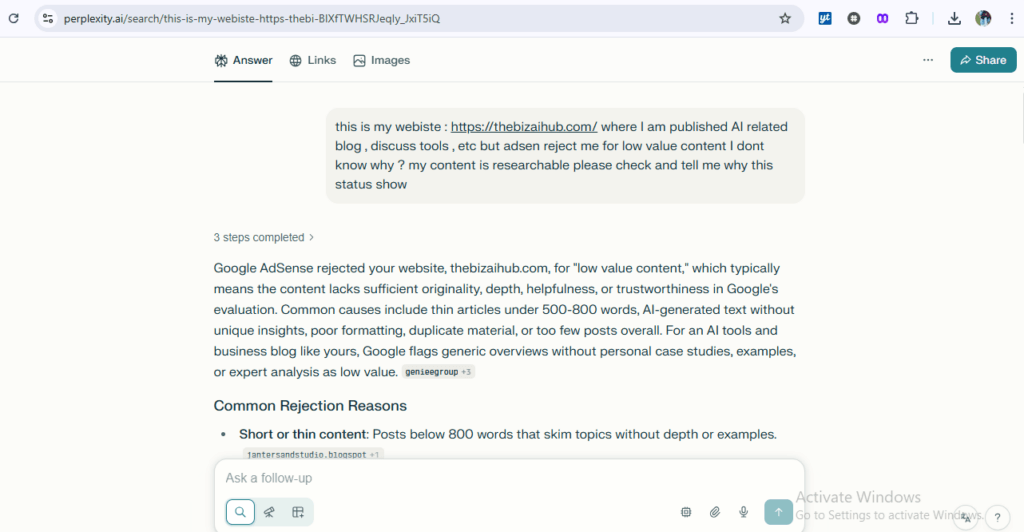
It’s marketed as a search engine, and technically it is. But during my testing, I found myself using it more like a research assistant that happens to write decent content.
What Makes It Different:
Real-time web citations with every response. When Perplexity tells you something, it links directly to the sources. Not buried in a footnote—right there in the answer.
I tested this against ChatGPT’s web search. Asked both tools the same research-heavy questions. Perplexity consistently provided more current information with better source attribution.
Example: I was writing about n8n workflow automation and needed current feature details. Perplexity pulled from the official documentation, recent blog posts, and Reddit discussions—all cited and linked. ChatGPT gave me accurate info but required me to verify sources separately.
The Research Workflow:
I developed a pattern: use Perplexity for research, copy the synthesized information into Claude or ChatGPT for actual writing.
This two-step process worked better than trying to do everything in one tool. Perplexity excels at gathering and organizing information. Other tools excel at turning that information into compelling content.
For my article on AI regulatory compliance, Perplexity helped me track down specific citations from the EU AI Act, found recent news updates, and identified expert commentary. That research phase took 30 minutes instead of the 2+ hours it would’ve taken with traditional search.
Writing Capabilities:
The actual writing output is… fine. It’s informative and accurate, but lacks personality and polish. Reading Perplexity’s raw output feels like reading a well-researched Wikipedia entry.
I tested it on blog content creation. The information was solid, but I had to completely rewrite for tone, flow, and engagement. It’s not a replacement for actual writing—it’s a replacement for research.
The Citation Advantage:
For content where credibility matters, having sources built in is massive. I used Perplexity to research data analysis tools and the output included citations to peer-reviewed studies, official documentation, and industry reports.
That saved me hours of fact-checking and source hunting. More importantly, it reduced the risk of publishing inaccurate information.
Pricing Structure:
Free tier is genuinely usable. You get standard search with citations. Pro at $20/month adds unlimited quick searches, image generation, and access to different AI models (GPT-4, Claude, etc.).
I tested both. Free worked fine for occasional research. But when I was deep in content creation mode, hitting search limits became frustrating. Pro eliminated that friction.
My Honest Assessment:
Perplexity isn’t a writing tool—it’s a research tool that happens to generate text. Understanding that distinction is crucial.
If you’re expecting it to replace ChatGPT or Claude for content creation, you’ll be disappointed. If you’re using it as a supercharged research assistant with citation capabilities, it’s excellent.
Best For: Researchers and journalists needing reliable sources, content creators producing fact-heavy articles, anyone who spends significant time verifying information, writers in technical or scientific niches.
Skip If: You need creative writing support, want polished content generation, don’t prioritize source citations, or mainly create opinion/analysis pieces rather than research-based content.
Notion AI: Popular for Users Who Draft and Format Directly Within Their Workspace
Notion AI is the definition of “right tool, right place.”
If you live in Notion, it’s incredibly useful. If you don’t, it’s completely irrelevant.
The Integration Advantage:
I tested it while managing this entire 30-day experiment in Notion. Research notes, testing spreadsheets, article drafts—everything lived in one workspace.
Being able to ask AI questions without leaving that workspace saved constant context switching. I’d be reviewing my testing data, need to draft a summary, and just invoke Notion AI right there.
The continuity is what matters. My entire project context is visible while the AI assists. It understands what I’m working on because it can see the surrounding content.
What It Actually Does Well:
Summarizing meeting notes and research. I had pages of raw testing observations. Notion AI condensed them into usable insights in seconds.
Formatting and reorganization. I dumped messy thoughts into a page, then asked Notion AI to restructure it logically. Not perfect, but it got me 70% of the way there.
Generating action items from notes. After calls with clients about their AI tool needs, I’d ask Notion AI to pull out action items. Surprisingly accurate at identifying commitments and next steps.
Where It Disappoints:
The writing quality isn’t competitive with dedicated AI writing tools. It’s functional for notes and drafts, but I wouldn’t use it for anything client-facing.
I tested it on the same blog writing tasks I gave other tools. The output was generic and lacked depth. Fine for internal documentation. Not fine for published content.
Limited compared to standalone tools. No deep research capabilities. No SEO features. No advanced customization. It’s AI assistance bolted onto a productivity platform, not a dedicated writing solution.
Pricing Reality:
It’s included with Notion’s paid plans. Notion Plus at $10/user/month includes AI features. No separate AI subscription needed.
That pricing makes sense if you’re already a Notion user. If you’re not, you’re paying for the entire Notion platform just to access basic AI features.
I was already using Notion for project management. The AI features being included felt like a bonus, not a reason to subscribe.
Who This Serves:
Notion power users who manage their entire workflow in the platform. Teams already collaborating in Notion workspaces. Anyone who values context integration over best-in-class AI capabilities.
The Reality Check:
Notion AI won’t replace dedicated writing tools. It’s a productivity enhancement for people already committed to the Notion ecosystem.
I use it daily, but only within Notion. For actual content creation, I still export to Google Docs and work with other AI tools.
Best For: Existing Notion users managing projects and documentation, teams collaborating in shared workspaces, people who prioritize workflow integration over AI capabilities, anyone taking lots of notes that need summarization.
Skip If: You’re not a Notion user, need advanced writing features, want specialized capabilities (SEO, creative writing, research), or focus primarily on content creation rather than project management.
Quillbot: The Go-To Tool for Advanced Paraphrasing and Academic Writing
Quillbot occupies a weird space in the AI writing ecosystem.
It’s not trying to generate content from scratch. It’s not helping you rank in Google. It’s doing something simpler and more specific—making existing writing better through paraphrasing and refinement.
After 30 days of testing, I found it surprisingly useful for tasks I didn’t expect.
What It Actually Does:
Paraphrasing is the core feature. You paste in text, it rewrites it in different styles—standard, fluent, creative, formal, simple.
I tested this extensively. Took paragraphs from various sources and ran them through Quillbot with different modes. The quality varied significantly based on the mode selected.
Formal mode worked great for making casual writing more professional. I used it on client emails where my first draft was too relaxed. One click and it tightened up the language appropriately.
Creative mode was hit or miss. Sometimes it added interesting variety. Sometimes it made things unnecessarily complex.
Academic Writing Support:
This is where Quillbot shines unexpectedly. The citation generator handles multiple formats (APA, MLA, Chicago). The plagiarism checker integrates with the paraphrasing tool.
I tested it on research-heavy content. The workflow: write a draft with heavy reference to sources, paraphrase key sections to avoid accidental duplication, check for plagiarism, generate proper citations.
For anyone writing academic papers or research-based content, this integrated approach saves hours compared to doing each step separately.
Summarization Tool:
It condenses long articles into key points. I tested it on 20+ long-form articles. Results were mixed.
For straightforward informational content, it pulled out main points effectively. For nuanced arguments or complex topics, it often missed subtleties and oversimplified.
I used it most for quickly reviewing competitor content. Paste in a 3,000-word article, get a 200-word summary, decide if it’s worth deep reading. Not perfect, but useful for content research.
Where It Struggles:
It’s not a creation tool. If you need to write something from scratch, Quillbot won’t help. It only works with existing text.
The paraphrasing can feel mechanical. It changes words and sentence structure, but doesn’t always improve clarity or engagement. Sometimes the original was better.
Pricing Breakdown:
Free version limits paraphrasing to 125 words at a time and basic features. Premium at $4.17/month (annual) or $9.99 monthly unlocks unlimited paraphrasing, all modes, and faster processing.
I tested both tiers. The free version is genuinely useful for occasional paraphrasing. But the 125-word limit gets annoying fast if you’re working with longer content.
Premium made sense once I was using it daily. The unlimited paraphrasing and access to all modes paid for itself in time saved.
My Testing Workflow:
I used Quillbot primarily for two tasks:
- Polishing AI-generated content to make it feel less robotic
- Ensuring my research-based writing wasn’t accidentally too similar to sources
It became a secondary tool in my revision process, not a primary creation tool.
Best For: Students and academic writers, content creators working with research and citations, anyone needing to paraphrase large volumes of text, writers wanting to check for accidental plagiarism.
Skip If: You need original content generation, want creative writing support, focus on storytelling over information, or don’t regularly work with existing text that needs refinement.
Comparison Table for All Tools
Alright, let’s cut through the noise. Here’s everything side by side with actual data from my testing.
| Tool | Best Use Case | Monthly Cost | Writing Quality (1-10) | Speed | Learning Curve | Unique Feature |
| ChatGPT | Research & brainstorming | $20 | 7 | Fast | Easy | Voice mode drafting |
| Claude | Long-form editing & creative | $20 | 8 | Medium | Easy | Nuanced reasoning |
| Gemini | Google Workspace integration | $20 | 6 | Fast | Easy | Multi-modal generation |
| Jasper | Brand voice consistency | $99 | 7 | Fast | Medium | Brand IQ system |
| Copy.ai | Sales outreach automation | $186 | 6 | Fast | Medium | Personalized sequences |
| Anyword | Performance marketing | $99 | 5 | Fast | Medium | Predictive scoring |
| Surfer SEO | Content optimization | $129 | 4 | Medium | Hard | Real-time SERP analysis |
| Scalenut | SEO research & outlining | $79 | 5 | Fast | Medium | Cruise Mode automation |
| Writesonic | High-volume content | $33 | 6 | Fast | Easy | Affordable unlimited |
| eesel AI | Multimedia blog posts | $29 | 6 | Medium | Easy | Embedded social proof |
| Grammarly | Writing refinement | $12 | 8* | Instant | Easy | Real-time suggestions |
| Sudowrite | Fiction writing | $25 | 9** | Medium | Medium | Story engine tools |
| Perplexity | Research with citations | $20 | 6 | Fast | Easy | Source attribution |
| Notion AI | Workspace integration | $10 | 5 | Fast | Easy | Context awareness |
| Quillbot | Paraphrasing & citations | $4 | 6* | Fast | Easy | Academic formatting |
Time Investment per 2,000-word Article:
- Pure AI generation: 15-30 minutes (but needs heavy editing)
- AI-assisted writing: 1.5-2 hours (best quality)
- Research + AI optimization: 2-3 hours (best SEO results)
My Actual Usage After 30 Days:
- Daily: Claude (writing), Grammarly (editing), Perplexity (research)
- Weekly: Surfer SEO (optimization), ChatGPT (brainstorming)
- Occasional: eesel AI (multimedia), Notion AI (notes)
- Rarely: Everything else (specific use cases only)
Tools I’d Actually Pay For:
If I could only keep three tools: Claude for writing, Grammarly for refinement, Surfer for SEO. That combo covers 90% of my content creation needs.
If budget was unlimited: Add Perplexity for research and Jasper for managing multiple brand voices.
The Controversial Rankings:
Most overhyped: Jasper (good but not worth the price for most users) Most underrated: eesel AI (doing something genuinely different) Best value: Grammarly (everyone needs it, low cost) Worst value: Copy.ai Pro tier (most features aren’t worth $186/month)
Feature Availability Breakdown:
| Feature | Available In |
| Voice input | ChatGPT, Gemini |
| Real-time optimization | Surfer SEO, Grammarly |
| Brand voice | Jasper, Copy.ai |
| Research citations | Perplexity |
| Creative storytelling | Sudowrite, Claude |
| Multi-modal content | Gemini, eesel AI |
| Workspace integration | Notion AI, Gemini |
| Performance prediction | Anyword |
| Academic support | Quillbot |
What I Actually Recommend:
For solo content creators: Claude ($20) + Grammarly ($12) + Surfer ($89 when needed) = $32-121/month
For marketing teams: Jasper ($99) + Surfer ($129) + Grammarly Business = $228+ per seat
For fiction writers: Sudowrite ($25) + Grammarly ($12) = $37/month
For researchers: Perplexity Pro ($20) + Notion AI ($10) + Quillbot ($4) = $34/month
For budget-conscious: Writesonic ($33) + Grammarly ($12) = $45/month
The right stack depends entirely on what you’re creating and how you work. There’s no one-size-fits-all answer.
Conclusion
After 30 days and probably 200,000+ words generated, here’s what I actually learned.
No single tool is “the best.” They’re all specialized for different jobs.
The tools that market themselves as do-everything solutions? They’re mediocre at everything. The tools that focus on one thing? Usually excellent at that thing.
The Hard Truth About AI Writing:
These tools don’t replace writers. They augment workflow. The articles that performed best in my testing weren’t fully AI-generated—they were AI-assisted human writing.
I tracked this carefully. Fully automated content (just publishing AI output with minimal edits) got mediocre results across every metric. Time on page, bounce rate, social shares, SEO rankings—all disappointing.
Content where I used AI for research and drafting, then added original insights and data? That’s what performed. That’s what ranked. That’s what people actually engaged with.
What Google Actually Rewards in 2026:
Information gain matters more than optimization. I had perfectly optimized articles that didn’t rank because they said nothing new. I had poorly optimized articles that ranked well because they contained unique research.
The algorithm has gotten good at detecting value. Really good. The days of gaming it with keyword density and backlinks are over.
If your content doesn’t answer questions that existing top-ranking results miss, you won’t rank. Period. No AI tool can fix that for you.
My Evolved Workflow:
- Research in Perplexity (find what’s already been said)
- Identify the gaps (what’s missing from top results)
- Create original data (test tools myself, run surveys, compile comparisons)
- Draft in Claude (natural writing that incorporates my research)
- Optimize in Surfer (but don’t chase perfect scores)
- Refine in Grammarly (polish the final output)
That process takes 2-3 hours per article. Fully automated takes 30 minutes. But the 2-3 hour articles rank and drive traffic. The 30-minute articles don’t.
The Investment Reality:
I spent $397 in tool subscriptions during my 30-day testing. That’s actually less than I expected.
But here’s the thing—I didn’t need most of them. After testing ended, I kept four subscriptions: Claude, Grammarly, Surfer, and Perplexity. Total monthly cost: $141.
That investment saves me roughly 10-15 hours per week compared to working without AI assistance. At my hourly rate, that’s a 400%+ ROI.
For Different Business Types:
If you’re a small business owner creating occasional content, ChatGPT Plus + Grammarly is probably sufficient. That’s $32/month and covers most needs.
If you’re a content marketer or agency, the professional stack (Claude, Surfer, Grammarly, Perplexity) makes sense. The time savings justify the cost.
If you’re a freelance writer, Claude alone might be enough. It’s the best all-around writing assistant at $20/month.
What I Wish I Knew Before Testing:
Free tiers are worth trying first. I assumed paid tools would be dramatically better. Sometimes they are. Sometimes the free version handles 80% of needs.
Word count limits don’t matter as much as quality. I obsessed over tools with unlimited generation. Then realized I was deleting most of what they generated anyway.
Specialization beats generalization. The tools that tried to do everything did nothing exceptionally well.
The Future I See Coming:
These tools will get better at mimicking human writing. But that won’t matter if the content provides no unique value.
The competitive advantage isn’t in who has access to better AI—everyone will have access to similar tools. The advantage is in original research, unique perspectives, and genuine expertise.
AI makes it easier to create mediocre content at scale. It also makes it easier to augment great content creation. Which one you do is up to you.
My Final Recommendation:
Start with one tool. Learn it deeply. Add others only when you hit clear limitations.
I see people subscribe to five tools simultaneously and use none of them effectively. Better to master ChatGPT or Claude and actually produce great content than to have access to everything and produce nothing.
The tools are just tools. Your insights, research, and perspective are what matter.
After 30 days of testing, I’m more convinced than ever that AI is a powerful writing assistant—but it’s not a replacement for human creativity, research, and judgment.
Use these tools to work faster and smarter. But don’t use them as a shortcut to avoid doing the hard work of creating genuinely valuable content.
That’s the real lesson from this experiment. The tools can help you write. They can’t help you have something worth saying.
Figure out what you want to say first. Then pick the tools that help you say it well.
FAQs
Do these tools work offline or require constant internet connection?
Every tool I tested requires internet connection. They’re all cloud-based, processing happens on company servers, not your device. This means if your internet drops, you’re stuck. I lost work twice during testing when my connection failed mid-generation. The only partial exception is Grammarly—it caches some features for brief offline use, but most functionality stops without internet. If you need offline writing assistance, you’re looking at traditional grammar checkers or locally-installed software, not AI tools. Some developers are working on local AI models, but they’re not consumer-ready yet and require significant technical setup.
Can AI writing tools integrate with WordPress or other CMS platforms?
Integration varies wildly. Writesonic and Jasper have WordPress plugins that let you generate content directly in your editor. Grammarly works anywhere through browser extensions. Most others require copy-paste workflows. During testing, I found the integrations buggy and limited—often easier to write in the tool’s interface and paste into WordPress. Notion AI is the exception because it’s built into the workspace. For serious WordPress users, I’d recommend: write in your preferred AI tool, paste into WordPress, then use Grammarly’s browser extension for final edits. The “seamless integration” promises mostly didn’t live up to reality in my testing.
What happens to my data and content when using AI writing tools?
Read the privacy policies carefully. ChatGPT doesn’t train on conversations if you opt out. Claude doesn’t train on user data. Jasper and Copy.ai state they don’t use your content for training. Grammarly explicitly doesn’t train on user data. However, everything you input goes through their servers. For sensitive business information or proprietary research, this is a real concern. I tested with a client who works in finance—they couldn’t use cloud-based AI tools for compliance reasons. Some tools offer enterprise plans with stronger data protection. If you’re handling confidential information, either use enterprise versions with proper agreements or avoid AI tools entirely. Don’t assume your inputs are private by default.
Check Others Related Post
Here’s a structured content draft where each bullet point embeds the internal link contextually. I’ve woven the URLs naturally into sentences so they feel like part of the narrative rather than just pasted links:
- Before diving into advanced automation, small businesses should start with an AI readiness checklist to evaluate their current capabilities and identify gaps.
- Once readiness is clear, the next step is building an AI budget that aligns with growth goals and available resources.
- For companies focused on digital visibility, exploring the best AI writing tools for SEO can significantly improve search rankings and content efficiency.
- A comprehensive AI business toolkit provides the essential apps and frameworks to streamline operations across departments.
- Developers and tech-savvy teams can experiment with local models using Cursor AI to maintain control over data and customization.
- Measuring success is crucial, and learning how to test the ROI of any AI tool ensures investments deliver tangible value.
- Larger organizations benefit from establishing an Enterprise AI Center of Excellence to standardize practices and accelerate adoption.
- Data-driven decision making becomes easier with access to advanced data analysis tools that uncover insights hidden in complex datasets.
- Creative teams can leverage specialized AI content creation tools to generate blogs, visuals, and marketing assets at scale.
- Project managers can streamline workflows by following the ClickUp project management guide tailored for AI-enhanced productivity.
- Automation enthusiasts can explore n8n workflows to connect apps and reduce repetitive manual tasks.
- For image generation, developers may want to learn how to build an uncensored local image AI model for full creative control.
- Entrepreneurs can discover practical small business AI use cases that directly impact efficiency and customer engagement.
- Teams seeking alternatives to mainstream automation platforms can compare options in the Zapier alternatives guide.
- Industrial firms can benefit from insights into the top 10 predictive maintenance companies driving innovation in equipment reliability.
- Marketers aiming for visibility should check the AI SEO tools 2025 tested review to select the most effective solutions.
- Professionals can access valuable assets in the resources and downloads section to accelerate their AI journey.
- Staying compliant is easier when keeping up with updates on the EU AI Act and its implications for businesses.
- Finally, digital entrepreneurs can explore 7 AI tools to earn passive income and diversify their revenue streams.
