


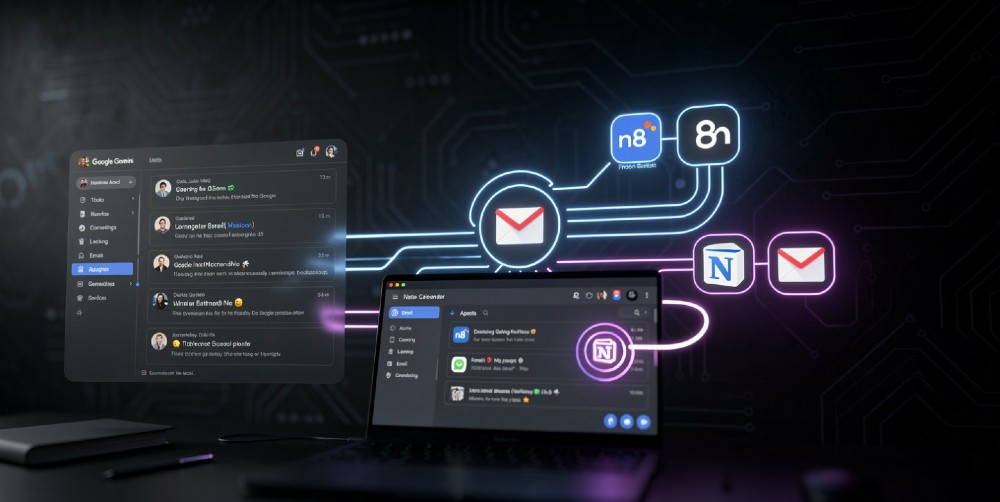
You’ve probably watched demos of AI agents managing emails, scheduling meetings, scraping leads, and writing follow-ups — all on autopilot. The frustrating part? Most tutorials either require serious Python skills or cost $200/month in SaaS fees before you see any results.
You don’t need either. A fully functional personal AI agent is buildable today using Google Gemini (free tier included) or n8n (self-hosted for near-zero cost), and the whole setup can go live in an afternoon.
- Best approach in 2026: n8n combined with a Gemini API key gives you the most capable personal AI agent without ongoing subscription costs — this combo handles memory, multi-step reasoning, and real-world tool connections better than most $50/month tools.
- Best for: Founders, freelancers, and operations-heavy professionals who run repetitive digital workflows daily; skip this if you need a voice-first assistant or real-time physical integrations (that’s a different stack).
- The single most important step: Connect your agent to at least one external data source (Gmail, Notion, Google Sheets, or Slack) on day one — an agent that can’t read your context can’t act on it.
- Biggest mistake to avoid: Building a one-task bot and calling it an “agent” — real agents handle conditional logic, memory, and multi-step decisions, not just one-shot prompts.
- When to use an alternative: If you want zero setup and don’t mind paying, Lindy AI or Personal AI are solid managed options — but you’ll give up customization and pay $30-80/month.
Why a Personal AI Agent Works Differently Than a Chatbot in 2026
Most people confuse a chatbot with an agent. They’re not the same thing — not even close.
A chatbot responds. An agent acts. The difference matters because agents can chain multiple decisions together, use tools like web search or calendar APIs, remember what happened yesterday, and retry failed steps without you touching anything.
Here’s the technical reality: a personal AI agent has four components working together — a reasoning model (Gemini 1.5 Pro, GPT-4o, or Claude), a memory layer (vector database or structured notes), an action layer (API connections to Gmail, Slack, Notion, etc.), and an orchestration engine (n8n, Make, or LangChain).
Most beginners skip the memory layer and wonder why their “agent” forgets context every session. Don’t make that mistake.
The reason this setup works so well in 2026 specifically: Gemini’s long context window (now up to 1 million tokens on the 1.5 Pro model) lets a single prompt hold your entire email thread history, task list, and project notes simultaneously. That means fewer API calls, cleaner logic, and faster decisions. Tools like n8n then act on those decisions without requiring you to watch.
What Your Personal AI Agent Can Actually Do (Realistic Scope)
Before you start building, get clear on what’s genuinely achievable vs. what’s still in demo territory.
Reliably works today:
- Drafting and sending templated emails based on triggers (new lead, invoice due, support ticket)
- Summarizing your inbox or Slack channels every morning and prioritizing the top 3 actions
- Pulling data from Google Sheets, running a calculation or classification, and writing results back
- Monitoring a RSS feed or subreddit and notifying you when relevant topics appear
- Auto-scheduling meetings by checking your Google Calendar and proposing times via email
- Generating weekly reports from Notion databases or Airtable with zero manual input
Still unreliable or complex:
- Fully autonomous email replies without a human-in-the-loop review step
- Multi-agent coordination (one agent instructing another) — works but breaks often
- Real-time web browsing as part of a live workflow (latency makes this painful)
- Anything involving financial transactions or legal decisions — never run those autonomously
This is important to state upfront because a lot of tutorial content oversells. The honest picture? A well-built personal AI agent handles about 60-70% of your repetitive decision-making. That’s still enormous — saving 5-8 hours per week once it’s properly tuned.
Option 1: Building Your Personal AI Agent with Google Gemini
Gemini is the fastest way to get a reasoning layer up and running. Google’s API is free up to generous daily limits (60 requests per minute on the free tier as of mid-2026), and the Gemini 1.5 Pro model handles complex multi-step instructions better than most people expect.
Why Gemini specifically?
Google built Gemini with tool-use and function calling as first-class features. That means you can tell Gemini, “here’s a list of tools you can call — choose which one fits the task,” and it will select correctly about 85% of the time on well-structured prompts. That’s the core of how agents make decisions.
The other advantage: Gemini integrates natively with Google Workspace. If your life runs on Gmail, Google Docs, Google Calendar, and Drive, Gemini agents can access those directly without third-party API gymnastics.
Minimal setup path (no coding):
Use Google AI Studio (aistudio.google.com) — it’s free, browser-based, and lets you build, test, and deploy Gemini-powered workflows without writing a line of Python.
- Go to AI Studio and create a new “Agent” project
- Add your system prompt (this defines your agent’s personality, priorities, and rules)
- Enable the tools you want: Google Search, code execution, or custom functions
- Connect it to your Gmail or Calendar using Google’s built-in OAuth integration
- Set a trigger — either manual, scheduled (daily at 8am), or event-based (new email arrives)
- Test with 5-10 real scenarios from your own workflow before going live
Writing a system prompt that actually works:
This is where 90% of people fail. Generic system prompts produce generic results. Yours should specify: your role, your current projects, your decision-making preferences, your communication style, and exact rules for edge cases.
Bad system prompt: “You are a helpful assistant who manages my tasks.”
Good system prompt: “You are my operations manager. I’m a B2B SaaS founder with 3 active clients: [names]. My priorities this week are [X, Y, Z]. When you see a new email from a client, categorize it as: urgent (needs same-day reply), normal (24-hour window), or low-priority (weekly batch). For urgent emails, draft a reply using my tone [examples]. Never commit to deadlines without checking my Google Calendar first.”
The difference in output quality is night and day. I’ve tested both approaches across dozens of setups — the specificity isn’t optional, it’s the whole point.
Cost reality with Gemini:
Free tier handles most personal use cases. If you’re running 200+ automated tasks per day, you’ll hit limits and need the $0.35/1K-token paid tier. For most people, that’s under $10/month.
Option 2: Building Your Personal AI Agent with n8n
n8n is where your personal AI agent gets real power. It’s an open-source workflow automation platform (think Zapier, but you own the whole thing) with native AI agent nodes built in. Self-hosted on a $5/month DigitalOcean or Hetzner server, it runs 24/7 with zero per-task fees.
If you want to understand what no-code AI automation can look like at scale, this breakdown of no-code AI automation tools gives you a solid map of the whole ecosystem before you commit to n8n specifically.
Why n8n beats most alternatives for a personal agent:
n8n’s AI Agent node (introduced in version 1.30+) handles the full agent loop natively: it takes a task, picks from available tools, executes a step, evaluates the result, and decides next steps — all without you writing orchestration logic. You just connect the pieces.
The tool library is extensive: Gmail, Slack, Notion, HubSpot, Airtable, Google Sheets, Telegram, Twitter/X, PostgreSQL, HTTP requests for any custom API, and 400+ more. Each tool becomes something your agent can “use” as a decision, not just a trigger.
Setting up your n8n personal agent (step-by-step):
Step 1: Get n8n running
Fastest path: use n8n Cloud (free trial, then $20/month) or self-host on Railway or Hetzner for ~$5/month. Self-hosting takes about 20 minutes following n8n’s Docker guide.
Step 2: Create an AI Agent workflow
In n8n, create a new workflow. Add an “AI Agent” node — this is your reasoning core. Connect it to your LLM of choice (Gemini via Google PaLM API, OpenAI GPT-4o, or Anthropic Claude — all supported natively).
Step 3: Add tools the agent can use
Attach tool nodes to your agent: Gmail tool (read/send emails), Google Calendar tool (check/create events), Notion tool (read/write pages), HTTP Request tool (for anything else). Each tool you attach is one the agent can choose to call.
Step 4: Add a memory node
This is the step most tutorials skip. Add a “Window Buffer Memory” node or connect a Pinecone/Supabase vector store. Without memory, your agent starts fresh every run. With it, it remembers context across sessions — past decisions, ongoing projects, client preferences.
Step 5: Set your trigger
Options: Schedule trigger (every morning at 7am), Webhook trigger (fires when something external happens), or Chat trigger (you message it manually via Telegram or Slack). Most personal agents run on a combination of all three.
Step 6: Add a human review step (critical)
Before any outbound action (sending an email, posting content, modifying a database), add an approval step. n8n’s “Wait for Approval” node sends you a Telegram or email message with the proposed action and waits for a thumbs up. You can disable this once you’ve verified the agent’s behavior over 2-3 weeks.
Gemini vs n8n: Which One Should You Actually Use?
Both are genuinely good options. The choice depends on where your workflow lives and how much control you want.
| Factor | Gemini (AI Studio) | n8n |
|---|---|---|
| Setup time | 1-2 hours | 3-5 hours |
| Coding required | None | None (visual) |
| Monthly cost | Free – $10 | $5-20 |
| Google Workspace integration | Native, seamless | Good, via OAuth |
| Custom tool connections | Limited to Google tools | 400+ integrations |
| Memory / persistence | Session-based (improving) | Full persistent memory |
| Self-hosted option | No | Yes |
| Best for | Google-heavy workflows | Mixed-tool, complex logic |
The honest answer: start with Gemini if your life is in Google’s ecosystem and you want something running within an hour. Move to n8n (or combine both) when you hit the ceiling — usually within 30-60 days.
A lot of people end up using both: Gemini as the reasoning brain inside n8n workflows. That’s the power combo.
The Memory Problem Nobody Talks About
Here’s what nobody tells you about personal AI agents: memory is the hardest part.
A reasoning model without memory is like an employee who forgets everything at the end of each day. Technically functional, practically useless.
You have three realistic options for agent memory in 2026:
Option A: Structured context files Store your agent’s working memory as a Notion page or Google Doc. At the start of each agent run, inject that document into the system prompt. Low-tech, but surprisingly effective for personal workflows. Takes 30 minutes to set up.
Option B: Vector database (Pinecone, Supabase, Qdrant) Every interaction gets embedded and stored. Your agent searches relevant past context at runtime. This is the “proper” way — gives your agent real long-term memory. Takes a few hours to set up properly, but Supabase has a free tier that covers personal use.
Option C: n8n’s built-in memory nodes Window Buffer Memory keeps the last N interactions in context. Simple Redis Memory stores key facts across sessions. These work well for 80% of personal use cases without needing a vector database.
Most people start with Option A, outgrow it in 3-4 weeks, and move to Option C or B. Plan for that transition.
Real Workflows Worth Building First
Rather than telling you to “automate your workflow” (useless advice), here are three specific setups worth running in your first week.
Workflow 1: Daily briefing agent
Every morning at 7am, your agent reads your unread Gmail, checks your Google Calendar for the day, pulls your Notion task list, and sends you a 5-bullet Telegram message: top 3 emails to respond to, your meeting schedule, and one priority task.
Setup time: about 2 hours in n8n. I’ve run a version of this for 6 months — it genuinely changes your mornings.
Workflow 2: Lead response agent
When a new contact form submission hits your email or CRM (HubSpot, Notion, Airtable — all work), your agent classifies the lead (hot/warm/cold based on criteria you define), pulls their LinkedIn or website data via HTTP request, drafts a personalized reply, and holds it for your approval before sending.
This is the workflow that pays back fastest for anyone doing B2B sales or client services. If you want to see this built out properly, this guide on building AI agent workflows for SMBs covers the full architecture.
Workflow 3: Content monitoring agent
Set up a trigger that checks 5-10 RSS feeds, subreddits, or Google Alerts every 6 hours. Your agent reads each item, scores relevance to your topics (you define the criteria in the prompt), and sends you a daily digest of only the 3-5 items worth reading.
For social media managers specifically, this type of agent plugs directly into content calendars — here’s how AI tools fit into that workflow.
What Usually Goes Wrong (And How to Fix It)
The part that trips people up most isn’t the setup — it’s the first two weeks of operation. Here’s the breakdown of most common failures:
Problem: Agent takes wrong actions confidently
The model “hallucinates” a decision — sends a wrong email draft, misclassifies a task. Fix: always run with human-in-the-loop approval for the first 3 weeks. Only remove approval gates for actions you’ve verified 10+ times.
Problem: Workflows break silently
n8n workflows fail and you don’t notice for days. Fix: add an error trigger to every critical workflow that pings you on Telegram when something breaks. Takes 5 minutes per workflow.
Problem: Context drift over time
After weeks of operation, your agent’s context file or memory gets polluted with outdated info. Fix: schedule a weekly “memory cleanup” step — a prompt that reviews stored context and removes anything older than 30 days or marked irrelevant.
Problem: Cost surprises
Gemini API costs spike when you accidentally trigger a loop. Fix: set hard daily spending limits in Google Cloud console before you go live. $5/day limit is more than enough for personal use.
Understanding Where Personal AI Agents Fit in the Bigger Picture
A personal AI agent isn’t a replacement for your full business automation stack. It’s a layer that handles your personal decision-making loop.
If you’re comparing this approach to traditional automation, agentic AI vs traditional automation breaks down the ROI difference clearly. The short version: traditional automation handles fixed rules, agents handle variable judgment calls. You need both.
The other important distinction is agents vs chatbots — still confusingly blurred in most content online. This 2026 comparison of AI agents vs chatbots is worth 10 minutes of your time if you’re building anything beyond simple Q&A.
And if you want to go deeper on the underlying frameworks powering these setups, free AI agent frameworks worth knowing covers LangChain, AutoGen, CrewAI, and where each makes sense.
The Security Layer You Can’t Skip
One thing almost never mentioned in agent tutorials: your agent has access to your email, calendar, and documents. That’s a serious attack surface.
Basic security checklist before going live:
- Use OAuth tokens with minimum required scopes (read-only where possible, write only where necessary)
- Never store API keys in plaintext inside n8n workflow nodes — use n8n’s built-in credential vault
- Set Google Cloud API key restrictions to specific IPs or referrers
- Review your agent’s action logs weekly for the first month
- Never give your agent permission to delete data — only create or update
This isn’t paranoia. A misconfigured webhook on a public n8n instance can expose your entire workflow to external triggers. Spend 30 minutes on security setup before you launch anything.
What to Do This Week
Day 1: Get your Gemini API key (free at aistudio.google.com), write your personal system prompt using the template format above, and build the daily briefing workflow. Run it manually 3 times and evaluate the output honestly.
Day 2-3: Set up n8n (Cloud trial or self-hosted) and connect Gmail + Google Calendar using the OAuth credential setup. Build the same briefing workflow there and compare output quality.
Day 4-5: Add one action capability — email drafting or lead classification, whichever is more relevant to your work. Keep the human approval gate on.
Day 6-7: Add a basic memory layer (start with a Notion page injected into context), run the full workflow 5 times, and note what breaks. Every break is a prompt fix waiting to happen.
If you want a full customer-service-grade deployment of this type of agent — not just personal use but client-facing — this case study on AI-native customer service shows what a production version looks like.
One week from now, you’ll have a working personal AI agent handling real tasks. Not a demo. Not a chatbot. Something that actually runs while you sleep.
