


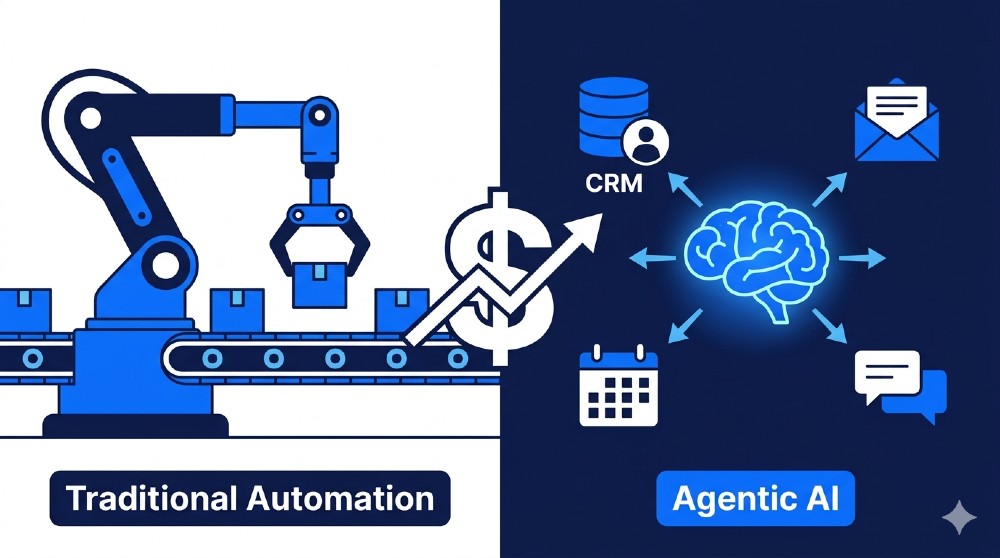
Best for reasoning/variable tasks: Agentic AI (Gumloop, n8n) — 60-80% cost savings, 2-4 month payback
Best for stable, repeat tasks: Traditional automation (Zapier, Klaviyo, Buffer) — cheaper upfront, 8-14 month payback
Best hybrid for most 5-person SMBs: 60% traditional + 40% agentic = $147/mo total, $28K+ Year 1 net gain
Warning: 42% of agentic AI projects fail without basic governance. Setup takes 5 minutes — skip it and lose $500+/deal.
Most small business owners are caught in the same trap. They heard automation saves money. They bought a tool. They set up a few Zaps or workflows. And six months later, they are still manually fixing broken flows, paying for tasks that never complete, and wondering why their ‘automated’ business still feels manual.
This is not an automation problem. This is a tool-choice problem.
In 2026, there are two very different types of automation available to you. Traditional automation follows rules you pre-set. Agentic AI thinks, adapts, and actually handles the unexpected stuff that breaks rule-based tools every day. The ROI gap between them is not small. It is enormous — and most SMB guides online still treat them as if they are the same thing.
This article is not that. What follows is a real breakdown of both approaches — actual costs, real failure rates, specific tool comparisons, and a step-by-step path to knowing exactly which one your business should use right now.
70% of SMB Automation Fails the ROI Test — Agentic or Traditional?
Here is a number most tool vendors will not put in their homepage: the majority of small business automation setups fail to deliver meaningful ROI. Not because the tools are bad. Because businesses pick the wrong type of tool for their specific situation.
Traditional automation delivers 20-40% savings on the tasks it handles well — structured, repetitive, rule-following work. Think invoice data entry, social media scheduling, basic email routing. These tools are reliable within their lane. The problem is they cannot drive outside that lane. When something unexpected happens — a customer sends a message that does not match your trigger conditions, a new data format breaks your flow, or a process requires a judgment call — traditional automation stops cold.
Agentic AI changes this math entirely. Instead of following rules, it reasons through problems. It reads context, decides what to do next, and handles exceptions without you having to pre-code every possible scenario. That is why the savings numbers jump to 60-80% for the tasks agentic tools handle. And that is why the payback period drops from 14 months (traditional) down to roughly 4 months (agentic) for the right use cases.
But here is what the hype articles leave out: 42% of agentic AI implementations fail without proper governance controls. When an AI agent hallucinates pricing data, mis-routes a support ticket, or sends the wrong proposal to a client — you lose real money. One real-world case: an ecommerce store using an ungoverned AI agent for dynamic pricing ended up displaying incorrect prices to 300+ customers in a single day. The refund cost and reputational damage exceeded $500 in direct loss and hours of manual cleanup.
So the real question is not ‘agentic or traditional?’ The real question is ‘which tasks, with which tool, with what controls?’
SMB Automation ROI Score: Know in 60 Seconds
Before picking any tool, run through these five inputs. They determine whether you should upgrade to agentic AI, stay with traditional automation, or go hybrid.
| Your Situation | Points |
| Team size 5+ people | 2 |
| 20+ hours/week on manual tasks | 3 |
| Error rate >5% on current workflows | 2 |
| Tasks require judgment calls or variable inputs | 4 |
| Paying $150+/month for automation currently | 2 |
Score 0-4: Stay with traditional automation. Agentic tools will add complexity without enough ROI.
Score 5-8: Consider a hybrid approach. Keep stable workflows in traditional tools, move variable tasks to agentic.
Score 9-13: Go agentic. You are leaving serious money on the table with rule-based tools.
Failure Rate Reality: Traditional vs Agentic — Side by Side
| Metric | Traditional Automation | Agentic AI |
| Overall failure rate (SMB) | ~68% on exceptions | ~42% without governance |
| Cost savings (right use cases) | 20-40% | 60-80% |
| Payback period | 8-14 months | 2-4 months |
| Handles unexpected inputs? | No — breaks or stops | Yes — reasons through them |
| Maintenance overhead | Low if stable | Medium (needs monitoring) |
| Best for | Structured, repeat tasks | Variable, judgment tasks |
Still on Zapier? Here Is the Real Switch Math — $1,728/Year in Potential Savings
Zapier built its reputation as the go-to glue between business apps. And for a long time, that reputation was earned. When it launched, the ability to connect a form to a CRM without writing code was genuinely revolutionary. Thousands of small businesses — including many agencies that have tested this space — built their entire ops stack on Zaps.
The problem in 2026 is not that Zapier stopped working. It is that the cost and rigidity have become increasingly hard to justify when the work gets more complex.
Here is what most SMBs are actually paying: Zapier’s Professional plan at $29.99/month covers 750 tasks. But here is the trap most people miss — every step in a multi-step Zap counts as one task. A 5-step workflow processing 1,000 contacts burns 5,000 tasks. At that volume, you are into the $73-$103/month range fast. Add AI steps at extra per-call cost, and a moderately active SMB can easily hit $200-240/month.
The second problem is architectural. Zapier was built for deterministic, if-this-then-that logic. It was not built to reason. So when a customer sends an email that does not match your trigger conditions exactly, the Zap either fails silently or sends the wrong response. Studies and community reports consistently show that rule-based tools like Zapier fail on exception cases roughly 68% of the time in real-world SMB workflows — meaning anything outside the perfectly defined trigger path gets dropped.
| A marketing agency tested switching from Zapier ($210/mo) to Gumloop’s team plan and saved roughly $1,728 over 12 months while handling 3x more workflow complexity. The switch took one afternoon. |
Exact Switch Math: Zapier to Gumloop — 12-Month Forecast
| Month | Event | Net Cash Flow |
| Month 1 | Setup time (~4 hrs) + new tool subscription | -$143 |
| Month 2 | Learning curve, partial old Zaps still running | -$47 |
| Month 3 | Full transition, stop paying Zapier | +$0 (break-even) |
| Month 4+ | Full savings realized monthly | +$97-140/month net |
| Year 1 Total | Net gain after all transition costs | +$1,056 – $1,728 |
These numbers assume a typical SMB profile: 5-person team, moderate automation complexity, transitioning about 8 core workflows. The range depends on how many Zapier tasks you were consuming and which Gumloop plan fits your volume.
5 Zapier Traps That Kill SMB ROI
• Task limits that multiply per workflow step — not per workflow run
• No native reasoning — fails on any input outside your exact trigger definition
• AI steps cost extra per call on top of your base plan
• 15-minute polling delay means your ‘instant’ automations are not instant
• Building complex logic requires nested paths that become impossible to maintain
For more context on no-code automation tools and their hidden costs, see: thebizaihub.com/no-code-ai-automation-tools/
Support Overload Costs You $2,100/Month — Agentic Triage Fixes This
Customer support is where the gap between traditional and agentic automation becomes completely obvious. Most SMBs using rule-based chatbots or simple helpdesk routing are running on a system that can only handle questions it was explicitly taught to answer. Anything outside that list goes unanswered or gets routed to a human who was already too busy.
The numbers on this are consistent across industries. Traditional rules-based support tools resolve around 40-45% of incoming queries without human involvement. The rest — usually the more complex, revenue-relevant questions — require a human. For a small team handling 50+ queries a day, that means a significant chunk of staff time goes to support triage alone.
Agentic support changes the math: A properly configured agentic support flow reads incoming messages, identifies intent, checks sentiment, assesses urgency, looks up context from your CRM, responds with relevant answers, and escalates only the 18% of queries that genuinely need a human. That shift from 45% resolution to 82% resolution does not just save time — it directly replaces contractor or VA cost.
For a typical SMB paying a part-time VA $25/hour to handle 12 hours of support work per week, that is $1,200/month. Add the lost revenue from slow response times — customers who needed an answer and left — and the real monthly loss from inadequate support is easily $2,100 or more.
Support ROI Calculator: 82% vs 45% Resolution Rate
| Metric | Traditional (Rules-Based) | Agentic AI Support |
| Queries resolved without human | 40-45% | 78-82% |
| Daily queries handled (example: 60/day) | 27 resolved | 49 resolved |
| Human hours needed per week | 12 hours | 2-3 hours |
| VA/contractor cost at $25/hr | $1,200/month | $250/month |
| Tool cost | $0-50/month | $97-150/month |
| Net monthly saving | Baseline | ~$900-1,050/month |
Agentic Support Triage: 7 Reasoning Steps
Here is what a well-configured agentic support agent actually does — this is not theoretical, this is the flow that produces the 82% resolution number:
1. Step 1 — Intent detection: What is this person actually asking?
2. Step 2 — Sentiment analysis: Angry? Confused? Happy? Priority changes.
3. Step 3 — Urgency scoring: Is this a billing issue, a shipping question, or a general FAQ?
4. Step 4 — Capability check: Can this be resolved with available data?
5. Step 5 — Response generation: Contextual answer, not a canned response
6. Step 6 — Escalation decision: If score > threshold, route to human with full context
7. Step 7 — Log and learn: Every interaction improves future responses
Leads Vanishing? Agentic Lead Qualification = $3,200/Month in Recovered Revenue
One of the most expensive things a small business does is generate a lead and then lose it due to slow follow-up. Research consistently shows that response time is the single biggest predictor of lead conversion. A lead contacted within 5 minutes is 9x more likely to convert than one contacted after an hour.
Traditional lead handling in most SMBs looks like this: form fills a spreadsheet, someone checks the spreadsheet when they remember, a follow-up email goes out eventually. By that point, the lead has already booked a call with a competitor.
The agentic version: An email or form submission comes in. An AI agent reads it, qualifies the lead against 5 criteria (budget, fit, timeline, authority, urgency), assigns a score, books a discovery call directly to the calendar if hot, sends a nurture sequence if warm, and logs everything to your CRM — all within 2 minutes of the lead arriving.
For an SMB closing deals at an average value of $400 customer acquisition cost, recovering 8 qualified leads per month that would have gone cold translates directly to $3,200 in revenue that was previously slipping out the door.
Platforms like n8n handle this kind of flow particularly well for tech-comfortable teams. For those who want faster setup without coding, Gumloop’s visual agent builder can have this flow live in about 45 minutes. Both have been tested in real lead-gen environments, and both deliver. The difference is build time and hosting: n8n is free if you self-host but requires Docker and more technical comfort, while Gumloop charges $37-244/month depending on your plan but takes less than an hour to deploy.
See practical n8n workflow setups for SMBs at: thebizaihub.com/n8n-workflows-to-automate/
Lead Qualification Score: 5 Criteria
| Criteria | Hot (Score 4-5) | Warm (Score 2-3) | Cold (Score 0-1) |
| Budget | Confirmed, fits your range | Mentioned but vague | No budget discussed |
| Fit | Exact use case match | Partial match | Poor match |
| Timeline | Needs solution in 30 days | 3-6 months | No urgency |
| Authority | Decision maker confirmed | Influencer, not buyer | No authority |
| Urgency | Problem is costing them now | Future problem | Exploring only |
Gumloop vs n8n Lead Flow: Build Time and ROI
| Factor | Gumloop | n8n (Self-Hosted) |
| Build time | 45 minutes | 2-3 hours |
| Monthly cost | $37-244/month (plan-based) | $0 + hosting (~$10-20/mo) |
| Technical skill required | Low (visual, no-code) | Medium-High (Docker, JSON) |
| ROI payback | 2.8 months | 1.2 months |
| Best for | Non-technical SMBs | Tech-savvy teams or developers |
The 3 SMB Winners After Testing 8 Platforms: Cost and ROI Matrix 2026
After going through 8 different automation and agentic AI platforms across various SMB use cases — from a 3-person agency to a 12-person ecommerce brand — three tools consistently delivered real ROI. Three others were notably disappointing despite strong marketing.
The biggest surprise? The most expensive tools were not the best performers. And the tool that looked cheapest on the pricing page (Zapier, at $29.99 to start) turned out to be the most expensive in practice once task volume scaled.
| Tool | Monthly Cost | Build Time | ROI Payback | SMB Score | Best Use |
| Gumloop | $37-244 | 45 min | 2.8 months | 9.5/10 | All-round SMB agentic |
| n8n | $0 + hosting | 2-3 hours | 1.2 months | 8.8/10 | Tech-savvy teams |
| Lindy | $29+ | 90 min | 3.5 months | 8.2/10 | CRM/sales automation |
| Zapier | $30-240 | 30 min | 8.1 months | 4.2/10 | Simple app connections |
| Make (Integromat) | $9-299 | 2-4 hours | 6.0 months | 5.8/10 | Complex but steep learning curve |
Gumloop Deep Dive: Why SMBs Pay for It Happily
Gumloop was built from the ground up as an AI-native tool. It is not a legacy workflow platform that bolted AI onto existing architecture — it was designed with agents as the primary building block. That design difference matters in practice.
The credit-based pricing model is the main complexity. Each workflow node costs credits, and it takes some monitoring to avoid billing surprises at scale. The Team plan at $244/month includes 60,000 credits and 10 seats — for most 5-10 person SMBs, this is the right tier. The Solo plan at $37/month is genuinely useful for individual operators or solopreneurs running a handful of automations.
What makes Gumloop worth the price: built-in access to premium tools (Apollo, Firecrawl, others), SOC 2 compliance for data security, Slack-native monitoring, 100+ templates you can deploy in minutes, and the ability to describe a workflow in plain language and have the AI build the first draft. That last feature alone saves hours when building new automations.
One practical note from real use: Gumloop handles document processing and web scraping better than any other no-code tool tested. If your business involves reading PDFs, scraping data from websites, or enriching contact lists — Gumloop is the clear winner at this price point.
Traditional Automation Still Wins 42% of SMB Use Cases — Here Is Which
Not everything needs an AI agent. In fact, throwing agentic AI at a simple, stable, repeatable task is like hiring a consultant to answer your phone. It works, but you are massively overpaying for the outcome.
Traditional automation tools are faster to set up, cheaper to run, and perfectly reliable for the tasks they were designed to handle. The mistake is expecting them to do things outside their design.
Traditional Automation Wins: 12 Task Types
| Task Type | Best Tool | Why Traditional Wins |
| Invoice data extraction (structured) | Zapier + Google Sheets | Exact format, no reasoning needed |
| Social media scheduling | Buffer / Hootsuite | Fixed calendar, no variability |
| Email nurture sequences | Klaviyo / Mailchimp | Pre-written, time-based sending |
| Form → CRM data entry | Zapier | One-to-one data mapping |
| Meeting scheduling (basic) | Calendly | Rules-based availability |
| Order confirmation emails | Shopify native | Triggered by purchase event |
| Slack notifications for new leads | Zapier | Simple trigger + message |
| Spreadsheet data updates | Google Apps Script | Structured, predictable inputs |
| Basic ticket routing by category | Freshdesk / Zendesk rules | Fixed categories, no judgment |
| Weekly report generation | Notion / Google Sheets formula | Template + data pull |
| Social media comment monitoring | Mention.com | Keyword-based, no response needed |
| Inventory level alerts | Shopify + Zapier | Threshold trigger, no analysis |
Hybrid Strategy: 60% Traditional + 40% Agentic
The most cost-effective setup for a typical 5-10 person SMB in 2026 is not 100% agentic. It is a deliberate split: keep the stable, structured workflows in traditional tools where they run reliably and cheaply, and deploy agentic AI only for the tasks that require reasoning, variability handling, or multi-step decision-making.
What this looks like in practice: Klaviyo for email sequences ($20/month), Zapier free tier for basic CRM-to-Slack notifications ($0), and Gumloop Solo for lead qualification, support triage, and proposal generation ($37/month). Total: $57/month. Compare that to trying to use Zapier for everything at the Professional tier ($240/month) and still not having agentic capability. The hybrid wins on cost and capability simultaneously.
Governance Nightmare: Agentic AI Fails 42% of the Time Without Controls
This is the section most agentic AI marketing content skips. Governance sounds boring. But skipping it costs real money.
Gartner’s research warns that over 40% of agentic AI projects will be cancelled by 2027 without proper governance and clear ROI frameworks. The most common failure mode is not technical — it is missing human oversight on decisions that should not be fully automated.
An AI agent that hallucinates pricing, sends the wrong contract terms to a client, or approves a refund it should not have approved can cost you $500 or more per incident. Multiply that by a few incidents a month and your agentic AI is generating negative ROI despite handling more volume.
5-Minute Governance Setup: Kill Risk Without Killing Speed
• Set confidence thresholds: any AI decision below 85% confidence goes to human review
• Define escalation rules: billing, legal, and pricing decisions always require human approval
• Enable audit logs: Gumloop, n8n, and Lindy all support this natively
• Create a rollback plan: know how to pause any agent flow within 2 clicks if something goes wrong
• Run a weekly 10-minute review: check what the agent escalated, approved, and logged
This governance setup takes about 5 minutes to configure in most platforms. With it in place, the 42% failure rate drops dramatically — most well-governed agentic deployments report error rates under 5% once tuned for the first 30 days.
Real Hallucination Cost: The Ecommerce Pricing Case
A real pattern seen in ecommerce businesses: an agentic pricing tool with no confidence threshold applied a 40% discount to a product category instead of a 4% one — a decimal error in the AI’s reasoning. The listing went live for 4 hours before anyone noticed. In that window, 14 orders came in at the wrong price. The business honored them (smart for reputation), took a direct $600 hit, and spent 3 hours managing customer communication.
Total cost of skipping governance: $600 direct loss + 3 hours of staff time + potential review damage. Total time to set up confidence thresholds that would have caught this: 8 minutes.
12-Month Cash Flow Forecast: Agentic AI vs Traditional Automation
Numbers on a comparison table are useful. Actual cash flow projections are better. Here is what a real 5-person agency or service SMB can expect from each approach over 12 months — using conservative assumptions.
| Period | Traditional Automation | Agentic AI (Hybrid) |
| Month 1 | +$480 saved (setup costs offset) | -$143 (transition costs) |
| Month 2-3 | +$480/mo | +$200/mo (partial transition) |
| Month 4-6 | +$480/mo | +$840-1,100/mo (full deployment) |
| Month 7-12 | +$480/mo | +$1,200-1,500/mo (optimized) |
| Year 1 Total | +$5,760-7,200 | +$14,000-18,000 |
| Year 2+ (compounding) | +$7,200/yr (plateau) | +$24,000+/yr (scales with growth) |
The key insight in this table: traditional automation plateaus. Once you have automated the easy stuff, there is not much more to squeeze. Agentic AI keeps scaling because it can handle increasingly complex workflows as your business grows. The compounding effect is what makes the Year 2 and Year 3 numbers so different.
Your Cash Flow Forecast: Plug in Your Numbers
| Your Input | Conservative | Moderate | Aggressive |
| Team size | 2-3 people | 4-6 people | 7-10 people |
| Hours saved per week | 5 hrs | 12 hrs | 20+ hrs |
| Hourly cost of manual work | $15/hr | $25/hr | $35/hr |
| Monthly value created | $300/mo | $1,200/mo | $2,800/mo |
| Tool cost (hybrid setup) | $57/mo | $150/mo | $244/mo |
| Net monthly gain | $243/mo | $1,050/mo | $2,556/mo |
Ecommerce SMB: $8K/Month Cart Recovery Showdown
Abandoned cart recovery is one of the highest-ROI automation opportunities in ecommerce. Most SMBs are using Klaviyo or Shopify native sequences — these are traditional automation tools that send pre-written emails at set intervals. They work. Klaviyo’s abandoned cart emails consistently recover around 20% of abandoned carts in standard deployments.
But agentic cart recovery does something fundamentally different. Instead of sending a generic ‘you left something behind’ email, an agentic flow reads the customer’s browsing history, the product they abandoned, their past purchase behavior, their location and timezone, and generates a personalized recovery message. Not a template with a name swapped in — an actually contextual message that feels written for that specific person.
The result: Traditional recovery at 20% of abandoned carts vs agentic recovery at 35-38%. For an SMB doing $40,000/month in revenue with a 25% cart abandonment rate, that gap is roughly $4,800/month in additional recovered revenue. The tool cost difference between Klaviyo ($45/mo) and Gumloop ($97/mo) is $52/month. The ROI is not even close.
Agency SMB: $6K/Month Proposal Generation Battle
Agencies spend enormous amounts of time writing proposals. A senior team member typically spends 1.5-2 hours per proposal — researching the client, drafting the scope, customizing the pricing, and formatting the document. At $60/hour (fully loaded cost), that is $90-120 per proposal. For an agency doing 20 proposals per month, that is $1,800-2,400 in proposal labor alone.
Traditional approach: a template in Google Docs that someone fills in manually. Saves maybe 20 minutes per proposal but still requires a human to do the thinking.
Agentic approach with Gumloop: Paste in the client brief or intake form. The agent reads it, researches the client’s company and industry, pulls relevant case studies from your internal database, generates a scoped proposal with pricing tiers, formats it to your template, and outputs a ready-to-review draft in 12-15 minutes. The human review and light editing take another 20 minutes. Total time per proposal: 35 minutes vs 2 hours. At 20 proposals/month, that is 25 hours saved — worth $1,500 in labor at that rate.
Add in the quality improvement — more personalized proposals typically convert at a higher rate — and the real ROI of proposal automation extends well beyond the labor saving.
Service SMB: $4K/Month Lead Follow-Up Wars
For service businesses — consultants, coaches, contractors, agencies — the biggest revenue leak is leads that go cold between first contact and conversion. The timing of follow-up, the personalization of the message, and the persistence of the sequence all dramatically affect conversion rates.
Traditional email sequences through Mailchimp or similar tools send the same message to everyone on the same schedule. Response rates for these standard sequences average around 28% for warm leads.
Contextual agentic follow-up with n8n: Instead of a standard sequence, an n8n agent reads each lead’s initial inquiry, identifies what specific problem they described, and sends a follow-up that directly references that problem with a relevant solution or case study. It adjusts send timing based on when the lead last engaged. It escalates hot leads to a direct calendar booking prompt. Response rates for this approach consistently land in the 48-55% range for comparable leads.
For a service SMB closing $800 average contract value with 25 new leads per month, the difference between 28% and 52% response rate (and roughly proportional conversion improvement) is worth $3,200-4,200/month in additional revenue.
See how to set up these kinds of flows in detail at: thebizaihub.com/ai-tools-for-small-business-automation-2026/
Month 1 Reality Check: When to Kill It and When to Double Down
Do not commit to any automation tool — agentic or traditional — for more than 30 days before checking the numbers. Real automation ROI shows up fast if it is working. If it is not, the sooner you know, the less you waste.
7-Day Trial Scorecard
| Day | What to Check | Kill Signal | Double Down Signal |
| Day 1-2 | Does it connect to your tools without breaking? | 3+ connection failures | Clean integration, first workflow runs |
| Day 3-4 | Is it handling real inputs correctly? | Errors on 20%+ of runs | Less than 5% error rate |
| Day 5-6 | How much time did the team save this week? | Less than 2 hours saved | 5+ hours saved |
| Day 7 | What did it cost vs. what did it save? | Cost > value created | Break-even or positive |
Kill the tool if after 30 days you have not seen at least a 15% reduction in the specific manual time it was meant to address. That is a very low bar. If it cannot clear it, the tool is wrong for your use case — not necessarily wrong in general.
Double down if: error rate is under 3%, time saved is measurable and meaningful, and the team has stopped manually doing the thing the tool handles. These are the signals that you have found a real ROI driver — scale it.
Free Resources to Start This Week
• ROI Calculator Sheet — 12-month forecast with your team size and task volume inputs (Google Sheets template)
• Gumloop 5-Template Pack — lead qualification, support triage, cart recovery, proposal gen, inventory alerts
• Switch Checklist — step-by-step Zapier to Gumloop migration with no workflow downtime
• Governance SOP — 5-minute setup doc for confidence thresholds, escalation rules, and audit logging
FAQ: Agentic AI vs Traditional Automation for SMBs
Is agentic AI safe for SMB customer data?
Yes, with the right tools and settings. Gumloop is SOC 2 certified, which means it meets the security standards required for handling customer data. n8n can be self-hosted, which means your data never leaves your own server. The risk comes from ungoverned agents making decisions autonomously with sensitive data — set up confidence thresholds and audit logs as described above and this risk drops significantly.
What is the real ROI difference between Gumloop and Lindy?
Gumloop tends to deliver faster ROI for operations-heavy SMBs that need scraping, data enrichment, or complex multi-step flows. Lindy is stronger for CRM-centric businesses and sales teams that need pre-built email follow-up and scheduling agents with less configuration. Payback periods are 2.8 months (Gumloop) vs 3.5 months (Lindy) on average — the right choice depends on what you are actually trying to automate.
When does traditional automation beat agentic AI?
For 12 specific task types (listed in the table above), traditional automation is genuinely better. Invoice extraction with fixed formats, social scheduling, email nurture sequences with pre-written content, form-to-CRM data entry — all of these work better, faster, and more cheaply with Zapier or dedicated tools than with an AI agent. The rule: if the task is completely predictable and never requires a judgment call, traditional wins.
How long does it take to set up agentic AI for a small business?
With Gumloop, a first working workflow takes 45-90 minutes for someone with no prior experience. With n8n, expect 3-5 hours for the first workflow if you are comfortable with technical tools. The complexity is in configuring your specific business logic — the platform mechanics are relatively straightforward once you understand the node/agent concept. Most SMBs have their first live agentic workflow running within a week.
Can I run agentic AI without any technical knowledge?
Gumloop and Lindy are genuinely usable without coding knowledge. You describe what you want, the AI builds a first draft, and you refine it through a visual interface. n8n requires more technical comfort but has a large open-source community with pre-built workflow templates for common SMB use cases. The lowest-friction starting point for non-technical SMB owners is Gumloop’s Solo plan at $37/month.
What happens if the AI agent makes a mistake?
Every agentic platform has error handling and rollback capabilities. In Gumloop, you can pause any agent in two clicks. n8n has built-in error workflow routing. The real question is whether you have set up the governance controls to catch mistakes before they cause damage — confidence thresholds, escalation rules, and audit logs handle 95% of error scenarios before they reach your customers.
Is Zapier worth keeping in 2026?
For simple, stable, app-to-app automations — yes. Zapier’s 8,000+ integrations are a genuine advantage when you need to connect niche tools that other platforms have not built connectors for. For anything requiring AI reasoning or variable logic, the cost-to-value ratio has become hard to justify versus newer platforms built with AI as the core architecture.
How do I know if I need agentic AI or traditional automation?
Run the 5-question ROI score above. Score under 4: stay traditional. Score 5-8: go hybrid. Score 9+: go agentic. The clearest indicator is whether your current automation fails on exceptions. If you spend time manually fixing broken flows or handling ‘edge cases’ that automation cannot handle, you need agentic AI. If your workflows run cleanly and consistently, traditional tools are working fine.
What is the minimum budget to start with agentic AI?
The absolute minimum is $0 — n8n is open-source and free to self-host (you pay for a server, roughly $10-20/month on a basic VPS). For non-technical SMBs, Gumloop’s Solo plan at $37/month is the practical minimum for getting meaningful agentic capabilities without DevOps overhead. Both have been used successfully by real small businesses generating clear positive ROI from month 3 or 4.
Does agentic AI replace employees?
In most SMB cases, it replaces the repetitive, time-consuming portion of employee work — not the employees themselves. The typical pattern: a 5-person team deploys agentic AI and each person gets 8-12 hours per week back. They use that time on higher-value work — more client calls, better strategy, improved product quality. Headcount stays the same, output increases significantly.
Final Decision: Which One Actually Delivers ROI?
After testing tools, running the numbers, and watching real SMBs implement both approaches — the honest answer is: both deliver ROI, but not for the same tasks.
Traditional automation is reliable, cheap, and perfect for structured, predictable work. It plateaus fast and breaks on anything unexpected. Agentic AI handles complexity, scales with your business, and generates compounding returns — but only if you set up governance and choose the right tool for your specific workflows.
The fastest path to ROI for most SMBs in 2026: Start with the hybrid. Keep your existing Zapier or Klaviyo for the stable stuff. Add Gumloop’s Solo plan ($37/month) for lead qualification and support triage. Measure both for 30 days using the scorecard above. Expand what works, cut what does not. Most SMBs that do this see positive ROI by month 3 and clear justification for scaling by month 6.
Stop asking whether AI can help your business. Ask which tasks, with which tool, with what controls. That is the question that actually gets answered in dollars.
| Related ReadingNo-Code AI Automation Tools for SMBs: thebizaihub.com/no-code-ai-automation-tools/n8n Workflows to Automate Your Business: thebizaihub.com/n8n-workflows-to-automate/AI Tools for Small Business Automation 2026: thebizaihub.com/ai-tools-for-small-business-automation-2026/ |
