


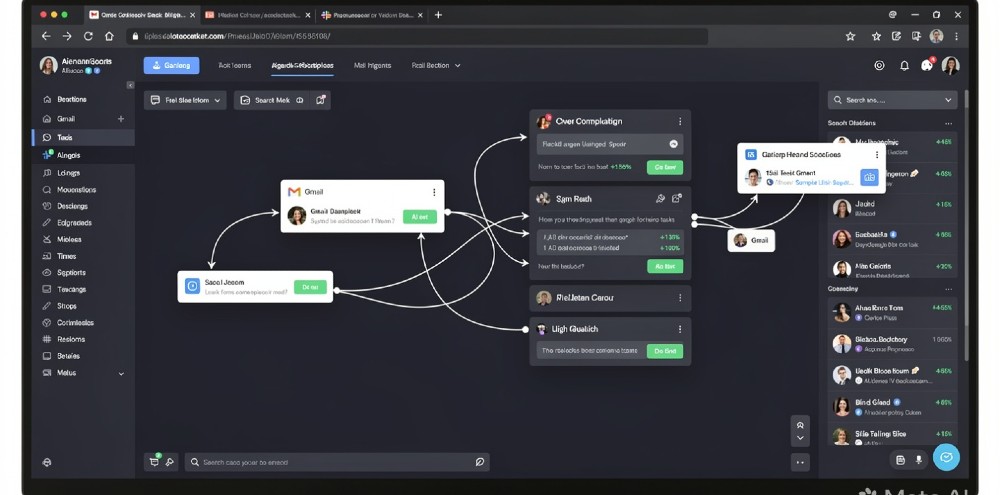
Most free AI agent tools are demos dressed up as products. You connect them, run one task, hit a wall, and spend the next hour reading Reddit threads trying to figure out why it stopped working. That’s not the problem you came here to solve.
So here’s what this covers: the free AI agent tools that hold up under real use, what each one is actually good at, where each breaks down, and how to pick the right one without wasting a week of testing.
- AutoGPT, CrewAI, and n8n are the three free AI agent tools worth your time in 2026 — each built for a different type of user and workflow.
- Best for non-technical users who want results fast: n8n’s free self-hosted plan with pre-built agent templates; skip it if you need zero setup.
- The single most important thing: match the tool to your task type — research and writing tasks go to AutoGPT, multi-agent coordination goes to CrewAI, integration-heavy workflows go to n8n.
- Biggest mistake people make: running an agent on a vague prompt, watching it loop endlessly, then blaming the tool — agent quality lives and dies on how you structure the input.
- If free tiers become too limiting, LangChain paired with Groq’s free API tier gives you serious power without a credit card.
Why Free AI Agent Tools Are Actually Viable Now
A year ago, “free AI agent” usually meant a 5-task trial. Now it’s different — and the reason matters if you want to understand what you’re working with.
The shift happened because the underlying models got cheap. Groq, Together AI, and Mistral all offer free or near-free inference. That removed the main cost barrier for agent frameworks. Tools like CrewAI, AutoGPT, and AgentGPT can now run meaningful workloads on free tiers because the compute underneath costs fractions of what it did in 2023.
What does this mean practically? Free today often means genuinely free for solo users, small teams, or developers building internal tools. Not “free until you actually use it.” Most of the tools on this list let you run 50–200 meaningful agent tasks per month before hitting any limit — which is enough for real work.
The catch — and there is one — is that “free” almost always means self-hosted or API-key dependent. You’re not getting a polished SaaS experience for zero dollars. You’re getting powerful infrastructure that requires some setup patience.
The 8 Best Free AI Agent Tools in 2026
1. AutoGPT — Best for Autonomous Research and Writing Tasks
AutoGPT is the one that put AI agents on the map, and three years in, it’s still one of the most capable free options for single-agent autonomous tasks. The open-source version on GitHub runs entirely on your own OpenAI or Groq API key, meaning your costs stay at the model level — not the platform level.
What it actually does well: long-horizon research tasks. Give it a goal like “research the top 10 competitors in the project management SaaS space and produce a comparison table with pricing, key features, and G2 ratings” and it’ll work through that goal step by step — searching the web, reading pages, synthesizing findings, and producing an output. That whole loop runs without you touching it.
Where it breaks: anything requiring real-time integrations or multi-step approvals. AutoGPT isn’t built for orchestrating other tools or APIs in a tight loop. It’s a solo agent, not a conductor. If your workflow involves sending emails, updating a CRM, and pinging Slack based on conditions — AutoGPT isn’t the right fit for that.
Setup takes about 30–45 minutes the first time (Docker, environment variables, API key wiring). After that, it’s fast to use. The Forge interface they shipped in late 2024 made it considerably more usable than the old CLI-only experience.
Real talk: AutoGPT is powerful but temperamental. Vague prompts produce wandering agents that burn API tokens going nowhere. Tight, specific goal definitions with a clear success state? That’s when it earns its reputation.
Best for: Researchers, content strategists, and marketers who need autonomous deep-dive tasks done without hand-holding every step.
2. CrewAI — Best for Multi-Agent Workflows
CrewAI is the most important free AI agent framework to emerge in the last 18 months. The core idea: instead of one agent doing everything, you define a crew — a researcher, a writer, a fact-checker, a planner — and they collaborate to complete a goal. Each agent has a role, a backstory, and assigned tools.
Why this matters: single agents hit a ceiling on complex tasks because they can’t hold enough context or perspective simultaneously. A crew of specialized agents produces better output the same way a team of specialists outperforms one generalist trying to do everything.
The framework is Python-based and free to use. You bring your own model API (OpenAI, Anthropic Claude, Groq, Mistral — all work). CrewAI itself charges nothing. Their cloud platform has a free tier, but most serious users self-host.
Here’s a setup that works well for content operations: a research agent (searches web, reads sources), an outline agent (structures the piece based on research), a writing agent (drafts based on outline), and an editor agent (checks for gaps and inconsistencies). That four-agent crew produces a first draft in about 8–12 minutes that would take a human 3–4 hours.
The part that trips people up is agent role definition. If you write vague roles (“you are a helpful assistant”), the agents don’t differentiate well and you get redundant output. Specific roles with explicit constraints — “you are a fact-checking agent, your job is ONLY to verify claims in the draft against the provided research, you do not rewrite” — produce tight, useful results.
Pair this with our guide to building AI agent workflows for SMBs if you want a concrete setup process without touching Python.
Best for: Developers, content teams, and operations leads building multi-step automated pipelines.
3. n8n — Best for Integration-Heavy Agent Automation
n8n is the answer to “I want AI agents that actually talk to my other tools.” It’s a workflow automation platform — think Zapier but open-source, self-hostable, and with native AI agent nodes built in.
The free tier on n8n.io gives you 5 active workflows and 2,500 executions per month. The self-hosted version (Community Edition) is completely free with no execution limits. Most people who take this seriously spin up a $5/month VPS on Hetzner or DigitalOcean and run n8n there.
Where n8n beats every other tool on this list: when your agent needs to touch real business systems. An n8n AI agent can read a Gmail inbox, extract lead data, look up each company in Clearbit, score the lead using Claude or GPT-4o, write a personalized reply, send it via Gmail, and log everything to Airtable — all in one automated loop. No code required, just drag-and-drop node connections.
The AI Agent node in n8n (released in 2024 and significantly improved in 2025) gives the agent access to tools you define — HTTP requests, database queries, email sends, Slack messages. The agent decides which tools to use and in what order based on the input.
What sucks about n8n: the learning curve on complex workflows. The first time you set up a multi-tool agent with error handling and retry logic, expect to spend 4–6 hours. The visual interface helps, but debugging when something breaks mid-workflow requires patience. Also, the self-hosted version means you’re responsible for uptime.
For no-code alternatives with a smoother onramp, check out these no-code AI automation tools — some have free tiers that get you 80% of n8n’s capability with 20% of the setup time.
Best for: Operations teams, solo entrepreneurs, and agencies automating real business workflows across multiple tools.
4. LangChain + Groq API — Best Free Stack for Developers
This isn’t a single tool — it’s a combination that gives developers a genuinely powerful free AI agent stack. LangChain is the agent framework (free, open-source, Python or JavaScript). Groq is the inference provider with a free API tier that runs Llama 3.1, Mixtral, and Gemma models at insane speed (400+ tokens per second).
Together, you get an agent framework with a fast, free model backend. The Groq free tier gives you 6,000 requests per day on their free plan — more than enough for development and moderate production use.
LangChain’s agent abstractions (ReAct agents, tool-calling agents, structured output agents) are the most mature in the ecosystem. If you need your agent to reason step-by-step, use external APIs, parse structured data, and handle edge cases gracefully — LangChain’s tooling has been battle-tested across millions of production deployments at companies like Spotify, Replit, and Elastic.
The downside? It’s all code. There’s no visual interface. If Python isn’t your thing, this stack will frustrate you. But if you’re comfortable in a terminal, the LangChain + Groq combination is the highest-capability free stack available right now.
One specific pattern worth knowing: LangChain’s LangGraph extension handles multi-agent state machines — where agents hand off tasks to each other based on conditions. This is what you’d use to build something like a customer support agent that escalates to a human-review agent when confidence drops below a threshold.
5. AgentGPT — Best Zero-Setup Browser Option
AgentGPT is the tool for people who want to try an AI agent without installing anything. You open the website, type a goal, and watch the agent work. No API keys, no setup, no code.
The free tier lets you run a limited number of tasks per day using their shared OpenAI backend. It’s enough to experiment and see what an autonomous agent actually looks like in action.
What’s it actually useful for? Honestly — exploration and demos. AgentGPT is great for showing someone what an AI agent does before committing to a more serious setup. It’s also useful for quick one-off research tasks where you don’t want to spin up a local environment.
What it can’t do: anything that requires custom tools, integrations, or persistent state. It doesn’t connect to your Gmail, your CRM, or your database. It’s a sandboxed research agent with web search capability, and it hits rate limits fast on the free tier.
The honest truth: AgentGPT has been outpaced by the other tools on this list in terms of capability. But for a 2-minute demo or a quick task with no setup? Still the fastest path to “I want to see this work right now.”
6. Botpress — Best Free Option for Customer-Facing AI Agents
Botpress is built specifically for conversational AI agents — think customer support bots, lead qualification agents, and onboarding assistants. The free plan covers 5 bots, unlimited monthly messages (they removed the hard cap in 2025), and integrations with WhatsApp, Slack, Telegram, and web chat.
The builder is visual and genuinely good. You define conversation flows, knowledge base sources, and fallback behaviors without writing code. The AI layer handles intent recognition, context retention, and natural response generation.
Where Botpress stands out from generic agent tools: it’s built around the handoff problem. When an AI agent can’t handle something, it needs to escalate to a human cleanly. Botpress has that workflow built in — agent handles the conversation until confidence drops, then routes to a human with full context. Most generic agent frameworks make you build that yourself.
This connects directly to a broader shift in how businesses are handling AI-native customer service — not just chatbots, but agents that resolve issues end-to-end.
The catch on Botpress: the free tier watermarks the widget and limits some advanced features. For production customer-facing use, you’ll hit the ceiling. But for internal tools, demos, and small-scale deployments, it’s genuinely production-quality.
Best for: Small businesses and agencies building customer support or lead qualification agents.
7. Flowise — Best Free Visual Agent Builder for Developers
Flowise is what you get when you take LangChain’s power and wrap it in a drag-and-drop interface. It’s open-source, self-hostable, and free. You visually connect nodes — LLMs, tools, memory stores, vector databases — into agent workflows without writing the underlying code.
The appeal: you get LangChain’s flexibility with something closer to n8n’s visual experience. Flowise supports RAG (Retrieval-Augmented Generation) pipelines, tool-calling agents, multi-agent setups, and custom tool integrations.
What I’ve found works particularly well in Flowise: document Q&A agents. Upload a PDF, connect it to a vector store (Pinecone free tier, Qdrant, or local ChromaDB), attach a conversational agent, and you have a working document chatbot in about 20 minutes. For teams that need to query internal documents, reports, or knowledge bases, this setup is surprisingly fast to get live.
The setup involves Docker or Node.js, which puts it in the developer camp. Not beginner territory, but not hard either if you’ve ever deployed a web app.
Best for: Developers who want LangChain power without writing boilerplate, especially for RAG and document intelligence use cases.
8. Microsoft Copilot Studio (Free Tier) — Best for Microsoft 365 Environments
If your team lives in Teams, SharePoint, and Outlook, Copilot Studio’s free tier is worth knowing about. Microsoft gives you 25,000 messages per month on the free plan — enough to run a meaningful internal agent.
The agents you build here plug natively into Microsoft 365 data. An agent can search SharePoint, summarize meeting transcripts from Teams, pull data from Dataverse, and respond in Teams channels. For Microsoft-heavy environments, no other free tool comes close to this level of native integration.
The downside: it’s locked to the Microsoft ecosystem. If you’re not running M365, there’s no reason to look at this over the other tools on this list. Also, the AI quality on edge cases isn’t as sharp as what you’d build with CrewAI or LangChain — the trade-off for ease of integration.
How to Pick the Right Tool Without Testing All 8
Here’s the decision framework, no fluff:
You want to automate workflows that touch real business tools (email, CRM, Slack, databases): Go with n8n self-hosted. It takes longer to set up but it handles this category better than anything else on this list.
You want multi-agent collaboration — research, writing, quality checking — in a pipeline: CrewAI is the answer. Pair it with Groq’s free API for zero marginal cost per run.
You want autonomous single-agent research or content tasks: AutoGPT for complex long-horizon goals. AgentGPT if you need something in 5 minutes.
You’re a developer who wants maximum control and best-in-class tooling: LangChain + Groq. No other free combination comes close for production-grade agent development.
You need a customer-facing conversational agent: Botpress for out-of-the-box quality. Flowise if you need custom RAG on top of it.
Your team is on Microsoft 365: Copilot Studio free tier. Don’t overcomplicate it.
The comparison between agentic AI and traditional automation is worth reading before you commit to any of these — especially if your use case could be solved by a simpler automation tool without the overhead of a full agent setup.
The Real Limitations of Free AI Agent Tools (That Nobody Mentions)
Every tool on this list has free tiers that work. Here’s what the “free” versions quietly can’t do:
Persistent memory across sessions is almost universally a paid feature. Free agents forget everything when the session ends. For workflows that need to build on previous runs — tracking a research project over weeks, maintaining customer context — you’ll need to wire your own memory layer (usually a vector database + retrieval step) or upgrade.
Parallel agent execution gets expensive fast on free API tiers. Running 10 agents simultaneously means 10x the API calls. Groq’s free tier handles this better than OpenAI’s, but you’ll still hit limits during heavy use.
Error recovery and retry logic in free tools is minimal. When an agent hits an unexpected API response or a page that won’t load, it often fails silently or loops. Production-grade agent reliability requires custom error handling that free tier support won’t help you debug.
Uptime and reliability on free cloud plans (AgentGPT, Botpress free tier, n8n.io free) means your workflows can be interrupted by platform limits or maintenance. If you’re automating anything time-sensitive, self-hosted beats free cloud every time.
The honest bottom line: free AI agent tools are production-viable for solo users and small teams running non-critical workflows. The moment you’re automating something customer-facing or revenue-critical, budget for at least $20–50/month to get out of free-tier territory.
Common Mistakes That Kill Agent Performance
Mistake 1: Prompting the agent like a chatbot. Agents need goals, not questions. “Research my competitors” is a chatbot prompt. “Identify the top 5 competitors to [company] in the [market], find their pricing pages, extract their pricing tiers and key differentiators, and produce a comparison table” is an agent goal. The difference in output quality is enormous.
Mistake 2: No success criteria. Agents without a clear end state loop until they hit token or time limits. Define what “done” looks like explicitly. “Task is complete when you have found pricing data for all 5 companies or exhausted 3 search attempts per company.”
Mistake 3: Running production workflows on free API tiers without rate limit handling. Groq and OpenAI free tiers have hard rate limits. An agent hitting those limits mid-task either fails or produces partial output. Build retry logic or switch to paid API calls for anything that runs unattended.
Mistake 4: Ignoring the difference between AI agents and chatbots. A lot of workflows people want to “agentify” are actually better handled by a well-structured chatbot with good retrieval. Agents are for tasks that require multiple steps, tool use, and decision-making. If your workflow is linear and predictable, a simpler setup saves headaches.
How Free Agent Frameworks Compare to Paid Options
Quick reference:
| Tool | Free Tier Limit | Best Use Case | Paid Plan Starts At |
|---|---|---|---|
| AutoGPT | API cost only | Autonomous research | Free (BYOK) |
| CrewAI | API cost only | Multi-agent pipelines | Free (BYOK) |
| n8n (cloud) | 2,500 executions/mo | Business integrations | $24/mo |
| AgentGPT | ~10 tasks/day | Quick demos | $29/mo |
| Botpress | Unlimited messages | Conversational agents | $89/mo |
| Flowise | Unlimited (self-hosted) | RAG + LangChain visual | Free (BYOK) |
| LangChain + Groq | 6,000 req/day | Dev production builds | Free (BYOK) |
| Copilot Studio | 25,000 msg/mo | Microsoft 365 orgs | $200/mo |
BYOK = Bring Your Own Key (you pay the model API, not the platform)
Pick one tool based on your primary use case from the decision framework above. Don’t install three and test them all simultaneously — you’ll end up with a shallow understanding of each and no working workflow.
Set up the tool, build one specific workflow with a clear goal and a defined success state, run it 5 times, and document what breaks. That feedback loop teaches you more than any tutorial. Most people who get real value from free AI agent tools find their working setup within 3–4 days of focused testing — not 3 weeks of paralysis.
If you’re building for a team and need a structured approach, free AI agent frameworks breaks down the technical underpinnings of CrewAI, LangChain, and AutoGPT so you can make an informed choice before committing to a stack. And if you’re applying agents specifically to social media content operations, AI tools for social media managers covers which agent setups actually work for that workflow.
