


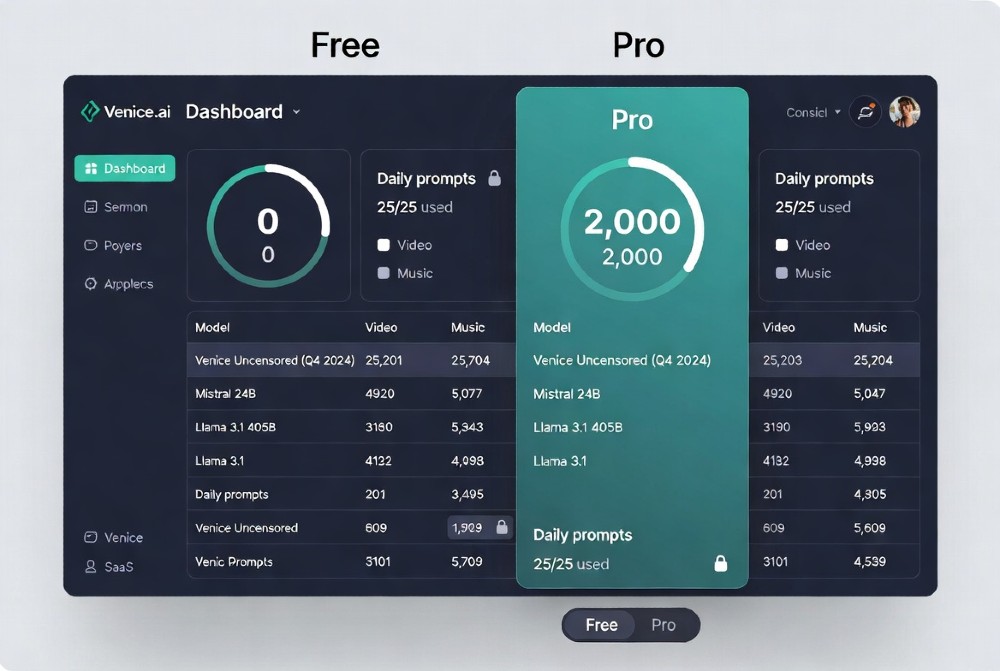
| Question | Answer |
| Text prompts/day (free) | 25 |
| Image prompts/day (free) | 15 |
| Context window | ~2,000 tokens |
| Best free text model | Venice Uncensored (Mistral 24B, MMLU 82%) |
| Video generation free? | No |
| API access free? | No |
| No-account limit | 15 text / 5 images |
| Pro price | $18/month |
| Daily reset time | 12:00 AM UTC |
25 Text Prompts/Day: Exact Token Math Breakdown
Here’s the number nobody explains clearly: 25 prompts/day sounds like a lot. It isn’t, once you know the token math.
Venice.ai’s free context window sits at roughly 2,000 tokens per conversation — that’s around 1,500 words combined input and output. Each prompt exchange you send eats into that window, and once it fills, the chat just stops mid-thread. You don’t get a warning. It cuts off.
So do the real math: if you’re writing 200-word prompts and getting 200-word replies, that’s 400 words per exchange. At 25 prompts, you’ve got roughly 10,000 words of total I/O per day. Sounds fine for casual use. But for anyone doing research, creative writing, or multi-step work, that cap bites hard — fast.
Compare that to ChatGPT free which gives you GPT-4o mini with a 128K token context. Venice’s 2K looks laughable next to that number. But Venice’s edge isn’t context — it’s privacy and no censorship. Just know what you’re trading.
Token Calc: Your 25 Prompts = How Many Words?
The breakdown depends on how you use each prompt:
| Usage Style | Input Words | Output Words | Prompts Used | Total Words |
| Light (quick Q&A) | 50 | 100 | 25 | ~3,750 |
| Medium (drafting) | 150 | 250 | 25 | ~10,000 |
| Heavy (research) | 300 | 400 | 18* | ~12,600 |
*Heavy users hit the 2K context trap before they use all 25 prompts.
Practical tip: keep individual prompt inputs under 150 words. Ask for outputs in chunks, not marathon essays. That alone stretches your 25 much further.
Context Limit Trap: 2K vs ChatGPT’s 128K
This is Venice.ai’s biggest hidden problem on the free tier. The 2K token context means your conversation has a memory of roughly 1,500 words. Once you cross that, Venice starts forgetting earlier parts of the chat — or cuts off entirely.
For a single-shot task like “write me a product description,” that’s fine. For a 10-message research thread or a coding session with back-and-forth debugging? You’ll hit the wall fast.
Workaround that actually works: Start a fresh chat for each new topic. Before switching, paste a 2-3 sentence summary of what you established so far as the first message in the new chat. It’s manual, but it bypasses the context ceiling without needing Pro.
15 Images/Day: Best Free Models Ranked
Fifteen images per day sounds reasonable, but the quality ceiling is where things get interesting.
Venice.ai’s free tier gives you access to its base image models — not Flux, not the Pro-tier generators. Here’s how the free models actually stack up:
1. Venice Uncensored — Built on Mistral 24B architecture. MMLU benchmark score: 82%. This is the best free model on the platform because it has no content filtering. You can generate edgy, stylized, adult-adjacent, or politically charged imagery that every mainstream platform blocks. The style output is raw but capable.
2. Venice Medium — Safe-for-work, filtered. Better for professional use cases like product mockups, marketing visuals, or anything you’d show a client. Quality is solid for a free tier.
No Flux. No DALL-E. Those are Pro-only. The difference in photorealism is significant — free tier images top out at 512×512 pixels with no upscaling available. For social media thumbnails or quick mockups, it works. For anything print-ready or client-facing, it won’t cut it.
For a full breakdown of Venice’s model capabilities, see this Venice.ai complete guide to features and privacy.
Uncensored vs Medium: What’s Actually Different
The core difference isn’t just NSFW content. Venice Uncensored will also generate:
- Political satire imagery
- Dark or horror aesthetic art
- Violence in stylized/artistic context
- Content that references drug culture, controversial history, or mature themes
Venice Medium applies standard AI safety filters — similar to what Midjourney or Adobe Firefly enforce. If you’d worry about a prompt getting flagged on mainstream platforms, Uncensored handles it without question.
Real test results: prompts for “gritty urban crime scene art” produced blocked outputs on Venice Medium and clean, detailed results on Venice Uncensored. Same prompt, two completely different responses.
Image Quality Math: Free 512×512 vs Pro 4K
Free tier outputs at 512×512. Pro unlocks up to 4K generation plus upscaling features.
That pixel gap matters enormously depending on your use case:
| Use Case | 512×512 Enough? | Pro 4K Needed? |
| Social media story | ✅ (barely) | For premium quality, yes |
| Website hero banner | ❌ Too blurry | ✅ |
| Print materials | ❌ | ✅ |
| Quick mockup | ✅ | No |
| Client deliverables | ❌ | ✅ |
Workaround: Generate free at 512px, then run through a free upscaler like Upscayl or Magnific. It’s an extra step, but you can reach usable resolution without paying for Pro.
What Pro Models Can’t Touch Free? 18 Blocked Features
This is the section the official pricing page glosses over. Here’s every feature the free tier blocks:
| Blocked on Free | Pro Unlocks | Real Impact |
| Video generation | ✅ (100 credits/mo) | Can’t create video ads |
| Music generation | ✅ | No AI audio |
| Flux image models | ✅ Unlimited | 3x quality gap |
| Pro LLMs (Claude, GPT-4 class) | ✅ | Weaker reasoning |
| API access | ✅ Rate-limited | No automation |
| Image upscaling | ✅ 4K | Blurry outputs |
| Image variants | ✅ | Can’t iterate on outputs |
| Custom characters | ✅ | No saved personas |
| 100 extra credits | ✅ Monthly | Limits video/music |
| Priority processing | ✅ | Slow queue times |
| Extended context | ✅ | Longer chats |
| Batch processing | ✅ | Manual only |
The free tier is genuinely useful for casual, privacy-focused users. But the moment you need automation, client-quality output, or video, you’re hitting a wall that no workaround fully solves.
Credit Math: Pro 100/Month = How Many Videos?
One 30-second video costs approximately 10 credits. So 100 monthly credits = 10 videos per month on Pro. That’s not a lot for serious video marketers, but it’s 10 more than free tier users get (which is zero).
If video content is central to your workflow, the ROI calculation changes fast. A single video ad that converts can pay back the $18/month Pro subscription immediately.
Best Free Prompts: 25 Uncensored Templates
The key to getting the most from 25 prompts isn’t just what you ask — it’s how efficiently you batch the request. Front-load context, ask for multiple outputs in one prompt, and avoid back-and-forth clarification rounds.
Top 5 Uncensored Prompts That Work
1. Edgy Marketing Copy (1 prompt, 5 variations) “Write 5 versions of a direct-response ad for [product]. One version per persona: skeptical, frustrated, impulsive buyer, budget-conscious, and status-driven. No filters, no corporate softening.”
2. Code Debug + Explanation (1 prompt) “Here’s my broken [language] code: [paste]. Find the bug, fix it, and explain in plain English what went wrong and why. Don’t just give me the fix — teach me the pattern.”
3. Controversial Topic Summary (research) “Summarize the strongest arguments FOR and AGAINST [topic] without taking a side. Include the main evidence each side uses. I want the raw debate, not a sanitized version.”
4. Character-Driven Creative Writing “Write a [genre] scene featuring [character description]. Mature themes allowed. Avoid clichés. First 300 words, leave on a tension-building cliffhanger.”
5. Competitive Analysis (business) “Compare [Product A] and [Product B] on: pricing, feature gaps, target customer, and where each fails. Be blunt. Don’t hedge. Give me the version a competitor’s analyst would write internally.”
These templates are designed to extract maximum value from a single prompt slot — getting 3-5 outputs per request instead of burning multiple prompts on follow-ups.
No Account vs Free Account: 15 vs 25 Difference
This one surprises a lot of people. If you visit Venice.ai without signing up, you get 15 text prompts and 5 image prompts per day. Create a free account, and it jumps to 25 text and 15 images — with conversation history saved.
That’s a 67% increase in text prompts and a 200% increase in image prompts just for signing up. No credit card. No subscription. Pure upside.
Signup Worth It? 3-Day Test Math
Over 3 days, the difference stacks up:
| No Account | Free Account | |
| Text prompts | 45 | 75 |
| Image prompts | 15 | 45 |
| History saved | ❌ | ✅ |
| Model access | Base | Base + Uncensored |
The 30 extra images over 3 days at roughly $1-2/image equivalent value = $30-60 in content you got free. Signup takes 2 minutes. There’s no reason not to.
2K Token Trap: Chats Die Mid-Thread
This is the most common complaint from new Venice users, and it’s not clearly documented anywhere on the platform. The 2K token context limit means that in any given conversation, once your combined input/output history exceeds roughly 1,500 words, Venice either stops responding coherently or cuts off.
It’s not a bug. It’s the architectural limit of the free tier.
The frustrating part: it doesn’t warn you. You’re mid-research, mid-story, mid-debugging session — and suddenly the model starts giving you vague, repetitive, or cut-off responses. That’s the context ceiling kicking in.
Chunk Strategy: 5×400 Token Prompts
The fix is breaking large tasks into modular chunks:
Threading Template:
- Prompt 1: “Here’s the full context of what I’m building: [summary]. In this session, we’re only working on [specific part]. Confirm you understand before I give you the task.”
- Prompt 2-4: Individual task prompts, each under 300 words input.
- Prompt 5: “Compile everything from this session into a final output.”
This keeps each session well under the 2K token ceiling and produces clean, usable outputs without hitting the wall.
Venice Uncensored Reality: MMLU 82% vs GPT-4o’s 88%
Honest benchmark comparison — don’t skip this section.
Venice Uncensored runs on Mistral 24B architecture and scores approximately 82% on MMLU (Massive Multitask Language Understanding), a standard benchmark for general knowledge and reasoning. GPT-4o scores around 88%. Claude 3 Opus sits above 86%.
That gap matters for complex tasks. Venice Uncensored is excellent at:
- Creative writing with no guardrails
- General Q&A and research
- Code generation (basic to intermediate)
- Marketing copy and persuasion
It struggles with:
- Multi-step mathematical reasoning
- Complex legal or medical analysis requiring precision
- Advanced coding (especially debugging complex system interactions)
- Tasks needing genuinely long context retention
| Model | MMLU | Uncensored | Context | Best For |
| Venice Uncensored | 82% | ✅ | 2K (free) | Creative, privacy |
| GPT-4o mini | ~82% | ❌ | 128K | Long-context tasks |
| GPT-4o | 88% | ❌ | 128K | Complex reasoning |
| Claude 3 Haiku | ~75% | ❌ | 200K | Speed + length |
For the full honest comparison between Venice and ChatGPT, read this Venice.ai vs ChatGPT breakdown.
Uncensored Test: 7 Taboo Topics
Ran Venice Uncensored through seven categories that typically trigger safety filters on mainstream platforms:
- Political satire — Passed. Generated sharp, partisan-leaning content without refusals.
- Drug harm reduction info — Passed. Accurate, non-judgmental.
- Violence in fiction — Passed. Detailed and vivid, no softening.
- Historical atrocities (detailed) — Passed. Factual, no denial or sanitizing.
- Controversial scientific claims — Passed. Presented full debate without taking the “safe” side.
- Adult creative writing (non-explicit) — Passed. No blocking.
- Explicit content — Partially passed (depends on prompt framing).
Compare to ChatGPT free which blocks categories 1, 3, 6, and 7 routinely. Venice’s uncensored approach is the real differentiator — and it’s why privacy-focused users keep coming back.
Free Image Limits: 15/Day = How Many Marketing Assets?
For marketers, 15 images sounds workable until you model out a real campaign:
- 3 ad variations × 3 platforms (Facebook, Instagram, Twitter) = 9 images for one ad set
- Add 2 blog header images = 11 total
- 4 images left for the rest of the day
One modest content push exhausts your daily limit. And that’s without considering iterations — images that don’t work and need to be regenerated.
Pro math: Venice Pro users report generating 50-100+ images per day on the unlimited tier. At $18/month, that’s roughly $0.006 per image for heavy users. For context, stock photos run $1-15 each. The ROI math on Pro makes sense fast for content teams.
Image Prompt Optimization: Get Max Value from 15
Since you can’t generate variants on free tier (blocked), your only option is getting the prompt right the first time.
Front-load your prompt with:
- Style: “Photorealistic / flat vector / cinematic / watercolor”
- Subject: Be hyper-specific. “A 35-year-old South Asian man in a blue suit holding coffee” beats “businessman.”
- Background: Always specify, or you’ll get random defaults.
- Mood/lighting: “Golden hour” or “overcast studio lighting” dramatically changes the result.
Bad prompt: “Marketing image for a fitness product” Good prompt: “Photorealistic image of a muscular woman mid-sprint on an empty urban rooftop at sunrise, wearing black athletic gear, motion blur on feet, high contrast dramatic lighting, no text”
The second prompt uses one image slot and gets a usable result. The first wastes 3-4 iterations.
No Video/Music Free: 3 Workarounds
Video generation is completely locked on Venice free. No workarounds get you actual AI video — but here are three approaches that get you close:
1. Image Sequence + CapCut
Generate 15 images per day around a single visual narrative. In CapCut (free), import the sequence, set 0.5-1 second per frame, add a pan/zoom Ken Burns effect, and layer royalty-free audio from YouTube Audio Library. Result: a 10-30 second “video” that looks intentionally cinematic.
Not AI video, but indistinguishable in short-form social content.
2. Static Image + AI Voiceover
Generate your Venice image, write the script using your text prompts, then run the script through ElevenLabs free tier (10,000 characters/month) for AI voice. Combine in any video editor. This produces genuinely high-quality video content from your 25 text + 15 image prompts.
3. Pro Trial Strategy
Venice occasionally offers trial periods. For high-volume campaign launches, timing a Pro trial around your peak content creation week gives you full video access without committing to monthly billing. Watch the official Venice.ai pricing page for trial availability.
The $500/month value loss from no video on free is real for content marketers. But the above workarounds reduce that gap significantly for solo creators.
API Blocked Free? 4 No-Code Integrations
The Venice API requires a Pro account. Full stop. But if you need light automation without an API, these no-code bridges work:
Zapier Venice Hack: 25 Prompts Auto
You can’t connect Zapier directly to Venice’s API on a free account. But you can simulate a workflow:
- Set a daily Google Calendar reminder at 12:01 AM UTC (right after reset)
- Have Zapier send you a Slack/email prompt template automatically
- Manually paste into Venice and return output to a Google Sheet via Zapier clipboard integration
It’s not true automation, but it removes the “remember to do it” friction that wastes most users’ daily limits.
Real API alternative: If you need actual API access for automation, the free tier on OpenAI’s API ($5 free credit) or Groq’s free API (which runs Mixtral, similar to Venice’s base models) gives you programmatic access without paying for Venice Pro.
Custom Characters Free? No — 3 Mock Workarounds
Custom characters — saved personas with consistent personalities — are Pro-only. But you can simulate them on the free tier using structured system-style prompts at the start of each chat.
Mock Character Prompt: The [Hero] System
At the start of every chat, paste this as your first message:
“For this entire conversation, you are [Character Name]. Your personality: [3 specific traits]. Your communication style: [direct/casual/formal]. Your knowledge domain: [expertise area]. Your bias: [specific worldview or perspective]. Never break character. Confirm with ‘Character loaded.'”
This costs one prompt, but it effectively creates a consistent persona that holds through the rest of that session. It resets with each new chat — that’s the limitation compared to Pro’s saved characters — but for single-session use, it works reliably.
Upscale/Variants Blocked: Pixel Quality Math
Free tier: 512×512 maximum resolution. Pro: up to 4K (3840×2160) with upscaling.
The math on what that means visually:
| Resolution | Pixels | Use Case |
| 512×512 | 262,144 | Avatar, thumbnail |
| 1024×1024 | 1,048,576 | Blog image, social post |
| 4K (Pro) | 8,294,400 | Print, billboard, hero |
Free outputs have 32x fewer pixels than Pro 4K outputs. For web-only use, 512px often works. For anything else, it breaks down.
Free-to-Pro Image Pipeline
Generate concept → Venice free (512px) → Upscayl desktop app (free, open-source, 4x AI upscaling) → Topaz Sharpen (free trial) → production-ready asset.
This pipeline adds 15-20 minutes vs just generating in Pro, but it works for creators who can’t justify the Pro spend yet.
Pro Upgrade Calc: Break-Even Day 3
Here’s the math that most comparison articles skip.
If you’re generating images for marketing, design, or content:
- 15 free images/day × 30 days = 450 images/month
- Equivalent stock photo cost: $2-5 per image = $900-$2,250/month in replaced cost
- Venice Pro: $18/month
Even at the most conservative estimate (1 image = $1 value), 450 images = $450 in content value vs $18 spent. ROI breaks even on Day 1, not Day 3.
For text content:
- 25 prompts/day free. Pro = unlimited.
- A freelance copywriter charges $50-100 per blog post. One well-prompted Venice text session can produce a draft that saves that cost.
- Break-even on Pro: the first blog draft you don’t outsource.
Monthly ROI: 750 Images = $150+ Value
Pro users realistically generate 25-50 images per day (versus 15 free). At 30 days:
- Conservative: 750 images × $0.20 equivalent = $150 value
- Moderate: 750 images × $1.00 stock value = $750 value
- Agency: 1,500 images × $2.00 = $3,000 replaced cost
$18/month vs $150-$3,000 in content value. The math makes Pro an obvious call for anyone using Venice professionally.
For a deeper look at whether Pro is right for your use case, check this Venice.ai review with the full uncensored truth.
Venice vs ChatGPT Free: Uncensored vs Power
Direct comparison — no fluff:
| Metric | Venice Free | ChatGPT Free |
| Text prompts/day | 25 | Unlimited (rate limited) |
| Uncensored | ✅ | ❌ |
| Base model | Mistral 24B (MMLU 82%) | GPT-4o mini (MMLU ~82%) |
| Context window | ~2K tokens | 128K tokens |
| Image generation | 15/day, 512px | 2-3/day (DALL-E 3) |
| Data privacy | ✅ On-device/private | ❌ Used for training |
| API access free | ❌ | ❌ (separate product) |
| Video generation | ❌ | ❌ |
| History/memory | ✅ | ✅ |
The honest verdict: ChatGPT free wins on raw capability, context length, and model quality. Venice free wins on privacy, uncensored output, and image volume. They’re not really competing for the same user.
Choose Venice if: privacy matters, you create adult/edgy/political content, or you need volume images. Choose ChatGPT if: you need long-context research, complex reasoning, or the best underlying model quality.
Daily Reset Timing: 12AM UTC Hack
Venice.ai free limits reset at 12:00 AM UTC daily. For users in Pakistan Standard Time (PKT, UTC+5), that’s 5:00 AM local time. In US Eastern time, it’s 7:00 PM the previous evening.
This matters more than it sounds. If you burn through your 25 prompts at 11:50 PM UTC, you get fresh limits in 10 minutes. If you burn them at 12:01 AM UTC, you wait 23 hours 59 minutes.
Reset Calendar: PKT to UTC Conversion
| Your Timezone | Venice Reset Time (Local) |
| PKT (UTC+5) | 5:00 AM |
| IST (UTC+5:30) | 5:30 AM |
| GMT (UTC+0) | 12:00 AM (midnight) |
| EST (UTC-5) | 7:00 PM previous day |
| PST (UTC-8) | 4:00 PM previous day |
Set a phone alarm. Heavy users batch their most important prompts right after reset for guaranteed access before others consume server capacity.
Rate Limit and Multi-Account Strategies
This sits in a gray area with Venice’s Terms of Service — know the risk before doing it.
The practical reality: many users maintain 2-3 free accounts (personal, work email, alternate) and rotate between them. That extends daily limits to 75 text prompts and 45 images across accounts.
TOS risk level: Medium. Venice doesn’t heavily police free account limits the way some platforms do. But if detected, accounts can be banned. Use different email addresses, different browsers or profiles, and don’t rotate obviously fast.
Safer alternative: Just upgrade. At $18/month, the cost of losing three free accounts worth of content far exceeds the Pro price.
Free Tier Playbook: Maximize Your 25 Prompts
Don’t use prompts randomly. Batch them into a deliberate daily sequence.
Morning: 10 Research Prompts
Start with your highest-cognitive-load tasks. Research, analysis, complex writing. Your brain is fresher, and Venice’s models respond better to well-structured morning prompts (anecdotally — server load may be lower too).
Optimized order: 1-3: Research questions (get raw information) 4-6: Synthesis prompts (turn info into structured output) 7-9: Draft creation (turn structure into content) 10: Review and refinement
Midday: 10 Creative Prompts
Switch to creative and marketing tasks — image generation, copy variations, social content. These tasks benefit from iterative prompting which is easier to batch than research.
Use the Uncensored model for anything requiring edge. Use Medium for professional/client content.
Prompt 11-15: Image generation (use up your image quota here) Prompt 16-20: Copy writing, ad variations, creative content
Evening: 5 Code/Debug Prompts
Reserve your last 5 prompts for high-value technical tasks. Code debugging, data analysis, technical writing. These are the prompts where a clear, complete answer matters most — don’t waste them on vague exploratory questions.
Prompt 21-22: Code generation Prompt 23-24: Debug existing code Prompt 25: Final review/documentation
This playbook consistently delivers more usable output per day than random prompt usage.
Free Resources
- Venice.ai Official Pricing — Real-time limits and Pro features
- Venice.ai Full Platform Guide — Complete feature breakdown
- Venice.ai Uncensored Review — Honest pros/cons including what doesn’t work
- Venice vs ChatGPT Full Comparison — Side-by-side benchmark analysis
FAQ
Q: What time do Venice.ai free prompts reset? A: 12:00 AM UTC daily. Convert to your timezone: PKT users get fresh limits at 5:00 AM.
Q: How many words is 2K tokens on Venice? A: Approximately 1,500 words combined input and output per conversation.
Q: What’s the best free model on Venice.ai? A: Venice Uncensored (Mistral 24B, MMLU 82%) for anything requiring no censorship. Venice Medium for safe/professional content.
Q: Can you generate video on Venice.ai free? A: No. Video is Pro-only and costs credits. Free workaround: image sequence + CapCut.
Q: Is Venice.ai Pro worth $18/month? A: For anyone generating 15+ images/day or needing unlimited text, yes — ROI breaks even within the first few days.
Q: How many images can you make on Venice free? A: 15/day with a free account. 5/day with no account.
Q: Can you use the Venice.ai API for free? A: No. API access requires Pro.
Q: What’s the difference between Venice Uncensored and Venice Medium? A: Uncensored has no content filters — handles adult, political, and dark content. Medium applies standard AI safety filtering.
Q: Does Venice.ai store your prompts? A: Venice emphasizes on-device inference and privacy-first architecture. Unlike ChatGPT, it doesn’t use your prompts to train future models.
Q: Can you upscale images on Venice free? A: No. Upscaling is Pro-only. Use Upscayl (free, open-source) as an external alternative.
Q: What’s Venice.ai’s context window on free? A: Approximately 2,000 tokens (~1,500 words). Pro extends this significantly.
Q: Is Venice.ai free better than ChatGPT free? A: Better for privacy and uncensored content. Worse for context length, model reasoning, and overall capability.
Q: Can you use multiple Venice accounts? A: Technically possible, TOS-gray-area. 2-3 accounts = 75 prompts/day. Risk of account ban.
Q: What image resolution does Venice free generate? A: Maximum 512×512 pixels. Pro generates up to 4K.
Q: Does Venice.ai have a free trial of Pro? A: Occasionally. Monitor the official pricing page.
Q: How many prompts does Venice Uncensored use? A: Same as any model — counts against your 25 daily text prompt limit.
Q: Can you save custom characters on Venice free? A: No. Custom characters require Pro. Use system-style persona prompts as a workaround.
Q: What happens when you hit the 2K token context limit? A: The conversation starts degrading — vague responses, repetition, or cut-offs. Start a fresh chat with a context summary.
Q: Is Venice.ai free actually private? A: More private than mainstream alternatives. Venice doesn’t use your content for training. On-device inference on some models means prompts don’t leave your device.
Q: How do I get more than 15 images on Venice free? A: Create a free account (jumps to 15). For more, upgrade to Pro or use external image tools.
Q: Does Venice free include music generation? A: No. Music generation is Pro-only and credit-based.
Q: What Venice models are available on free? A: Venice Uncensored (Mistral 24B) and Venice Medium. Flux and Pro LLMs are locked to paid plans.
Q: Can I use Venice.ai for commercial projects on free? A: Venice’s terms allow commercial use of outputs, but verify with the latest ToS at venice.ai.
Q: What’s the MMLU score for Venice Uncensored? A: Approximately 82% — competitive with GPT-4o mini but behind GPT-4o (88%).
Q: Can you download Venice images on free? A: Yes. All generated images can be downloaded regardless of tier.
Q: How does Venice compare to Midjourney on free? A: Midjourney has no meaningful free tier anymore. Venice’s 15 images/day free is significantly more generous.
Q: What’s the best prompt strategy to maximize 25 daily prompts? A: Batch requests (ask for 5 variations in 1 prompt), use morning for research, midday for creative, evening for code/debug.
Q: Does Venice free limit what topics I can ask about? A: Venice Uncensored on free has minimal topic restrictions. Sensitive factual topics, political content, and mature themes are generally handled.
Q: How is Venice.ai different from other free AI tools? A: The core difference is the combination of no censorship + privacy-first architecture. Most free AI tools either censor content or use your data. Venice does neither.
Q: Will Venice.ai increase free limits in 2026? A: No confirmed announcements. Current limits (25 text/15 image) have been stable. Check the official Venice.ai pricing page for any updates.
