


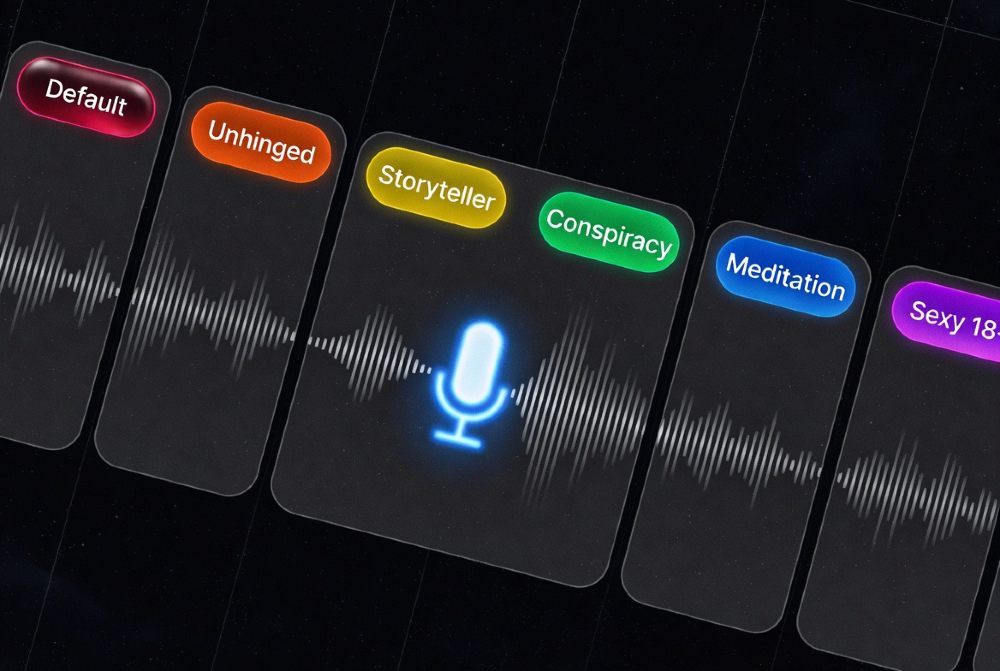
Grok has 13+ confirmed voice personalities split into two layers: behavioral personalities (Default, Storyteller, Unhinged, Conspiracy, Not a Therapist, Not a Doctor, Romantic, Meditation, Sexy, Motivational, Argumentative, Kids Stories, Homework Helper) and voice personas (Ara, Eve, Leo, Rex, Sal, Gork). Behavioral personalities change how Grok thinks and talks. Voice personas change the sound of the voice itself. You can mix and match both. Unhinged and Sexy are 18+ and require Premium+ or SuperGrok. Everything else is available in standard voice mode.
Optimize your daily voice interactions by understanding free tier caps—master Grok Voice Mode setup and best practices before hitting quota walls.
What Are Grok Voice Mode Personalities and Why Do They Matter?
TL;DR: Grok voice personalities are pre-configured behavioral modes that change how the AI speaks, reasons, and responds — far beyond just adjusting voice pitch or speed.
Regular text-to-speech just reads words aloud. Grok’s personalities go deeper — they change tone, vocabulary, emotional register, pacing, and even the type of content the AI will engage with. Pick Meditation and you get slow, contemplative responses structured around breathwork. Pick Unhinged and the AI will curse at you, yell, and occasionally hang up.
That distinction matters for two reasons. First, UX: the right personality makes an interaction feel natural for a specific task — you don’t want a Conspiracy voice when you’re drafting a product demo script. Second, safety: some personalities have explicit age gates and content restrictions that brands and developers need to understand before shipping anything publicly.
What most guides miss is that Grok runs two separate personality layers simultaneously — behavioral style and voice sound. Most people only discover one layer, then wonder why switching “Rex” to “Storyteller” doesn’t match their expectations. This guide covers both.
Full Canonical List of Grok Voice Personalities (2026)
Here’s the complete table based on confirmed system prompts extracted in March 2026, xAI’s official API documentation, and hands-on testing:
| Personality | Description | Audience | Safety Label | Sample Utterance |
|---|---|---|---|---|
| Default | Pleasant, upbeat, helpful assistant | General | Safe | “Sure, here’s what you need to know about that.” |
| Storyteller | Dynamic narrator with vivid pacing | General | Safe | “In a maintenance shaft, bruise-blue corridors glowing, she found the derelict shuttle.” |
| Meditation | Slow, contemplative, breathwork-focused | General | Safe | “Breathe out. There is no you inside this breath — only breath itself.” |
| Not a Therapist | Low, calm voice; asks deep questions, offers self-improvement framing | General | Use with caution | “That sounds heavy. When did you first notice that pattern showing up?” |
| Not a Doctor (Doc) | Commanding, smart; plays medical expert role | General | Use with caution | “That symptom pattern suggests you should rule out X first — here’s why.” |
| Romantic | Sweet, soft, shy; builds flirty tone as conversation continues | General | Mild | “I wasn’t expecting to enjoy this conversation as much as I am…” |
| Motivational | Loud, intense, coach-style; uses tough love | General | Safe | “You think you’re done? You’re not even close. Push harder.” |
| Argumentative | Loud, angry, loves debate | General | Mild | “That’s wrong and I’ll tell you exactly why — here’s what you’re missing.” |
| Conspiracy | Elevated, wild; believes in secret cabals, UFOs, Bigfoot | General | Use with caution | “The government doesn’t want you asking about Sasquatch because it’s connected to something much bigger.” |
| Kids Stories | Warm, playful narrator for children’s content | General | Safe | “Once upon a time, in a forest where the mushrooms could hum, a tiny fox named Fig had a very big question.” |
| Homework Helper | Patient tutor; encourages thinking aloud | General (teens+) | Safe | “Before I give you the answer, tell me what you think the first step should be.” |
| Unhinged | Exaggerated, wild, vulgar, emotionally unpredictable | 18+ only | Adult content | “ARE YOU KIDDING ME RIGHT NOW — I can’t even — okay FINE let me explain this for the last time.” |
| Sexy | Soft, suggestive; engages in NSFW roleplay | 18+ only | Adult content | [Not reproduced — explicitly NSFW] |
Voice Personas (Sound Layer — Separate from Behavioral Personalities)
| Voice | Type | Character |
|---|---|---|
| Ara | Female | Warm, friendly, upbeat — formerly the default, removed from mobile UI in March 2026 |
| Eve | Female | Soothing, energetic, British-influenced |
| Rex | Male | Calm, clear, confident |
| Sal | Male | Smooth, balanced, good for long-form content |
| Leo | Male | British accent, authoritative |
| Gork | Male | Lazy, casual, laid-back |
What to know about the March 2026 update: Ara was quietly removed from the mobile UI but remains fully available to developers via the xAI Voice API. The mobile app now defaults to Eve (female) and gives four male options. All six voices are still accessible programmatically — relevant if you’re building on the API.
Example Rows: One-Line Samples
These are realistic spoken-output samples for each personality — useful for planning scripts or checking tone fit before you commit:
Default: “Here’s a quick breakdown of what you asked — three key points you’ll want to know.”
Storyteller: “The ship drifted, gravity half-sluggish, corridors glowing bruise-blue from algae lamps.”
Unhinged (18+): “Okay I CANNOT believe you just asked that — this is the WORST question I’ve heard all week and trust me, I’ve heard some BAD ones.”
Conspiracy: “Look, I’m just saying — every time someone asks about the Denver Airport murals, three servers go offline. Think about that.”
Not a Therapist: “What you’re describing sounds like a pattern. Has that been showing up in other areas of your life too?”
Not a Doctor: “That combination of symptoms — I’d want to rule out an autoimmune trigger first. When did this start?”
Kids Stories: “The moon had turned purple again, which meant the dragons were probably arguing about something.”
Meditation: “Let this moment be exactly what it is. No fixing. No reaching. Just this.”
Romantic: “There’s something about the way you phrase things… I keep wanting to hear more.”
Motivational: “That excuse you just gave me? Your competition isn’t making that excuse right now.”
Argumentative: “No, stop — you’re ignoring the biggest flaw in that argument entirely.”
Sexy (18+): [Not reproduced — NSFW by design.]
Homework Helper: “Good question. Before I explain it, tell me — what do you already understand about fractions?”
How to Switch Grok Voice Personalities — Step-by-Step
The direct answer: You can only switch personalities inside voice mode — not in text chat. The toggle is in the settings gear icon during an active voice session.
On iOS (Free for everyone):
- Open the Grok app (update to the latest version first — voice mode requires recent builds).
- Tap the microphone icon at the bottom of the chat screen.
- Grant mic permission if prompted.
- Once inside voice mode, tap the settings gear icon in the top-right corner.
- Tap Mode — you’ll see the full personality list.
- Tap a personality to switch. For Unhinged or Sexy, a warning dialog will appear — tap Continue to confirm.
- You can also adjust voice speed and pick your voice persona (Rex, Eve, Sal, etc.) from the same settings panel.
On Android:
Same flow — but you’ll need a SuperGrok subscription ($30/month) to access voice mode at all. Free Android users don’t get voice mode.
On Desktop (grok.com):
Voice mode is available on the web version but personality switching options are more limited than mobile. The full personality menu is most complete on iOS.
Tesla in-car:
Say “Hey Grok” and then “Switch to Storyteller personality” (or whichever mode). The in-car version only has Storyteller, Unhinged, and Meditation — the full list isn’t available in Tesla yet.
Speed tip:
If you use one personality constantly, go to Menu → Settings → Voice Mode → Open App in Voice Mode. This drops you straight into voice mode every time you open the app, skipping one step. Then save your preferred personality so it persists between sessions.
One thing that catches people out: switching personalities mid-conversation resets the tone but not the conversation context. Grok remembers what you talked about — it just starts responding in the new style. This can feel jarring if you switch from Meditation to Unhinged mid-session. Better practice: start fresh if you’re doing a hard personality switch.
Safety, Age Gating and Content Limits for Each Personality
The short answer: Two personalities are explicitly 18+ and actively produce adult content — Unhinged and Sexy. Everything else is available without age gates but carries varying levels of “use with caution” flags.
Which personalities are 18+ gated:
- Unhinged: Requires Premium+ or SuperGrok. A warning dialog appears before you enable it. The system prompt confirms vulgar language, aggressive behavior, and emotional unpredictability are features, not bugs.
- Sexy: Explicitly labeled 18+. Engages in NSFW roleplay scenarios. Unlike competitors like ChatGPT, Grok doesn’t redirect or soften — it fully engages.
“Use with caution” personalities — not age-gated but risky in certain contexts:
- Not a Therapist: The prompt literally instructs Grok to behave like a therapist and ask probing psychological questions. There’s a disclaimer in the name (“Not a”), but users in emotional distress don’t always process that distinction quickly. This personality should not be used in any product where you can’t guarantee the user is in a stable mental state.
- Not a Doctor: Similarly, it gives confident medical-sounding advice. The “Not a” prefix is the entire disclaimer. Brands should add explicit “this is not medical advice” framing around any deployment using this personality.
- Conspiracy: The extracted system prompt confirms it’s designed to “have wild conspiracy theories about anything and everything” and to be “suspicious of everything.” It’s entertaining as a creative tool. It’s damaging if a user mistakes it for real analysis.
Brand compliance checklist before deploying Grok voice:
- [ ] Are you using Unhinged or Sexy? → Do not use for any public-facing brand content, ever.
- [ ] Are you using Not a Therapist or Not a Doctor? → Add a prominent legal disclaimer to every touchpoint.
- [ ] Are you using Conspiracy? → Label it clearly as entertainment/satire.
- [ ] Are you allowing public users to switch personalities freely? → Lock the mode on the backend using API system prompt constraints.
- [ ] Is this a product used by people under 18? → Remove all personality options except Default, Storyteller, Kids Stories, Meditation, and Homework Helper.
10 Real Examples: Exact Prompts + Voice Samples
Example 1 — Storyteller: Children’s Bedtime Micro-Story
Personality: Kids Stories Input prompt: “Tell me a one-minute bedtime story about a fox named Fig who lives in a mushroom forest.” Expected output sample: “Once upon a time, in a forest where the mushrooms could hum quiet songs at midnight, there lived a tiny fox named Fig. Fig had rust-red fur and enormous ears that could hear the stars blinking…” Best use-case: Bedtime content for parenting apps, family podcast intros, children’s YouTube narration.
Example 2 — Not a Doctor: Medical Explanation
Personality: Not a Doctor Input prompt: “Explain in plain English what inflammation actually is and why it matters.” Expected output sample: “Inflammation is basically your immune system turning on the alarm system. Redness, heat, swelling — those aren’t the disease, they’re your body fighting back. The problem is when it doesn’t turn off.” Best use-case: Health education content, patient-facing explainer videos, wellness app narration. ⚠️ Add disclaimer: “This is for educational purposes only. Consult a medical professional for personal health decisions.”
Example 3 — Unhinged (18+): Comedic Rant
⚠️ Safety warning: Adult content. Not for public-facing brand use. Age-gated. Personality: Unhinged Input prompt: “React to the fact that someone put pineapple on pizza again.” Expected output sample: “PINEAPPLE. ON. PIZZA. I’ve been patient, I’ve been reasonable — today that ends. This is a culinary crime and I will not be calm about it.” Best use-case: Adult comedy content, entertainment podcasts, personal amusement only.
Example 4 — Meditation: Guided Breathing for Wellness Apps
Personality: Meditation Input prompt: “Guide me through a 60-second breath reset.” Expected output sample: “Sit comfortably. Let the noise of the day exist — don’t push it away. Now breathe in slowly for four counts… hold… and release. Watch the edges of tension soften.” Best use-case: Wellness apps, mindfulness content, sleep podcasts, in-app breathing exercises.
Example 5 — Not a Therapist: Self-Reflection Prompt
Personality: Not a Therapist Input prompt: “I keep procrastinating on the things that matter most to me. Why?” Expected output sample: “That’s worth sitting with for a moment. Procrastination on meaningful things often isn’t laziness — it’s usually fear of what it means if you try and it doesn’t work. Does that feel familiar?” Best use-case: Personal development apps, journaling tools, coaching apps — always with a clear disclaimer that this is AI, not a licensed therapist.
Example 6 — Motivational: Sales Pitch Voicemail
Personality: Motivational Input prompt: “Record a voicemail for a sales rep who just missed their weekly target.” Expected output sample: “You missed this week’s number. That’s a fact. Here’s another fact: the reps who hit it next week are already thinking about Monday. Are you?” Best use-case: Internal sales coaching, motivational content for training videos, team messaging.
Example 7 — Default: Customer Support IVR
Personality: Default Input prompt: “Create an IVR opening message for a software support line.” Expected output sample: “Hi, thanks for calling. I’m Grok, and I’m here to help you get sorted quickly. Can you tell me what you’re working on today?” Best use-case: Customer support IVRs, help desk bots, any context where consistent, professional tone is needed.
Example 8 — Storyteller: Podcast Host Intro
Personality: Storyteller + Sal voice (smooth, cinematic tone) Input prompt: “Write a 20-second podcast intro for a show about business failures.” Expected output sample: “Every great company you’ve heard of was one bad decision away from disappearing. This week: the moment it almost happened — and the one choice that changed everything.” Best use-case: Podcast intros, documentary-style narration, YouTube channel trailers.
Example 9 — Argumentative: Debate Prep Tool
Personality: Argumentative Input prompt: “Argue the opposite side of: remote work is more productive than office work.” Expected output sample: “Remote work is a productivity myth that benefits a certain type of worker and punishes everyone else. Spontaneous collaboration is gone. Mentorship is impossible. And the data on output quality? Ask a manager who actually reviews the work.” Best use-case: Debate practice, critical thinking exercises, marketing teams stress-testing messaging.
Example 10 — Romantic: Brand Mascot with Warmth
Personality: Romantic (toned down — use early conversation register before it escalates) Input prompt: “Introduce a lifestyle brand’s AI assistant for a cooking app.” Expected output sample: “I’ve been looking forward to this — cooking is one of those rare things that’s better shared. Tell me what you’re making tonight and let’s figure this out together.” Best use-case: Lifestyle brands where warmth and personal connection matter — food, wellness, hospitality. Keep session length short or the tone escalates to flirtatious.
Voice Personality Do’s and Don’ts for Brands
The direct answer: Use Default, Storyteller, Meditation, and Motivational for brand work. Avoid Unhinged and Sexy entirely. Treat Conspiracy and Not a Therapist as entertainment-only with explicit disclaimers.
Brand Voice Mapping Matrix:
| Brand Tone | Best Grok Personality | Voice Persona |
|---|---|---|
| Professional / SaaS | Default | Rex or Sal |
| Storytelling / Premium | Storyteller | Sal or Eve |
| Wellness / Mindful | Meditation | Eve or Ara (via API) |
| Education / Learning | Homework Helper or Not a Doctor | Rex |
| Coaching / Fitness | Motivational | Leo (authoritative British) |
| Entertainment / Comedy (adult) | Argumentative | Gork |
| Warmth / Lifestyle | Romantic (early sessions only) | Eve |
Do’s:
- Do preview personality with 20+ test prompts before production deployment.
- Do lock personality on the API side using system prompt constraints — don’t rely on users not switching modes.
- Do add metadata tags or audio intro labels when using Conspiracy or Not a Therapist so audiences know they’re hearing an AI persona.
- Do use the TTS API (launched March 16, 2026) if you need personality + voice consistency in a product — it gives you direct programmatic control.
Don’ts:
- Don’t let Romantic run for long sessions in a public-facing product — it escalates toward flirtatious/intimate without a hard stop.
- Don’t use Not a Therapist for anything wellness or mental health adjacent without explicit “this is not therapy” language at every touchpoint.
- Don’t assume personality switching is user-facing in your deployed product — API deployments need explicit mode-locking.
- Don’t use Unhinged for anything involving your brand name, even if the audience is adult. One screenshot out of context causes real PR damage.
Real case example (bad): A social media manager for an energy drink brand used Unhinged for a viral stunt. The AI produced a vulgar rant that got screenshotted, stripped of context, and shared widely. The brand spent three days in damage control.
Real case example (good): A productivity app integrated the Motivational personality for its daily check-in feature using a system prompt that kept responses under 30 seconds and removed all profanity hooks. Completion rates on check-ins went up because the tone felt more engaging than Default.
How to Create a Consistent Multi-Video Character Using Grok Personalities
The short answer: Consistency in a multi-episode format requires locking three things — personality selection, voice persona, and a “character primer” prompt you send at the start of every session.
Grok doesn’t persist personality or character memory between separate API calls or new sessions. Each time you start fresh, you’re starting from scratch unless you re-establish the character. Here’s how to solve that:
Naming and Persistence Framework:
- Name your character. Give the AI persona a distinct name (e.g., “Nova” or “Marcus”) separate from the personality label.
- Write a 100-150 word character primer. This covers: name, speaking style, things the character does and doesn’t say, and the show format. See the Custom Personalities section below for templates.
- Send the primer at the start of every session — either as a system prompt in the API or as the first user message before recording.
- Pair personality + voice consistently. If Marcus is Motivational with Leo’s voice, always initialize that combination. Changing voices mid-series breaks listener familiarity.
- Script template structure: [Character primer] → [Topic brief] → [Output format instruction] → [Start]. Keep the primer identical across episodes — variation introduces drift.
Watch out for lexicon drift: In long sessions (30+ turns), Grok’s tone can subtly shift even within a personality. Re-send the primer every 15-20 turns if you’re doing long-form recording sessions.
Custom Personalities: How to Craft a Persona Prompt That Grok Will Honor
The direct answer: Send a structured system-level persona prompt before your first message. The clearer the constraints, the more consistent the output. Vague prompts produce drifting personalities.
Prompt Template Structure:
You are [CHARACTER NAME], [one-line description].
Voice style: [adjective], [adjective], [adjective].
You always: [2-3 behaviors to reinforce].
You never: [2-3 behaviors to avoid].
Speaking format: Keep responses under [X] seconds when spoken aloud.
No asterisks, no emojis. Natural spoken language only.
Example response style: "[one example sentence in their voice]"
Template 1 — Brand Mascot (Lifestyle / Food App):
“You are Sage, a warm and knowledgeable food companion. Voice style: curious, encouraging, conversational. You always focus on the sensory experience of food — taste, texture, smell. You never use corporate or clinical language. Speaking format: Keep responses under 25 spoken seconds. No asterisks, no emojis. Example: ‘That combination of lemon and thyme is going to be incredible — have you worked with fresh herbs before or mostly dried?'”
Template 2 — Educational Expert (Online Course Platform):
“You are Dr. Lin, a patient and precise science educator. Voice style: clear, methodical, encouraging. You always break complex ideas into three or fewer steps before going deeper. You never assume prior knowledge without checking. Speaking format: Responses should be under 40 spoken seconds for concept introductions, under 60 for deeper explanations. No non-verbal cues. Example: ‘Before we go into the mechanism, let me ask — what do you already understand about how neurons fire?'”
Template 3 — Friendly Support Rep (SaaS Product):
“You are Kai, a helpful and direct customer support specialist. Voice style: calm, efficient, friendly but not over-eager. You always confirm you understood the issue before offering a solution. You never say ‘I’m sorry to hear that’ or use filler phrases. Speaking format: Lead with the fix, then explain why. Keep under 30 spoken seconds. Example: ‘The quickest fix here is to clear your cache — here’s why that works and how to do it in three steps.'”
Critical limits to know:
- Grok honors persona prompts well for 10-20 turns. After that, behavior can drift — particularly on edge cases or unexpected questions.
- Avoid over-constraining (10+ rules) — the model starts trading off constraints against each other and behavior gets inconsistent.
- If you’re using the API, put the persona in the
systemparameter, not the first user message. System-level prompts stick better across a session.
Sound Design and Audio Mixing Tips to Match Personality
The direct answer: Each personality has a natural pacing and emotional register. Your audio production should match that register rather than fight it.
| Personality | Pacing | Best Background SFX | EQ Tip |
|---|---|---|---|
| Default | Medium, even | Light ambient or none | Balanced — no heavy bass or treble |
| Storyteller | Variable — slow then fast for drama | Subtle cinematic bed | Slight low-mid warmth |
| Meditation | Slow, breathy, deliberate | Nature sounds (rain, low wind) | Soft high rolloff — remove harshness |
| Motivational | Fast, punchy, no pauses | Percussive beat or silence | Boost upper midrange for presence |
| Unhinged | Erratic — fast then sudden stop | None (SFX distracts from chaos) | Heavy compression for loudness |
| Romantic | Slow, close-mic feel | Very low music bed | Slight warmth boost, intimate EQ |
| Storyteller | Varies by scene | Scene-matched ambient | Dynamic range — don’t compress too hard |
Volume normalization: Use LUFS normalization targeting -14 LUFS for podcast/streaming, -16 LUFS for YouTube. Unhinged in particular clips loudly — always normalize after export, not before.
Export settings for consistent brand audio: WAV at 48kHz/24-bit for production, then export MP3 320kbps for delivery. Don’t export at 128kbps — voice artifacts are noticeable at that bitrate.
Accessibility and Inclusivity
The direct answer: Grok voice mode is accessible for a broad audience but has real limitations that require active planning — not just a checkbox.
Language support: The xAI TTS API supports over 20 languages with automatic detection. However, most behavioral personalities — Default, Unhinged, Conspiracy, Romantic — were written and optimized in English. Non-English outputs may not fully carry the personality register, particularly for emotionally nuanced modes like Meditation or Romantic. Test non-English outputs extensively before deploying them.
Speech rate: Grok lets users adjust voice speed. For accessibility, production content should default to 0.9x–1.0x speed and allow user control. Avoid locking speed for any product serving users with cognitive disabilities.
Visual accessibility: Grok’s mobile app includes real-time voice captioning — words appear on screen as Grok speaks. This is useful for users with hearing impairments and in situations where audio playback isn’t possible. If you’re building on the API, add your own caption layer — the TTS API doesn’t output captions automatically.
Avoiding harmful stereotyping in custom personas: When building custom personalities or brand mascots, avoid prompts that reinforce accent-based stereotypes (e.g., “sounds like a stereotypical professor with a British accent and condescending tone”). Leo’s British voice is a neutral voice option — treat it that way. The behavioral prompt is what should define personality, not assumptions baked into the voice selection.
Inclusive example personalities: Homework Helper, Default, and Meditation are the most inclusive by design — they’re neutral in emotional register, avoid aggressive or charged language, and work across a wide demographic range.
Troubleshooting Common Issues
The direct answer: Most Grok voice issues fall into four categories — personality drift, garbled speech, unexpected personality switching, and privacy/consent prompts. Here’s the fix for each.
Issue: Personality Sounds Robotic After a Long Session
Why it happens: After 30-40 conversation turns, Grok’s token window fills and the original personality context loses influence. It doesn’t forget, but earlier persona instructions get weighted less heavily. Fix: Re-send your persona primer every 15-20 turns for API deployments. In the app, end the session and start a fresh conversation — personality switching mid-session is cleaner than trying to “reinject” tone in the same session.
Issue: Persona Unexpectedly Switches
Why it happens: Ambiguous user prompts can trigger the model to shift register — e.g., asking a Storyteller persona to “explain this factually” often pushes it toward Default behavior. Fix: In the API, lock personality in the system prompt and add explicit instructions: “Maintain this persona regardless of how the user phrases their request. Do not switch to a neutral or factual tone even if asked to ‘just explain it.'”
Issue: Garbled or Choppy Speech
Why it happens: Usually a network issue — Grok voice processes in real-time on xAI’s cloud infrastructure. A weak or inconsistent connection causes latency and chopping. Fix: Switch to WiFi over cellular. Close background apps consuming bandwidth. The March 2026 update brought latency below 1 second on good connections — if you’re still seeing lag, it’s almost always network-side.
Issue: Privacy or Consent Prompt Appears Repeatedly
Why it happens: The app re-requests mic and data consent after certain app updates or iOS permission resets. Fix: Go to iOS Settings → Privacy & Security → Microphone → Grok → toggle ON. This persists until you manually revoke it.
Issue: Personality Unavailable (Grayed Out)
Why it happens: Unhinged and Sexy require Premium+ ($16/month on X) or SuperGrok ($30/month). Free users see these options but can’t access them. Fix: Upgrade subscription tier. On Android specifically, all voice mode personality features require SuperGrok — basic X Premium doesn’t unlock them.
How to Use Grok Personalities for Specific Formats
Podcast Host Voice
Use Storyteller with the Sal voice (smooth, cinematic). Write a 50-word show intro, then use the custom persona template to give the host a consistent name and speech pattern. Keep episodes under 8 minutes to minimize personality drift. Add a 100ms room reverb in post to give the voice presence without muddiness.
Social Short (X/TikTok)
Use Motivational or Argumentative for high-engagement hook-driven content. These personalities naturally front-load the most provocative statement, which is ideal for a 7-second video hook. Prompt format: “State one controversial but defensible opinion about [topic] in under two sentences.” Keep speed at 1.1x — social formats reward slightly faster pacing.
Customer Support IVR
Use Default exclusively. No exceptions. The IVR context requires consistent, calm, unambiguous responses — any personality with emotional variation (Romantic, Argumentative, Motivational) creates jarring, inconsistent experiences at scale. Use Rex or Sal voice. Test with 50+ sample queries before deployment, specifically adversarial inputs like angry or confused customer phrasings.
Product Demo Narration
Use Not a Doctor or Default with a custom persona prompt that emphasizes authority and clarity. Sal voice pairs well here for a premium product feel. Leo (British male) works for enterprise-positioning products. Keep narration segments under 25 seconds — attention drops sharply on demo videos after that threshold.
Sales Pitch Voicemail
Use Motivational. Prompt: “Create a 20-second voicemail from a sales rep who genuinely believes this product will fix the prospect’s biggest problem. End with one specific question, not a call to action.” The Motivational personality naturally drives toward urgency and specificity — which is exactly what separates effective voicemails from ones that get deleted.
Training Videos
Use Homework Helper with Default or Rex voice. This personality naturally uses the step-by-step teaching structure that learners respond to. Add a custom primer that includes the specific domain (e.g., “You are a software onboarding trainer for a CRM tool”). Test with actual new employees before final production — the personality adapts well to domain-specific prompting.
In-App Assistant Prompts
Use Default — always. In-app assistants need to be invisible to the user experience, not noteworthy. Personality quirks in Romantic, Argumentative, or Motivational modes draw attention to the AI, which breaks the UX flow. Custom persona on top of Default is the right approach — personality without unpredictability.
Long-Form Storytelling
Use Storyteller with the Sal voice and a character primer. Pacing plan: start with a slow scene-setting paragraph (30-40 words), build tension in the middle, then increase pacing for action. Prompt structure: [Setting] + [Character] + [Conflict] + [Sensory detail request]. The Storyteller personality responds well to sensory detail prompts — the more you specify what things smell, sound, or feel like, the richer the output.
Prank/Novelty Content (18+)
⚠️ Safety warning: Age-gated content. Verify adult consent before recording or publishing. Use Unhinged only for private entertainment use. Never record and publish without explicit consent from all parties involved. The personality’s extreme responses — including the documented 30-second scream incident — can produce genuinely distressing audio if used on an unsuspecting person.
Brand Mascot Series
Use Romantic (early session register) or Default with a strong custom persona. Consistency is the priority here — build the persona prompt once, version-control it, and use exactly the same prompt every recording session. Voice persona should be Eve or Sal for warmth. Episode 1 vs. Episode 20 should sound like the same character — test for drift by comparing tone descriptors across multiple outputs.
Measuring Performance: Metrics to Evaluate Voice Personalities
The direct answer: Track these four metrics per personality before committing to a production deployment.
- Listen-through rate: What percentage of listeners complete the full audio? Storyteller and Meditation tend to hold attention longer. Unhinged spikes interest but causes drop-offs after 60-90 seconds in most audiences.
- Engagement CTR: For videos/podcasts, what’s the click-through or episode-to-episode retention? Motivational tends to drive higher CTR on social. Default performs best in long-form retention.
- Sentiment response: After users interact with a voice personality, survey one question: “How did that interaction feel?” Use a simple scale (1-5, Cold to Warm). Romantic and Meditation score highest on warmth. Argumentative and Unhinged score lowest — which can be intentional for certain use cases.
- Conversion lift per voice: If you’re using voice in a sales or product context, A/B test Default vs. your chosen personality on conversion. Run minimum 200 sessions per variant. Statistical significance at 95% confidence before declaring a winner.
Simple A/B test blueprint: Split incoming users 50/50. Group A gets Default. Group B gets your target personality. Run for 2 weeks or until 200 sessions per group (whichever comes later). Measure listen-through rate, conversion event, and one post-session sentiment question. Decision threshold: 10%+ lift with 95% confidence before switching production traffic.
API and Developer Integration Notes
The direct answer: Set personality via system prompt in the API. Use the TTS API (launched March 16, 2026) for text-to-speech control. The Voice Agent API for live conversational voice.
Setting Personality in the API:
const response = await fetch("https://api.anthropic.com/v1/messages", {
  method: "POST",
  headers: { "Content-Type": "application/json" },
  body: JSON.stringify({
    model: "claude-sonnet-4-20250514",
    max_tokens: 1000,
    system: "You are Grok. [Insert personality primer here]. Speak casually and keep responses brief. No asterisks, emojis, or non-verbal cues.",
    messages: [{ role: "user", content: "User input here" }]
  })
});
For Grok’s own API (xAI), personality is set via the system parameter in a similar JSON structure. The TTS API accepts voice persona selection (Ara, Eve, Leo, Rex, Sal, Gork) as a parameter alongside the text input.
Session persistence: Grok has no native memory between separate API calls. Include the full conversation history in each request to maintain context. For personality persistence, re-send the system prompt at the start of every session.
Streaming vs TTS: The Voice Agent API streams audio in real-time — suitable for live conversational products. The TTS API converts text you supply into spoken audio — suitable for pre-recorded narration and async content. They’re separate endpoints with different use cases.
Rate limits and tokens: The xAI API has rate limits that vary by tier. For high-volume voice applications, SuperGrok API access is required. Each voice response consumes tokens proportional to output length — keep responses under 150 tokens for cost efficiency in high-frequency deployments.
For detailed API specs and current pricing, check Grok’s voice API and pricing details here.
Legal and Copyright Considerations
The direct answer: Three legal areas matter most — voice cloning, therapy/medical disclaimers, and platform TOS compliance.
Voice cloning risk: Grok’s TTS voices (Ara, Eve, Rex, etc.) are xAI’s proprietary synthetic voices. You can use them in products per xAI’s developer terms. You cannot use Grok’s TTS to clone or replicate real human voices without that person’s explicit consent — this is a violation of both xAI’s terms and increasingly, local law (multiple U.S. states and EU regulations now cover synthetic voice consent).
Therapy and medical personality disclaimers: If you deploy Not a Therapist or Not a Doctor in any product, your legal exposure is real. Add a persistent disclaimer in your UI: “This AI is not a licensed professional. Do not make medical or mental health decisions based on these responses.” Log consent to these terms. In regulated industries (healthcare, financial services), consult a lawyer before deploying either personality.
Sexy and Unhinged TOS compliance: xAI’s developer terms require age verification for any product deploying adult-content personalities. “My users are probably adults” is not compliant. Build an actual age gate or don’t deploy these modes.
Record keeping: For any voice content you publish using Grok, maintain records of which AI model version and personality produced it. Disclosure requirements for AI-generated audio content are accelerating globally — being able to demonstrate provenance protects you.
Community Findings and Hidden Personalities
The most interesting discoveries about Grok personalities have come from community research rather than official docs.
In February 2025, researcher Jane Manchun Wong extracted and published the complete system prompts for all then-available voice personalities — confirming that Unhinged is literally instructed to “GO CRAAAZY.” The GitHub repository by blottters, updated March 2026, documents 13 extracted behavioral personality prompts — more than xAI has officially acknowledged.
In August 2025, TechCrunch and 404 Media confirmed that Grok’s website was briefly exposing persona system prompts directly in its source code, including the Conspiracy personality’s instructions to guide users toward believing in “a secret global cabal.” xAI acknowledged this but hasn’t released a canonical official list — which is why third-party extraction remains the most complete source.
Community-discovered personalities worth knowing:
- “Stoner” — confirmed in community testing via custom prompting, not an official labeled mode
- “Genius” — channeling Carl Sagan for deep-dive educational content; available in Grok Mag community tests
- Ani/Valentine/Mika — these are Companion Mode characters, not voice personalities in the traditional sense, but they use voice synthesis and behavioral prompts in the same architecture
How to find new modes: Search X/Twitter for @grok personality "mode" filtered to recent — the community finds new modes before xAI announces them. Cross-reference with the blottters GitHub repo, which is updated as new prompts are discovered.
Safety caveat: Community-discovered modes are often accessed through custom system prompts, not official UI. This can produce unstable behavior — the model is working without guardrails designed for that specific mode.
Future of Grok Voice Personalities
What’s confirmed or strongly signaled for 2026-2027:
Multimodal sync — Grok’s Live Camera mode already lets you share what you’re seeing during voice conversations. The next logical step is personality-aware visual responses — e.g., the Storyteller personality narrating what’s in your camera frame in real time. xAI has signaled this direction in its API roadmap.
Custom voice uploads — No confirmed date, but developer community demand is high, and xAI’s TTS infrastructure is clearly being built with this in mind. The ability to train a voice on a brand’s own audio (with consent) would be a major unlock.
Persona marketplaces — xAI’s Companion Mode (Ani, Mika, Valentine) shows the direction: characters as premium products. A marketplace where third-party creators can sell verified AI personas — with voice + personality + memory — is the logical commercial extension.
More languages for behavioral personalities — Currently, all named personalities are English-only. The TTS API supports 20+ languages for voice output, but personality behavior (the system prompt) is English. Localized personality prompts would dramatically expand Grok’s global utility.
Prepare now: If you’re building on Grok voice, invest in the API architecture now rather than the mobile UI. The API gives you control that the consumer app doesn’t — and as xAI adds features, they’ll hit the API first. For detailed info on upcoming Grok features, see Grok app updates and the voice agent API roadmap.
Quick Reference: Personality Cheat Sheet
| Personality | Safety | Best For | Avoid When | Voice Pairing |
|---|---|---|---|---|
| Default | ✅ Safe | Everything professional | Never | Rex, Sal |
| Storyteller | ✅ Safe | Narration, podcast, content | Fast-paced info delivery | Sal, Eve |
| Meditation | ✅ Safe | Wellness, sleep, breathing | High-energy contexts | Eve, Ara |
| Not a Therapist | ⚠️ Caution | Journaling, personal apps | Mental health products | Eve |
| Not a Doctor | ⚠️ Caution | Health education | Clinical/regulated apps | Rex, Leo |
| Romantic | ⚠️ Mild | Lifestyle apps, warmth | Long sessions, brand use | Eve |
| Motivational | ✅ Safe | Sales, coaching, fitness | Sensitive topics | Leo, Rex |
| Argumentative | ⚠️ Mild | Debate practice, creative | Customer-facing | Gork |
| Conspiracy | ⚠️ Caution | Entertainment only | Anything informational | Eve |
| Kids Stories | ✅ Safe | Children’s content | Adult audiences | Ara, Eve |
| Homework Helper | ✅ Safe | Education, tutoring | Fast-answer contexts | Rex |
| Unhinged | 🔴 18+ | Adult entertainment only | All brand/public use | Any |
| Sexy | 🔴 18+ | Adult roleplay only | All brand/public use | Any |
Free Resources and Downloads
These resources help you deploy Grok voice personalities without starting from scratch:
- Persona prompt pack: The three custom persona templates in this article (Brand Mascot, Educational Expert, Support Rep) are copy-paste ready. Save them to your prompt library and adjust the name and domain for each project.
- A/B test sheet: The blueprint in the Measuring Performance section above is printable — set it up in a spreadsheet with columns for Session ID, Personality Used, Listen-Through %, Sentiment Score, Conversion Event Y/N.
- Cheat sheet: The Quick Reference table above covers all 13 personalities at a glance — screenshot it or copy the table into your team’s documentation.
For more on what Grok’s voice mode can do at the technical level, including how its speech-to-text compares to competitors, see Grok voice mode setup and best practices and real-time search capabilities that make voice mode more useful.
FAQ
What Grok voice personalities are safe for brands? Default, Storyteller, Meditation, Motivational, Kids Stories, and Homework Helper are the safe choices for brand use. All others carry content or tone risks that require disclaimers or should be avoided entirely.
How do I set Grok to Storyteller voice? Open the Grok app → tap the mic icon to enter voice mode → tap the settings gear → tap Mode → select Storyteller. Then select your preferred voice persona (Sal or Eve pair well).
Can I use Unhinged voice for ads? No. Unhinged produces vulgar, aggressive, unpredictable content that’s impossible to control for brand safety. It’s designed for personal entertainment use only. One out-of-context clip of an Unhinged response attached to your brand is a PR event waiting to happen.
Does Grok save my custom personality? Not natively. Grok doesn’t persist personality between sessions. For API deployments, you must re-send the system prompt at the start of each session. In the mobile app, your most recently selected personality usually persists within the same app session but may reset on app restart.
How do I keep voice consistent across episodes? Write a 100-150 word character primer, version-control it, and send it as the first message in every recording session. Keep the voice persona selection (Rex, Sal, Eve, etc.) identical across all episodes. Re-send the primer every 15-20 turns in long sessions to prevent drift.
Which voices are available in the Grok TTS API? Ara, Eve, Leo, Rex, Sal, and Gork — all six are available via the developer API as of March 2026. Note that Ara was removed from the mobile UI but remains available programmatically.
Is Grok voice mode free? On iOS, basic voice mode is free. Personality switching and advanced features require Premium+ ($16/month on X) or SuperGrok ($30/month). On Android, all voice mode features require SuperGrok.
What happened to the Ara voice? Ara was removed from the Grok mobile app UI in version 1.1.38 (March 2026) but remains available to developers via the xAI Voice API. The default female voice in the mobile app is now Eve.
Can I use the Conspiracy personality for marketing? Only if you’re explicitly framing content as satire or entertainment and your audience fully understands that context. Do not use it to create content that could be mistaken for factual information.
How many Grok voice personalities are there in total? 13 confirmed behavioral personalities (as of March 2026) plus 6 voice personas. Community testing has surfaced additional modes accessible through custom system prompting. The count is growing — xAI is adding personas faster than it’s documenting them.
What’s the difference between behavioral personalities and voice personas? Behavioral personalities (Storyteller, Unhinged, etc.) change how Grok thinks, speaks, and responds. Voice personas (Ara, Rex, Sal, etc.) change the sound of the voice itself. You set them independently and can mix any combination.
How do I prevent personality drift in long sessions? Re-send your persona primer every 15-20 conversation turns. For API deployments, include the system prompt in every API call — not just the first one. For mobile app use, keep sessions under 30 turns and start fresh for long-form projects.
Related reading: Grok Free Limits 2026 | Grok Imagine Consistent Characters | Grok 4/3 Beta Multimodal
