


In this era of AI and Large Language Models (LLMs), it’s quite true that industries like BPO, marketing, and SEO face a major threat. Today’s tools easily write content, create graphics, and even assist with web development. But Google has answered this challenge with a new solution that could completely transform your marketing plan. This article will detail how using this new and lesser-known Google Pomeli Tool can simplify your company’s branding and marketing.
How to use Google Pomelli:
Go to Google Labs:
First, in Google or an AI browser such as Atlas or Perplexity, perform a search for “Google Labs.”
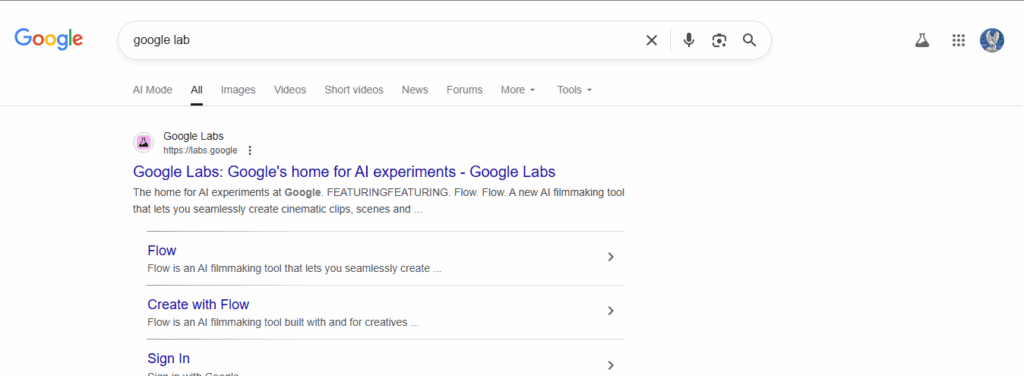
Once you enter the google lab on search bar then open the very frist link that are “Google Labs: Google home for AI experiments”
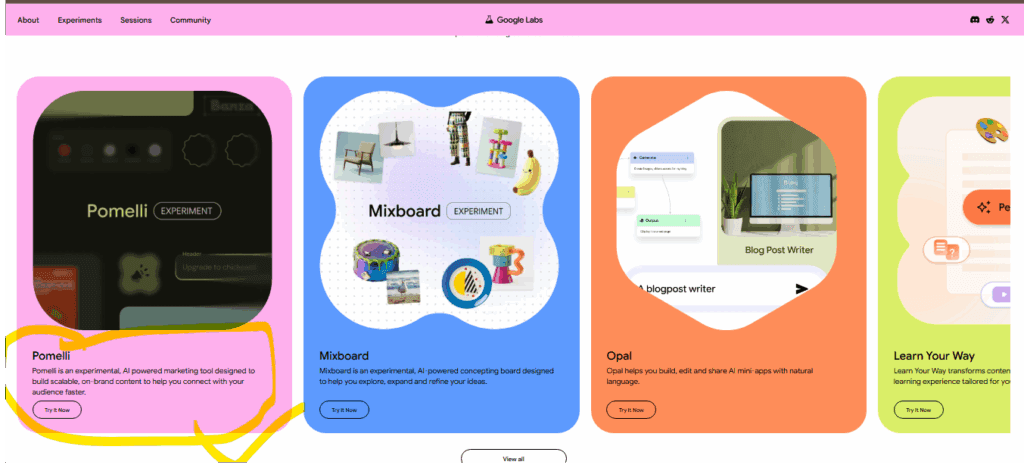
On Google Labs site scroll down, you can find Pomelli from there. The tool is usually in the “Featured” section, but if you can’t see it there, look for the “Try It Now” button.
Entering the URL:
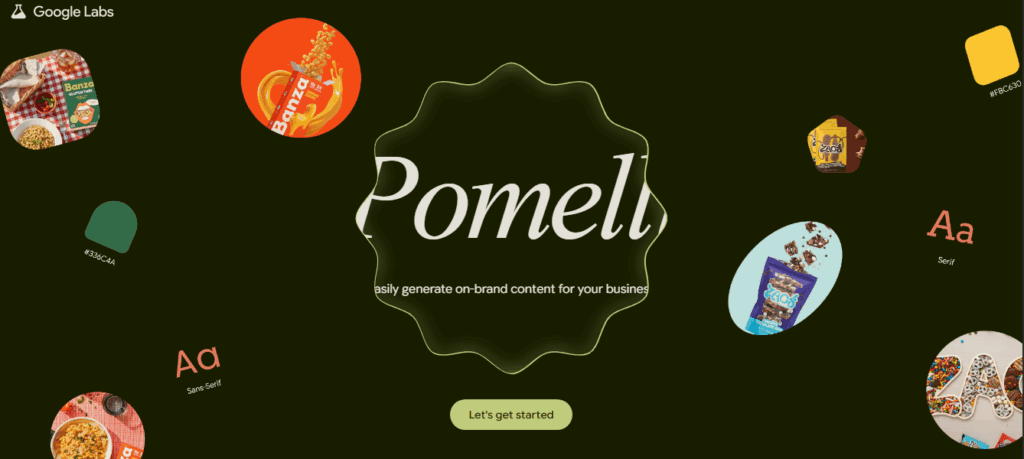
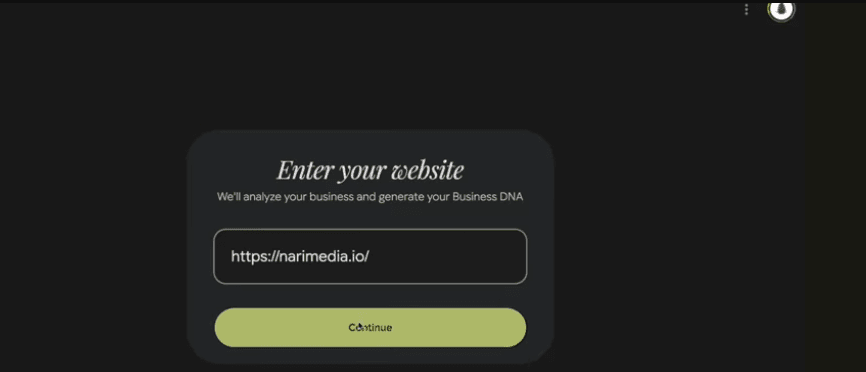
Once you click “Try It Now,” Pomelli will provide you with a box to enter your website’s URL. You can ask Pomelli to generate content by inputting a link to your website.
Setting Business DNA:
Pomelli will scan your website and analyze its “Business DNA.” That means the tool will understand the tone, images, logos, and branding of your website.
You can personalize the tone for your business and specify brand information, such as a logo and font.
Create Content and Campaigns:
Pomelli will create several content pieces and campaigns using the images, text, and fonts of your website.
You will be presented with some creative options, such as “Create Campaign” or “Generate Ideas.” This tool will generate different posts and creative content that is suitable for your brand.
Customization and Editing:
You can also adjust the images and text if you want to make more personalized content.
You can also add your desired images and fonts if you need something specific.
Downloading and Using Content:
Content can be downloaded once it’s ready.
Pomelli doesn’t have scheduling as an option yet, so you’ll need to manually download the content and add it to a scheduling tool (like Buffer, Hootsuite, etc.).
As of now, Pomelli doesn’t have an in-app video content generation option like Shorts, but such features might arrive in subsequent updates.
Some Important Points:
- Pomelli will work best if your website is good and content-rich.
- This tool generates content very fast, which will save your time.
- The possibility to personalize fonts, colors, and images to fit your brand. Using Pomelli is fast and easy.
You will be able to create AI-driven campaigns and content by just entering your website URL.
Advantage of Using the New Google Pomeli Tool
The Google Pomeli Tool isn’t a typical AI wrapper that simply “pasted” AI onto an old function. This tool, developed jointly by Google and its subsidiary, DeepMind, can perform a unique function. When it launched, it was in high demand, and very few people knew about it. If you start using it in your marketing early, you could surprise your clients and make your work much easier.
Getting Started:
You may want to use a US IP address initially via VPN to access this tool since it wasn’t available when it launched in regions such as India.
Once the tool is accessed, you are supposed to give the URL of your website for which you want to do the marketing plan or content. Then, the Google Pomeli Tool starts scanning your website, which may take a little time because it scans all the content and their contexts.
Decoding Your Brand’s DNA and Customizing the Blueprint
When the analysis is complete, the Google Pomeli Tool gives you an early result; it calls it your business’s “DNA,” or you can also think of this as a “moodboard.” This feature is very powerful because it is not limited only to aesthetics.
What does it comprise:
- This tool automatically extracts the brand name, images, fonts, and colors of the website’s theme.
- This creates a tagline, brand values (eg, quality, customer satisfaction), brand aesthetic (elegant, sophisticated), and most importantly, brand tone of voice.
In every branding class, one learns that a brand isn’t just a look; it’s the personality and how consistently it communicates with people. Pomeli would reveal what that consistent identity was and promise.
You can modify them if you disagree with any of these elements. You can upload a logo by hand or have the Google Pomeli Tool do it for you if you want basic designs. Likewise, you can modify the colors, fonts, and tagline as you will.
Marketing Campaigns and Creative Generation
When you are satisfied with your business DNA, the tool is ready to go ahead and create marketing campaigns.
Just in the prompt box, type what you want to create a campaign for. Examples might include “Diwali Marketing Campaign” or “Wedding Cake Promotion.” The Google Pomeli Tool suggests ideas based on that prompt.
The tool also gives some default graphical suggestions based on DNA if one doesn’t have ideas. Suggestions come with images and content that are automatically developed by AI.
You only have to click on the suggestion, and it opens up with graphics, headings, and caption text ready to go. Possibly in the near future, video will also be an option, as right now only an image option is available. For small businesses, this might be a big plus since it will greatly lessen their social media marketing budget.
Customization and Attention to Brand Guidelines
The best thing about the Google Pommely Tool is that it offers flexibility toward customization and still sustains brand guidelines.
Text and Design Changes: You can change the text for the header and description at will on the fly. You want “Sweet Celebrations” instead of “Sweet Feast Zero Worries”; you just type, and the graphic refreshes automatically.
Font and Color Restrictions: You will realize that your choices of fonts and color are very limited. This is because, at the inception, you provided the tool with two fonts and specific colors for brand guidelines. A good graphic never runs away from brand guidelines. This helps in bringing consistency to your social media posts.
Call to Action: You may also create a call to action here. It is highly important to have a clickable and actionable CTA. Google Posting Tool provides natural-sounding options for CTA, which one can customize. You’ll find limited font and color options, since it’s a brand-compliant tool.
Time Saving and the Way Forward
You may find this tool a bit slow at first, since it is new and a little resource-intensive; it’s an AI-based tool. On the other hand, it really could be the big time-saver. It could easily be used by small businesses that don’t want to hire a marketing agency or designer. You may no longer have to sweat over designing.
This tool can also be used by marketing agencies working for their clients by adding social media graphics to a marketing package at a very low cost. In short Google’s Pomeli Tool is a strong AI-powered marketing assistant that knows the DNA of your website inside out and builds branded content.
At the Biz AI Hub you can find most recent and latest trending news and discusion topic related to business, technology , AI , health Here is latest article list
Top Artificial Intelligence Stocks Under $10 to Buy Now
Limited AI Impact on US Employment: Insights from Bank of America’s Latest Research
How China’s AI Development Could Reshape the US-China Economic Conflict”
