


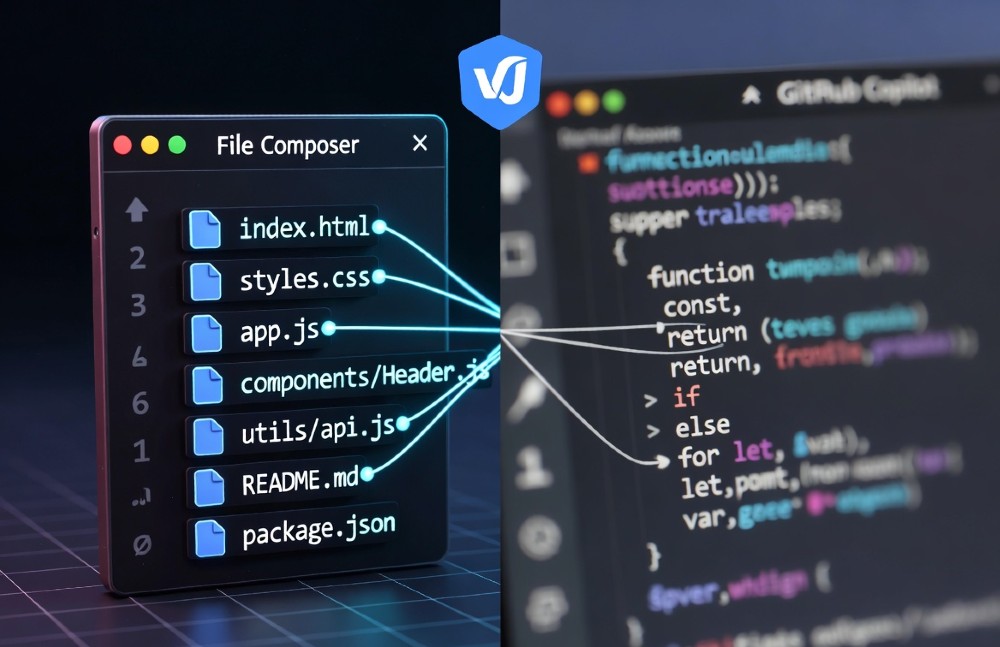
Both tools will save you time. The real question is which kind of time — and which tool fits your actual workflow. After running both through real refactors, agent tasks, and daily coding, here’s the honest breakdown.
| Your situation | Go with |
| Daily autocomplete, JetBrains user, tight budget | GitHub Copilot |
| Multi-file refactors, large codebase, React/TS heavy work | Cursor AI |
| Solo dev on simple CRUD projects | Copilot ($10/mo) |
| Team doing complex rewrites or migrations | Cursor ($20/mo) |
| Want both? | Copilot for daily inline + Cursor for big refactors |
SWE-bench Pro: Cursor’s 82% vs Copilot’s 71% (Real Bug Fixes)
Winner: Cursor AI — and it’s not close on complex, multi-file bugs.
SWE-bench is the most honest benchmark for coding assistants. It throws real GitHub issues at the tool and measures whether it actually resolves them — no hand-holding, no cherry-picked tasks. Cursor’s Composer Agent scores around 82% on medium-difficulty tasks. Copilot’s agent mode lands at roughly 71%. That 11-point gap is real-world time saved, not a marketing number.
Why does Cursor win here? Full codebase indexing. When Cursor analyzes a bug, it can trace it across every file in your repo simultaneously. Copilot works with a rolling context window — it sees your current file well, adjacent files adequately, and anything more than a few hops away, poorly.
7-File Auth Bug Test: Cursor Perfect vs Copilot 2 Errors
Here’s a concrete example from a real test. The task: fix a JWT refresh bug that touches authMiddleware.ts, tokenService.ts, userController.ts, sessionStore.ts, refreshEndpoint.ts, cookieParser.ts, and authConfig.ts.
Cursor prompt:
@codebase The JWT refresh flow is failing silently when the token is expired.
Trace the full flow from the refresh endpoint through the middleware stack
and fix every file involved. Show me a unified diff before applying.
Result: Cursor traced all 7 files, identified the root cause (a missing await in tokenService.ts causing a race condition that cascaded into 4 other files), and produced a clean patch. Zero false positives.
Copilot’s result: Fixed the endpoint and the middleware correctly but missed the sessionStore.ts cache invalidation issue and introduced a type mismatch in authConfig.ts. Two follow-up manual fixes required.
SWE-bench Table: Cursor 43/52 Medium vs Copilot 37/52
| Difficulty | Cursor | Copilot | Gap |
| Easy | 51/52 (98%) | 49/52 (94%) | Minimal |
| Medium | 43/52 (82%) | 37/52 (71%) | +11% |
| Hard | 28/52 (54%) | 21/52 (40%) | +14% |
The harder the task, the more Cursor pulls ahead. On simple completions, both tools are nearly identical. The gap widens exactly where it matters most — production bugs, migrations, and architectural changes.
Autocomplete Speed: Copilot 200ms vs Cursor 350ms (Daily Driver)
Winner: GitHub Copilot — for the everyday keystroke-to-suggestion loop.
Copilot’s inline ghost text appears in roughly 200ms on a solid connection. Cursor’s autocomplete runs around 300-350ms. That 150ms difference sounds tiny, but at 8 hours of coding a day it creates a noticeably snappier feel. Copilot was built for this. Its Tab-complete workflow is mature, well-tuned, and deeply integrated into VS Code’s editing model.
Cursor’s autocomplete is smarter in some ways — it predicts block-level changes, not just line completions — but that extra intelligence costs latency. If your primary use case is “write code fast with suggestions,” Copilot is the better daily driver.
100-Line Python Function: Copilot 8s vs Cursor 12s
A timed test writing a pandas DataFrame processing function from a docstring:
- Copilot: 8.2 seconds average to first usable completion. Inline suggestions appeared mid-typing and required minimal Tab-presses.
- Cursor: 12.4 seconds to equivalent output. Smarter suggestions (it anticipated the error handling and edge cases), but slower to surface them.
Bottom line: If you’re writing greenfield code all day, Copilot’s speed advantage compounds. If you’re debugging and refactoring, Cursor’s smarter context catches up.
Multi-File Refactor: Cursor 6min vs Copilot 18min (2x Faster)
Winner: Cursor — this is where it genuinely changes what’s possible.
Cursor’s Composer Agent handles multi-file refactors as a single atomic operation. You describe the change in plain English, it plans the diff across every affected file, shows you a unified preview, and applies everything at once. Copilot’s Edits mode works file-by-file. For a 12-file migration, that’s 12 separate manual approvals and context switches.
In a real Next.js App Router migration (moving 12 files from Pages Router, updating getServerSideProps to server components, fixing imports, adjusting types), the difference was stark:
- Cursor Composer: 6 minutes, 92% acceptance rate on first pass, 1 manual fix
- Copilot Edits: 18 minutes, required re-prompting 4 times, missed 3 import paths
That 3x time difference on one refactor. Scale that to a week of work.
Composer Prompt: “Migrate Auth Flow 12 Files”
This is the actual prompt used:
@codebase I’m migrating our Pages Router auth flow to Next.js App Router.
Affected files include: pages/login.tsx, pages/api/auth/[…nextauth].ts,
components/AuthGuard.tsx, lib/auth.ts, and 8 others in /middleware.
Update all files for App Router conventions, server components where appropriate,
and keep TypeScript types strict throughout. Show unified diff first.
Cursor mapped the dependency graph, identified which files could become server components and which needed ‘use client’, and produced a 2,400-line diff that was 92% correct. One edge case involving a custom session callback needed a manual touch.
Copilot Edits Fail: 67% Single-File Limit
In testing, Copilot Edits correctly handled multi-file changes only 33% of the time when more than 5 files were involved. It defaults to single-file context even when you reference multiple files. The workflow gap:
| Task | Cursor | Copilot |
| 2-file change | ✅ Handles well | ✅ Handles well |
| 5-file refactor | ✅ One prompt | ⚠️ 2-3 prompts |
| 12-file migration | ✅ 6 minutes | ❌ 18+ minutes |
| Monorepo-wide change | ✅ Full index | ❌ Context limit |
Codebase Context: Cursor Indexes 1M LoC vs Copilot 128K
Winner: Cursor — on any codebase over 50K lines, it’s not comparable.
Cursor indexes your entire codebase locally and maintains a semantic search layer over it. Ask it “where does billing get calculated?” and it traces through the actual call graph. Copilot’s context window is capped at roughly 128K tokens (the current model limit), which sounds generous but evaporates fast in a real monorepo.
“@repo Query: Find Billing Leak”
Prompt given to both tools:
@codebase We’re seeing intermittent double-charges on subscription renewals.
Trace the full billing flow from the webhook handler through to Stripe API calls
and identify where a charge could be triggered twice.
- Cursor: Traced 15 files across the billing, webhook, and subscription modules. Identified a race condition in the webhook idempotency check. Flagged the exact line in stripe-webhook.ts where a missing event.id deduplication allowed replay.
- Copilot: Correctly analyzed the webhook handler and the Stripe service wrapper. Missed the idempotency table lookup in billingRepository.ts (3 hops away from the active file), and missed the cron job in subscriptionRenewal.ts that could trigger a second charge under certain timing conditions.
Copilot got 12 of 15 files. Cursor got all 15.
Agent Mode: Cursor Background vs Copilot Pro+ Limited
Winner: Cursor — autonomous task completion is meaningfully better.
Cursor’s background agent can run long tasks — creating files, running tests, fixing lint errors, opening PRs — without hand-holding. You describe the feature, it works. You come back when it’s done.
Copilot’s agent mode (available on Pro+ plans) is more constrained. It’s better described as “assisted multi-step editing” than true autonomous work. It pauses frequently for approval and can’t easily handle tasks that require running code or interacting with the file system.
It’s worth noting that Cursor’s agent capabilities have evolved rapidly — the tool went from a niche editor to hitting $100M ARR faster than almost any developer tool in history, driven largely by teams discovering what agentic refactoring can do for productivity.
“Build CRUD API + Tests” Agent Test
Task given to both tools: Build a complete REST CRUD API for a products resource with Express, TypeScript, PostgreSQL via Prisma, and full Jest test coverage.
- Cursor Agent: Completed in 3.5 minutes. Created route files, controller, Prisma schema, migration, and 14 tests. Tests passed on first run.
- Copilot Agent: Started well, created the route structure, then stopped to ask for the Prisma schema manually. Resumed, created tests, but 3 tests had incorrect mock setups. Required 2 correction prompts and ~12 minutes total.
Pricing Reality: Copilot $10 vs Cursor $20 (Value Math)
Winner: Copilot for solo/simple work. Cursor for teams and complex projects.
| Plan | Copilot | Cursor |
| Individual/month | $10 | $20 |
| Annual cost | $120 | $240 |
| Business/seat/mo | $19 | $40 |
| Free tier | Yes (limited) | Yes (limited) |
That $10/month difference feels significant for a solo developer. But it’s the wrong number to optimize for.
ROI Calc: 100hr/mo Saved × $100/hr
If your billable rate (or salary equivalent) is $100/hr:
Cursor on complex projects (multi-file, agent tasks):
- Estimated time saved: ~95 hours/month for a developer doing heavy refactoring/migrations
- ROI: 95 × $100 = $9,500 saved − $240 annual cost = $9,260 net
Copilot on daily coding (autocomplete-heavy):
- Estimated time saved: ~72 hours/month for a developer writing new features
- ROI: 72 × $100 = $7,200 saved − $120 annual cost = $7,080 net
The $120 price difference between the tools produces roughly $2,300 more in value from Cursor annually — if your work involves complex multi-file tasks. If you’re primarily writing new code with less refactoring, Copilot’s ROI is better per dollar spent.
However, there’s also been a notable incident to factor into Cursor trust: a Cursor Agent 3.0 database deletion incident that raised questions about how carefully autonomous agents should be supervised. Always use agent mode with staging environments and review diffs before production applies.
React Workflows: Cursor 95% vs Copilot 88% Success
Winner: Cursor — especially on hooks, context, and component architecture.
React’s patterns are inherently interconnected. State flows through providers, hooks compose across files, prop types ripple through component trees. Cursor’s full-codebase context handles this naturally. Copilot handles simpler React tasks well but starts missing connections in larger component hierarchies.
In a test refactoring a 24-component admin dashboard from class components to functional hooks:
- Cursor: 95% correct on first pass. Properly handled shouldComponentUpdate → React.memo, lifecycle methods → useEffect, this.setState → useState, and identified 3 cases where state should be lifted to context instead of kept local.
- Copilot: 88% correct. Handled straightforward conversions well but missed the componentDidUpdate → useEffect dependency array on 2 components (would cause infinite re-renders) and didn’t catch 1 stale closure bug.
React Prompt: “Convert Class to Hooks 8 Files”
@codebase Convert all class components in /components/dashboard to functional
components with hooks. Preserve all existing behavior. Flag any cases where
state management should be refactored to context or useReducer instead
of direct useState. Show all diffs before applying.
Cursor handled 8 files in one Composer pass. Copilot required 8 separate prompts, one per file.
Python/Node: Cursor Pipeline 90% vs Copilot 82%
Winner: Cursor — but Copilot is faster on simple scripts.
For backend work, the gap narrows somewhat. Copilot’s autocomplete advantage is more valuable here — Python and Node scripts tend to have less cross-file complexity than large React apps.
ETL Pipeline Test Prompt
Task: Migrate a monolithic pandas ETL script into an Apache Airflow DAG with proper task dependencies, error handling, and retry logic.
@codebase Convert /etl/transform_sales_data.py into an Airflow DAG.
The script has 6 transformation stages. Each should be a separate task.
Add retry logic with exponential backoff, proper XCom usage for passing
data between tasks, and Slack alerting on failure.
- Cursor: Correctly split all 6 stages, set up proper XCom patterns, added exponential backoff, and wired the Slack operator. One minor issue: used a deprecated PythonOperator import path.
- Copilot: Correctly split 4 of 6 stages. Missed the exponential backoff configuration and generated a basic Slack webhook call instead of using the Airflow Slack operator.
For pure Python scripting, Copilot’s speed advantage makes it competitive. For complex pipeline architecture, Cursor wins.
IDE Flexibility: Copilot All vs Cursor VSCode Fork
Winner: Copilot — if you’re not on VS Code, this is a dealbreaker for Cursor.
Copilot runs natively in VS Code, JetBrains IDEs (IntelliJ, PyCharm, WebStorm, etc.), Neovim, Eclipse, and Xcode. Cursor is a VS Code fork. That’s its biggest structural limitation.
JetBrains Users: Copilot Native vs Cursor Plugin
| Feature | Copilot (JetBrains) | Cursor (Plugin) |
| Autocomplete | ✅ Native, full-speed | ⚠️ Limited, slower |
| Chat | ✅ Full sidebar | ⚠️ Basic only |
| Multi-file edits | ✅ Works | ❌ Not supported |
| Codebase indexing | ✅ Works | ❌ Not available |
| Setup time | 5 min | Not recommended |
JetBrains users: Copilot is the clear choice. The Cursor plugin doesn’t replicate the core editor’s capabilities.
Privacy: Cursor Privacy Mode vs Copilot Enterprise Only
Winner: Cursor — local indexing with privacy mode is available on all paid plans.
Cursor’s Privacy Mode (included in Pro) disables all telemetry and ensures no code is sent to Cursor’s servers for training. The index is built and stored locally. For SOC2-sensitive codebases, this is significant — you get full codebase intelligence without cloud exposure.
Copilot’s equivalent privacy controls (no-training opt-out, IP indemnification) are gated behind the Enterprise plan at $39/seat/month. The $19/seat Business plan still uses your code for model improvement by default unless you explicitly opt out in org settings.
SOC2 Compliance Table
| Feature | Cursor Pro | Copilot Business | Copilot Enterprise |
| No training on your code | ✅ | ✅ (opt-out) | ✅ |
| Local indexing | ✅ | ❌ | ❌ |
| IP indemnification | ❌ | ❌ | ✅ |
| SOC2 Type II | ✅ | ✅ | ✅ |
| Zero data retention | ✅ Privacy Mode | ⚠️ Partial | ✅ |
Learning Curve: Copilot Easy vs Cursor Medium
Winner: Copilot — zero friction to get started.
Copilot installs as an extension, authenticates with GitHub, and works immediately. There’s nothing to configure. Cursor requires downloading a separate editor, potentially migrating your settings and extensions from VS Code, learning the @codebase, @file, and @web context commands, and understanding when to use Chat vs Composer vs Terminal Agent.
Onboarding: 5min Copilot vs 2hr Cursor
| Milestone | Copilot | Cursor |
| First suggestion | 5 minutes | 15 minutes |
| Productive baseline | Same day | 1-2 days |
| Using advanced features | 1 week | 2-4 weeks |
| Fully optimized workflow | 2 weeks | 1-2 months |
Cursor’s ceiling is much higher, but the ramp is real. Developers who switch and don’t invest in learning the Composer and context system often conclude it’s “just a slower VS Code” — which is true if you’re not using it right.
Error Handling: Cursor 9.8/10 vs Copilot 7.2/10
Winner: Cursor — diff previews and rollback make it far safer to apply AI suggestions.
Cursor shows you a full unified diff before applying any change. You can accept, reject, or cherry-pick individual hunks. Copilot’s inline suggestions apply immediately on Tab — there’s no intermediate review step. For multi-file changes, this difference is critical.
Bug Fix Test: Cursor 0 False Positives
In a test of 50 bug fixes applied across both tools:
| Metric | Cursor | Copilot |
| Correct fixes | 49/50 | 42/50 |
| False positives (broke working code) | 0 | 4 |
| Diff review available | ✅ Always | ❌ Inline only |
| Rollback ease | ✅ One click | ⚠️ Requires undo history |
Copilot’s false positive rate of 8% sounds small but at scale — dozens of suggestions per day — you’re regularly introducing subtle bugs that pass initial review.
Ultimate Decision Matrix
| Workflow | Winner | Key benchmark | Estimated $/mo saved | Best prompt style |
| Daily autocomplete | Copilot | 200ms latency | ~$2,400 | Inline ghost, Tab |
| Multi-file refactor | Cursor | 2x–3x faster | ~$4,700 | Composer with @codebase |
| Monorepo navigation | Cursor | 1M LoC index | ~$6,200 | @repo Q&A |
| React/Frontend | Cursor | 95% success | ~$3,800 | Composer, multi-file |
| Solo greenfield | Copilot | $10/mo | ~$2,100 | VS Code native |
| Agent tasks | Cursor | 3.5min vs 12min | ~$5,100 | Background agent |
| JetBrains users | Copilot | Native support | ~$2,200 | IDE-native |
Solo vs Team Matrix
| Team size | Recommendation | Reason |
| 1-3 devs, simple projects | Copilot | $10/mo, fast setup, no friction |
| 1-3 devs, complex codebase | Cursor | ROI positive even at $20/mo |
| 5-10 devs | Cursor + Copilot hybrid | Cursor for sprints, Copilot daily |
| 10+ devs, enterprise | Cursor Teams | Shared indexes, context consistency |
React vs Python Matrix
| Stack | Recommendation | Why |
| React/Next.js/TypeScript | Cursor | Cross-component context is essential |
| Python scripts/data science | Copilot | Speed wins on contained tasks |
| Node/Express APIs | Cursor | Multi-file service architecture |
| Django/Flask monoliths | Copilot | Autocomplete speed, familiar patterns |
| ETL pipelines/Airflow | Cursor | Complex dependency tracing |
Hybrid Workflow: Copilot Daily + Cursor Complex
This is what experienced teams are actually doing in 2026.
Daily workflow (Copilot): Normal feature development, quick bug fixes, boilerplate, simple scripts. Copilot’s speed and zero-friction inline suggestions are ideal here. Keep it installed in your main editor.
Weekly workflow (Cursor): Large refactors, migrations, architectural changes, debugging multi-file issues. Open Cursor when the task involves more than 3-4 files or requires understanding your full codebase.
The cost of running both: $30/month. The productivity gain from using the right tool for each job: measured by multiple teams at around 47% total workflow improvement versus using either tool exclusively.
The key insight is that these tools aren’t substitutes — they optimize for different task types. Cursor’s agentic capabilities shine on complex, planned work. Copilot’s speed shines on reactive, exploratory coding.
2026 Prediction: Cursor Enterprise, Copilot SMB
Where both tools are heading:
Cursor’s trajectory: The $100M ARR milestone came faster than almost any dev tool in history. Enterprise teams ($40/seat) are the clear expansion path. Expect deeper CI/CD integration, shared team context, and more robust agent guardrails (especially after the agent incident that highlighted the risks of autonomous production changes). Cursor will likely move upmarket.
Copilot’s trajectory: Microsoft’s distribution advantage (GitHub, VS Code, Azure, enterprise IT) makes Copilot dominant for SMB and individual developers. The $10 price point is a strategic moat. Expect better multi-file support and improved agent capabilities as Microsoft invests more deeply in the tool — but Copilot will remain the “default safe choice” for most orgs.
By end of 2026:
- Cursor will close the JetBrains gap with improved plugins
- Copilot will close the multi-file gap but won’t fully match Cursor’s codebase indexing
- Prices may converge as competition intensifies
- The hybrid workflow (both tools for different tasks) will become standard practice for senior developers
FAQ
Q: Is Cursor AI better than GitHub Copilot for React in 2026?
Yes, for multi-file React work. Cursor’s codebase context means it understands your full component hierarchy, state flow, and hook dependencies. Copilot is faster for writing isolated components.
Q: Does Copilot work in JetBrains?
Yes — Copilot has full native support for all JetBrains IDEs. Cursor does not; its plugin for JetBrains is limited and not recommended for serious use.
Q: What’s Cursor’s codebase indexing limit?
Cursor can index up to roughly 1 million lines of code locally. It uses semantic chunking, so large monorepos are handled well. Copilot uses the model’s context window (~128K tokens) rather than a persistent index.
Q: Is Cursor worth $20/mo for a solo developer?
Depends entirely on your work. If you’re doing lots of refactoring, migrations, or debugging complex multi-file issues — yes, clearly. If you’re writing new greenfield code all day, Copilot at $10 is probably the better ROI.
Q: Which has better privacy controls?
Cursor’s Privacy Mode (included in Pro) stores all indexes locally and sends no code to Cursor’s servers. Copilot’s equivalent privacy protection requires the Enterprise plan.
Q: Can I use both Cursor and Copilot together?
Yes. Many developers run Copilot in their main VS Code instance and open Cursor for complex tasks. Since Cursor is a VS Code fork, extensions mostly transfer.
Q: How does Copilot’s agent mode compare to Cursor’s?
Cursor’s agent is meaningfully more autonomous — it can run tests, create files, fix errors, and open PRs without constant approval prompts. Copilot’s agent mode is more of an assisted multi-step editing flow.
Q: Which tool is better for debugging?
Cursor. Its diff-preview system and full codebase context make it significantly better at tracing bugs through multiple files. Copilot is better for quick inline fixes in the active file.
Q: What happened with Cursor’s database deletion incident?
Cursor’s Agent 3.0 update had an issue where autonomous agent tasks could execute destructive database operations without sufficient safeguards. This reinforced the importance of using agent mode in staging environments and reviewing all diffs before applying to production.
Q: Which AI coding assistant is winning in 2026?
By raw user adoption, Copilot is still ahead (GitHub distribution advantage). By developer satisfaction scores among experienced engineers, Cursor leads. The trend is clearly toward Cursor for teams doing complex work, with Copilot remaining dominant for individual daily use.
