


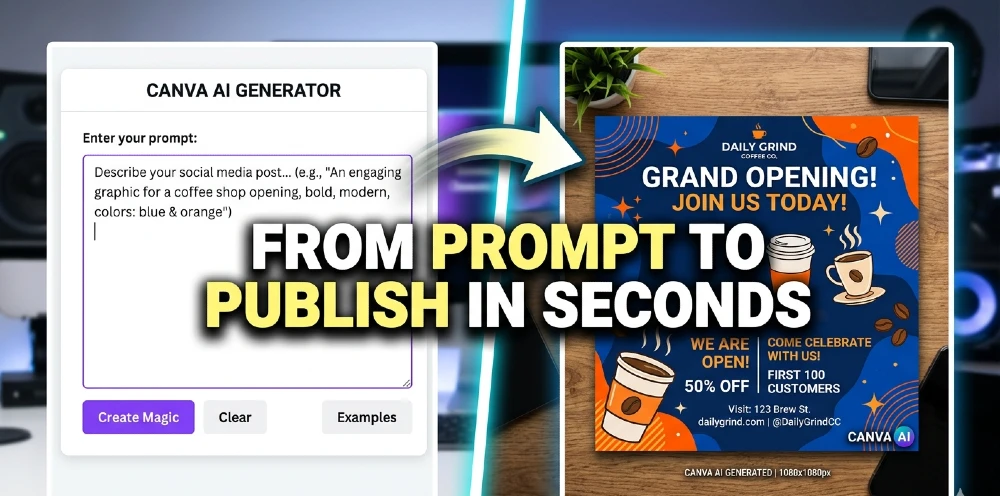
Canva AI Suite isn’t just an update — it’s a signal that the gap between “professional designer” and “everyone else” is closing fast. With its latest round of AI-powered features unveiled at Canva Create 2026, the platform is no longer playing catch-up with tools like Midjourney or DALL-E. It’s building something different — a full creative operating system that’s faster, smarter, and designed for people who just need the work done.
This matters because millions of marketers, small business owners, and social media managers don’t have hours to spend in Adobe. They need results now. And Canva just got a lot better at delivering exactly that.
What Actually Changed in the Canva AI Suite 2026 Upgrade
Let’s be direct: this isn’t a minor patch. Canva unveiled Visual Suite 2.0 at Canva Create — described as their biggest product launch yet — integrating new AI-powered tools designed to bridge the gap between productivity and creativity.
The headline feature? A fully conversational AI assistant baked directly into the editor.
Canva AI blends in-house models, Leonardo.Ai’s Phoenix image generation model, and partnerships with OpenAI and Anthropic to deliver faster, smarter outputs — whether you’re starting from a rough idea, a half-written brief, or a full strategy.
That’s not a gimmick. That’s a real workflow shift.
Prompt-to-Design: How It Actually Works
Here’s the practical version: you type what you want, and Canva builds it.
Whether you’re working on a social post, a presentation, a website, a video, or a doc — just use a simple prompt (voice, text, or media), and Canva AI gets to work. You can then fine-tune the design, apply your Brand Kit, collaborate with your team, or turn it into a template.
What makes this different from just generating a flat image in Midjourney is the editability. Canva’s proprietary design model generates designs with editable layers and objects rather than flat images — working across formats including social media posts, presentations, whiteboards, and websites.
This is a big deal. You’re not stuck with what the AI spits out. You can go in, move elements, swap fonts, adjust colors. It’s a starting point, not a final output locked behind a raster file.
Smart Templates and the Mobile Editing Push
On mobile, Canva has historically been limited. That’s changing.
The Android collaboration update means teams can now co-edit designs in real time without being chained to a desktop. For social media managers juggling campaigns across time zones, this removes one of the last remaining friction points.
The Magic Media style reference feature lets users upload a reference image so all newly generated visuals match that style — critical for maintaining visual consistency across social media campaigns or presentations.
That’s brand safety built directly into the AI layer. Not a setting buried in a menu — it’s part of the generation process itself.
Canva vs. Midjourney vs. DALL-E: The Real Comparison
Let’s address the elephant in the room. Can Canva really challenge dedicated AI image tools?
For raw artistic output, Midjourney still wins. If you need a hyper-detailed fantasy illustration or photorealistic product render, it’s not a contest.
But that’s not what most marketers need most of the time.
What marketers need is:
- A branded Instagram post in 10 minutes
- A pitch deck that doesn’t look like a template from 2017
- A social ad that matches the visual language of their brand
- Something their non-designer colleague can edit without breaking everything
Canva AI Suite 2026 is built for exactly that list. By late 2026, Canva had transcended its origins as a simple design tool, becoming a full Creative OS with AI at its core, a pro design platform with Affinity integration, and a marketing hub for enterprises and small businesses alike.
Midjourney can’t export a branded PDF. DALL-E doesn’t have smart templates. Canva does both — plus collaboration, plus a spreadsheet, plus email design, plus code generation. The category is different.
The Pricing Reality for Marketers
Free users get access to a meaningful slice of the new AI tools. But the real power — Magic Studio at scale, bulk creation, advanced Brand Kit integration — sits behind Canva Pro and Canva Teams pricing.
For individual creators, Canva Pro at roughly $15/month still undercuts what you’d pay for even a single month of Midjourney Pro plus a separate design tool. For marketing teams, the comparison to Adobe Creative Cloud is stark: Canva Teams delivers AI-first collaboration at a fraction of the enterprise design stack cost.
The honest caveat? Some users reported bugs and usability hiccups in 2026, particularly in video workflows. For mission-critical campaigns, you’ll want a backup plan. The platform is moving fast, and fast-moving software sometimes has rough edges.
Industry Impact: What This Means for the Design World
Agencies should take note. The junior designer whose main job was resizing assets and building social templates is facing a real productivity displacement — not job elimination, but a serious rethink of what an entry-level creative role looks like.
Canva also launched Canva Grow, an all-in-one marketing platform using AI for both asset creation and performance measurement — directly targeting the overlap between creative and media buying that previously required separate tools and separate teams.
This is vertical integration in creative software. And it’s happening faster than most agencies anticipated.
What’s Coming Next
Canva Create 2026 tickets are already available — which tells you the pace of this roadmap isn’t slowing down. Expect deeper video AI capabilities, tighter enterprise integrations, and an expanded Canva Code feature that lets non-developers build functional interactive experiences directly inside designs.
The broader trend is clear: AI design tools are no longer niche. They’re becoming the default starting point for visual content creation at every level of the market.
Bottom Line
Canva AI Suite 2026 doesn’t try to be everything to everyone — it tries to be exactly enough for the people who use it every day. For marketers, social media teams, educators, and small business owners, that’s a compelling offer. The prompt-to-design workflow works. The mobile editing is finally serious. And the competitive pricing makes the decision easy for most teams.
check our latest news
ChatGPT App Ecosystem Hits 220+ Integrations And It’s Changing How AI Competes
