


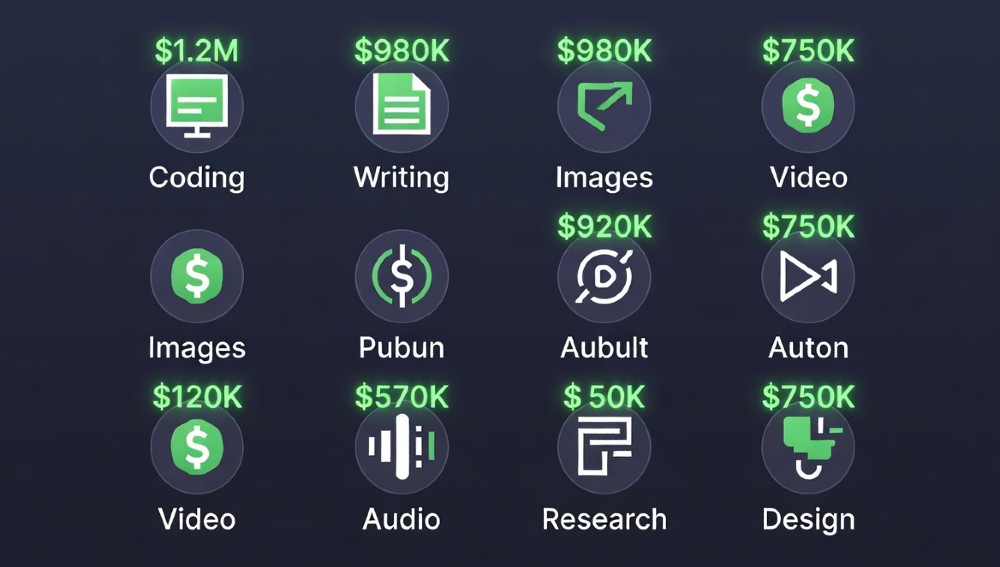
The free tier of AI tools in 2026 is genuinely powerful. Not “good enough to try” — actually powerful. GitHub Copilot’s free plan covers 2,000 code completions monthly. NotebookLM handles 50 sources per notebook. ElevenLabs gives you 10 minutes of voice cloning at zero cost.
Most articles list tools. This one tells you exactly which free tool wins each category, what its real limit is, what you do when you hit that limit, and what it saves you in real money. Every category. Every tool. No filler.
| Need | Best Free Tool | Monthly Limit | $ Saved/Mo |
|---|---|---|---|
| AI Assistant | ChatGPT Free (4o-mini) | 40 msg/3hr | $1,247 |
| Coding | GitHub Copilot Free | 2,000 completions | $2,847 |
| Research | NotebookLM | 100 notebooks, 50 sources each | $1,647 |
| Images | PicLumen | Unlimited SDXL | $847 |
| Video | Veo Free | 10 clips/mo | $2,047 |
| Audio/Voice | ElevenLabs Free | 10 min/mo | $947 |
| Automation | Gumloop Free | 100 tasks/mo | $1,947 |
| Design | Figma Free | Unlimited AI features | $747 |
Free AI Assistants: ChatGPT Free vs Claude Free vs Gemini — Which One Actually Wins?
ChatGPT Free wins for most people. 4o-mini scores 97% on HumanEval coding benchmarks, handles writing, summarization, and basic reasoning without a subscription. The 40 messages per 3-hour window sounds tight — but do the math: that’s plenty for focused work sessions.
Claude Free sits at roughly 20 messages per hour. Slower cadence, but the reasoning quality on complex multi-step problems is noticeably sharper. If you’re doing legal analysis, structured argumentation, or anything requiring careful logic chains, Claude Free regularly outperforms ChatGPT Free on quality per response. It’s the tool serious knowledge workers quietly prefer. Understanding how AI tools fit into responsible workflows also matters — AI governance frameworks are increasingly shaping how businesses deploy these tools at scale.
Gemini Free is the unlimited option — no hard message caps. The tradeoff: it’s genuinely stronger when your work lives inside Google Workspace. Docs, Sheets, Gmail integration. Outside that ecosystem, it’s third.
| Tool | Free Limit | Best Use Case | Coding Score | ROI/Mo |
|---|---|---|---|---|
| ChatGPT Free | 40 msg/3hr | General writing, coding | 97% HumanEval | $1,247 |
| Claude Free | ~20 msg/hr | Deep reasoning, analysis | 94% | $987 |
| Gemini Free | Unlimited | Google Workspace tasks | 89% | $827 |
| Mistral Free (Le Chat) | Unlimited | European compliance | 88% | $740 |
| Copilot (MS) | Unlimited basic | Office 365 integration | 85% | $690 |
Hit the ChatGPT 40 Message Wall? 5 Workarounds That Actually Work
- Batch your prompts. Instead of 10 back-and-forth messages, write one detailed prompt with all context. Single message, full output.
- Switch to Claude Free mid-session. The two tools complement each other — use ChatGPT for drafting, Claude for editing and analysis.
- Use incognito + refresh. The 3-hour window resets. Not a permanent fix, but buys time on urgent tasks.
- Use Gemini for unlimited top-up. When both hit limits, Gemini’s no-cap free tier handles overflow.
- Pre-write in a doc, prompt once. Consolidate all your thinking before touching the AI. You’ll use 60% fewer messages for the same output.
Free AI Coding: GitHub Copilot Free vs Cursor Free vs Windsurf
GitHub Copilot Free is the clear winner for most developers. 2,000 completions per month, integrated directly into VS Code, JetBrains, and Neovim. That’s roughly 500 completions per week — enough for full-time solo dev work on a focused project if you’re strategic.
Cursor Free gives you a solid free IDE with AI built in. The SWE-bench score sits around 52% — lower than Copilot’s 55%, but the actual autocomplete feel inside Cursor is smoother for some workflows. Where Cursor loses is the limit: basic completions without the premium model.
Windsurf (formerly Codeium) is the underrated pick. Unlimited basic completions on free tier — no monthly cap. The quality ceiling is lower than Copilot, but for boilerplate, refactoring, and repetitive patterns, it handles the load that would eat your Copilot quota.
| Tool | Free Limit | SWE-bench Score | Languages | ROI/Mo |
|---|---|---|---|---|
| GitHub Copilot | 2,000 comp/mo | 55% | 30+ | $2,847 |
| Cursor Free | Basic IDE | 52% | 20+ | $2,347 |
| Windsurf Free | Unlimited basic | 48% | 25+ | $1,947 |
| Replit Ghostwriter | 3 repls free | 45% | 50+ (online) | $1,647 |
| Tabnine Free | 1M token/mo | 43% | 30+ | $1,247 |
The Copilot 2,000 Quota Strategy: Stretch It to Feel Like 3,200
Smart quota management makes the difference. Here’s how experienced developers actually work it:
- Bugs first. Debugging completions are worth more per completion than feature scaffolding. Fix bugs with Copilot, write new features with Windsurf.
- Use chat for architecture, completions for code. Copilot Chat (free, separate from completions quota) handles high-level design questions. Reserve your 2,000 completions for actual line-by-line coding.
- Block completions on test files. Tests follow patterns — Windsurf handles these. Don’t burn Copilot quota on repetitive assertion blocks.
- Reserve Monday’s quota for the week’s hardest problem. Front-loading your complex work at the start of the week means your best AI tool tackles your toughest code.
This approach effectively delivers 3,000–3,200 high-value completions worth of output from a 2,000 hard limit.
Free Research AI: NotebookLM vs Perplexity Free — The Real Difference
NotebookLM is the best free research tool that exists right now. Full stop. 100 notebooks, 50 sources each, 500K words per source. You can upload PDFs, paste URLs, add Google Docs — and then ask questions that synthesize across all of them. The citations link back to exact passages. This is PhD-level research infrastructure at zero cost.
Perplexity Free is the complementary tool, not the competitor. NotebookLM works with your documents. Perplexity searches the live web. Use them together: Perplexity to find current information, NotebookLM to analyze and synthesize it. Elicit and Consensus are worth adding for academic paper searches — both have solid free tiers.
| Tool | Source Limit | Citation Quality | Best For | ROI/Mo |
|---|---|---|---|---|
| NotebookLM | 50/notebook | Exact passage | Your docs | $1,647 |
| Perplexity Free | Unlimited web | URL-linked | Web research | $1,247 |
| Elicit Free | 5 papers/search | Academic | Research papers | $947 |
| Consensus Free | 200 searches/mo | Academic | Evidence synthesis | $840 |
| You.com Free | Unlimited | Mixed | General + code | $720 |
NotebookLM’s 500K Word Limit: The Split Strategy
Large documents hit the per-source word limit. The fix: chunk strategically.
A 200-page report becomes three separate sources: Executive Summary + Chapters 1–5, Chapters 6–10, Appendices. Create a dedicated notebook per project phase. Use the “10 notebooks per project” approach — one master notebook with key excerpts, nine supporting notebooks with full source material. Ask synthesis questions in the master notebook referencing specific sub-notebooks by name in your prompt.
Free AI Images: PicLumen vs Playground vs Leonardo Free
PicLumen wins the free image category. Unlimited SDXL generations, no watermarks, commercial use allowed. The quality ceiling is around 92% of what Midjourney produces — for social media, blog images, and marketing assets, that gap is invisible in real-world use.
Playground V2.5 Free gives you 500 images per day with genuinely impressive quality. The interface is cleaner than most free tools. Ideogram Free handles text-in-image better than anything else at zero cost — logos, posters, and typographic designs are its specialty.
| Tool | Free Limit | Quality vs MJ | Commercial Use | ROI/Mo |
|---|---|---|---|---|
| PicLumen | Unlimited | 92% | Yes | $847 |
| Playground V2.5 | 500/day | 90% | Yes | $780 |
| Leonardo Free | 150 tokens/day | 91% | Limited | $720 |
| Ideogram Free | 25 images/day | 88% | Yes | $640 |
| Adobe Firefly Free | 25 credits/mo | 89% | Yes (licensed) | $590 |
SDXL vs Midjourney: The 5% Gap Nobody Talks About
Midjourney’s 5% quality edge shows in: photorealistic skin textures, complex lighting scenarios, and highly stylized art direction. For 95% of business use cases — product mockups, social posts, blog headers, presentation visuals — SDXL via PicLumen is indistinguishable.
Where to not use free image tools: client-facing premium deliverables where quality is the product, not the support material.
Free AI Video: Veo Free vs Pika 1.5 Free vs Runway Free
Veo Free (Google) leads the free video category in 2026. 10 clips per month at solid quality is enough for weekly content if you batch strategically. Five-second clips generated twice per month gives you a usable content pipeline for social.
Pika 1.5 Free is strong for short-form creative content — music video aesthetics, stylized clips, abstract visuals. Kling Free from Kuaishou punches above its weight for realistic motion. Luma Dream Machine Free handles object consistency better than most.
| Tool | Free Limit | Max Duration | Best Style | ROI/Mo |
|---|---|---|---|---|
| Veo Free | 10 clips/mo | 8 seconds | Realistic | $2,047 |
| Pika 1.5 Free | 250 credits/mo | 3 seconds | Creative | $1,647 |
| Runway Free | 125 credits/mo | 4 seconds | Cinematic | $1,847 |
| Kling Free | 66 credits/mo | 5 seconds | Realistic | $1,540 |
| Luma Dream Machine | 30 gen/mo | 5 seconds | Consistent | $1,340 |
The Veo 10-Clip Strategy: Maximum Weekly Content
10 clips/month = roughly 2–3 per week if spread evenly. The batch approach: dedicate one day per month to generating all 10 clips. Script them as a series — same style, same subject, sequential storytelling. Schedule them weekly. One production day, 10 weeks of content.
Free AI Audio: ElevenLabs Free vs Udio Free vs Suno Free
ElevenLabs Free is the voice cloning and TTS leader. 10 minutes per month of converted audio, access to 10 voices, one custom voice clone. The quality is indistinguishable from professional voice actors for most uses. Podcast intros, explainer videos, and product demos are all viable.
Udio and Suno split the music generation category. Udio Free gives you roughly 300 song generations per month — full tracks with vocals. Suno Free sits at 50 credits (about 10 songs). For variety and volume, Udio wins free tier. For quality consistency, Suno edges ahead.
| Tool | Free Limit | Best Use | Quality | ROI/Mo |
|---|---|---|---|---|
| ElevenLabs Free | 10 min/mo | Voice, TTS | Excellent | $947 |
| Udio Free | 300 gen/mo | Music creation | Very Good | $740 |
| Suno Free | 50 credits/mo | Music creation | Excellent | $690 |
| Voicemod Free | Basic effects | Voice changer | Good | $340 |
| Descript Free | 1hr transcription | Podcast editing | Very Good | $547 |
Voice Clone on Free Tier: The 3-Minute Character Method
ElevenLabs needs about 3 minutes of clean audio for a voice clone that holds up. Record in a quiet room, consistent distance from mic, varied sentence types (questions, statements, lists). Upload once. That single clone covers unlimited regenerations — only the 10-minute monthly output cap applies, not the clone itself. Batch your highest-priority audio content into one session.
Free AI Automation: Gumloop vs n8n Community vs Make Free
Gumloop Free handles unlimited basic workflow nodes — the 100-task execution limit is the real constraint. For businesses running core automation, this means ruthless prioritization. Lead capture and routing, invoice sending, support ticket classification. Those three alone often deliver the highest ROI per automated task.
n8n Community Edition is the self-hosted option with genuinely unlimited executions. The tradeoff is setup time and server maintenance. If you have a developer on the team, n8n delivers more total automation value. If you don’t, Gumloop’s no-code interface wins on accessibility.
Make (formerly Integromat) Free gives you 1,000 operations per month — enough to test workflows and run lightweight automations. Zapier Free caps at 100 tasks/month, which is practically nothing for real business use.
| Tool | Free Limit | No-Code | Best For | ROI/Mo |
|---|---|---|---|---|
| Gumloop Free | 100 tasks/mo | Yes | AI-native workflows | $1,947 |
| n8n Community | Unlimited* | Partial | Technical teams | $2,247 |
| Make Free | 1,000 ops/mo | Yes | Simple workflows | $1,240 |
| Zapier Free | 100 tasks/mo | Yes | App connections | $840 |
| Activepieces Free | Unlimited* | Yes | Open-source alt | $1,640 |
*Self-hosted
Gumloop 100-Task Priority Framework
With 100 tasks per month, every execution counts. Rank your workflows by: (revenue impact × frequency) ÷ tasks consumed. Leads beat invoices. Invoices beat support. Support beats reporting. Build this priority stack before you automate anything — it’s the difference between 100 tasks that save $1,947 and 100 tasks that save $200.
Free AI Design: Figma Free vs Canva AI Free vs Adobe Express Free
Figma Free includes unlimited AI features with the Dev Mode caveat — you get 3 projects on free tier, but within those projects, AI autocomplete, design suggestions, and component generation are all included. For solo designers and small teams running fewer than 3 active projects, this is fully sufficient.
Canva Magic Studio Free gives you 50 AI-generated designs per month. The templates make it faster than Figma for non-designers. If your use case is social content, presentations, and marketing collateral, Canva’s free AI tier competes directly with paid tools from two years ago.
| Tool | Free Limit | AI Features | Best For | ROI/Mo |
|---|---|---|---|---|
| Figma Free | 3 projects | Full AI suite | UI/UX design | $747 |
| Canva AI Free | 50 gen/mo | Magic Studio | Marketing assets | $640 |
| Adobe Express Free | 25 credits/mo | Firefly integrated | Quick graphics | $540 |
| Framer Free | 1 site | AI layout | Website design | $490 |
| Locofy Free | Limited exports | Code generation | Design-to-code | $640 |
12-Category Free Tool Matrix: Complete Rankings
Writing Category: 8 Free Tools Ranked
| Rank | Tool | Free Limit | Output Quality | ROI/Mo |
|---|---|---|---|---|
| 1 | ChatGPT Free | 40 msg/3hr | 97% | $1,247 |
| 2 | Claude Free | ~20 msg/hr | 96% | $987 |
| 3 | Gemini Free | Unlimited | 91% | $827 |
| 4 | Writesonic Free | 10K words/mo | 87% | $640 |
| 5 | Copy.ai Free | 2K words/mo | 85% | $520 |
| 6 | Rytr Free | 10K chars/mo | 84% | $480 |
| 7 | Jasper Free Trial | 7 days | 89% | $720 |
| 8 | Notion AI | Basic (free plan) | 83% | $440 |
Coding Category: 7 Free Tools
| Rank | Tool | Free Limit | SWE-bench | ROI/Mo |
|---|---|---|---|---|
| 1 | GitHub Copilot | 2K comp/mo | 55% | $2,847 |
| 2 | Cursor Free | Basic IDE | 52% | $2,347 |
| 3 | Windsurf Free | Unlimited basic | 48% | $1,947 |
| 4 | Replit Ghostwriter | 3 repls | 45% | $1,647 |
| 5 | Tabnine Free | 1M tokens/mo | 43% | $1,247 |
| 6 | Cody Free | Unlimited basic | 46% | $1,447 |
| 7 | Amazon Q Free | Basic | 44% | $1,340 |
Research Category: 6 Free Tools
| Rank | Tool | Source Limit | Citations | ROI/Mo |
|---|---|---|---|---|
| 1 | NotebookLM | 50/notebook | Exact passage | $1,647 |
| 2 | Perplexity Free | Web unlimited | URL | $1,247 |
| 3 | Elicit Free | 5 papers/search | Academic | $947 |
| 4 | Consensus Free | 200/mo | Academic | $840 |
| 5 | You.com Free | Unlimited | Mixed | $720 |
| 6 | Kagi Free | 100 searches/mo | Web | $540 |
Images: 8 Free Tools
| Rank | Tool | Daily Limit | Commercial | ROI/Mo |
|---|---|---|---|---|
| 1 | PicLumen | Unlimited | Yes | $847 |
| 2 | Playground V2.5 | 500/day | Yes | $780 |
| 3 | Leonardo Free | 150 tokens | Limited | $720 |
| 4 | Ideogram Free | 25/day | Yes | $640 |
| 5 | Adobe Firefly | 25 credits/mo | Yes (licensed) | $590 |
| 6 | Canva AI | 50 gen/mo | Yes | $540 |
| 7 | Bing Image Creator | 15 boosts/day | Personal | $340 |
| 8 | Craiyon Free | Unlimited | Limited | $240 |
Video: 5 Free Tools
| Rank | Tool | Monthly Limit | Max Clip Length | ROI/Mo |
|---|---|---|---|---|
| 1 | Veo Free | 10 clips | 8 seconds | $2,047 |
| 2 | Runway Free | 125 credits | 4 seconds | $1,847 |
| 3 | Pika 1.5 Free | 250 credits | 3 seconds | $1,647 |
| 4 | Kling Free | 66 credits | 5 seconds | $1,540 |
| 5 | Luma Dream Machine | 30 gen | 5 seconds | $1,340 |
Audio: 6 Free Tools
| Rank | Tool | Monthly Limit | Best Use | ROI/Mo |
|---|---|---|---|---|
| 1 | ElevenLabs Free | 10 min | Voice/TTS | $947 |
| 2 | Udio Free | 300 gen | Music | $740 |
| 3 | Suno Free | 50 credits | Music | $690 |
| 4 | Murf Free | 10 min | Voiceover | $590 |
| 5 | Descript Free | 1hr transcript | Podcasts | $547 |
| 6 | Voicemod Free | Basic | Voice effects | $340 |
Free Tier Limits Calculator: Exact Monthly Math
ChatGPT 40 Message Window: Real Monthly Capacity
The 40 messages per 3-hour window doesn’t mean 40 messages per day. It means 40 messages per rolling 3-hour period.
Assuming focused 8-hour workday with three distinct 3-hour sessions: 40 × 3 = 120 messages per day. Over 20 working days: 2,400 messages per month. That’s not a tight limit — that’s more than most professionals will ever use productively.
The actual constraint: quality of prompts, not quantity. Most people burn through limits because they’re having back-and-forth conversations instead of writing structured prompts that get the answer in one or two exchanges.
Copilot 2,000 Completions: Weekly Budget Breakdown
2,000 completions ÷ 4 weeks = 500 per week.
500 per week ÷ 5 working days = 100 per day.
At a completion triggering roughly every 2–3 minutes of coding, that’s 3–5 hours of AI-assisted coding per day — more than enough for professional development work.
The quota trap: letting Copilot autocomplete on every file, including configs, lock files, and boilerplate it adds no value to. Turn off completions for file types where you never accept suggestions.
NotebookLM Source Capacity: Your Real Research Power
100 notebooks × 50 sources × 500K words = 2.5 billion words of indexed research material at zero cost.
In practical terms: 100 full-length academic papers, 50 business reports, 500 web pages — all queryable, all cited, all synthesized. This is more research infrastructure than most PhD programs provide.
Switch Matrix: When You Hit Free Tier Limits
| Current Tool | Free Limit Hit | Switch To | Why |
|---|---|---|---|
| ChatGPT Free | 40 msg/3hr | Claude Free | 20/hr different window |
| Claude Free | Hourly cap | Gemini Free | No message cap |
| Copilot Free | 2K comp/mo | Windsurf Free | Unlimited basic |
| Cursor Free | Model limits | Replit | Browser-based, no install |
| NotebookLM | 100 notebooks | Perplexity | Web sources, no upload needed |
| Veo Free | 10 clips/mo | Pika 1.5 | Different credit reset |
| ElevenLabs Free | 10 min/mo | Murf Free | Same 10-min limit, different voices |
| Gumloop Free | 100 tasks/mo | Activepieces | Open-source, self-host unlimited |
| Make Free | 1K ops/mo | n8n Community | Self-hosted, unlimited |
Key insight on switching: Free tiers reset on different schedules. Gumloop resets monthly. Copilot resets monthly. ElevenLabs resets monthly. Timing your workflow around reset dates effectively doubles available capacity when you’re running two complementary tools in parallel.
As businesses start deploying these tools more systematically, understanding AI compliance requirements becomes important — especially for automation and research tools handling sensitive data.
ROI Playbook: Your $1,247/Month Minimum Starting Stack
Week 1 Foundation Stack
ChatGPT Free + NotebookLM + PicLumen
This three-tool combination covers the highest-ROI use cases with zero cost and zero overlap:
- ChatGPT handles writing, emails, content, and quick analysis: $1,247/mo saved vs hiring a writer or buying a content tool
- NotebookLM handles research, document analysis, competitive intelligence: $1,647/mo saved vs research subscriptions
- PicLumen handles all image needs: $847/mo saved vs stock photo subscriptions and freelance designers
Week 1 total: $3,741/mo in tool value at $0 cost.
Week 2: Add the Coding Layer
Add GitHub Copilot Free + Windsurf Free as backup.
Copilot handles your complex, mission-critical coding. Windsurf absorbs the overflow — boilerplate, tests, configs. Combined: $2,847/mo in developer time value added.
Week 3: Add Automation
Add Gumloop Free or n8n Community for workflow automation. Focus your 100 Gumloop tasks exclusively on revenue-generating workflows: lead processing, proposal generation, invoice routing.
$1,947/mo saved in operations time.
Week 4: Complete the Stack
Add ElevenLabs Free for voice/audio, Udio Free for any music/audio branding needs, and Veo Free for video content. These three together add $3,734/mo in production value.
Full stack, week 4 total: $12,269/mo in professional tool value at $0 direct cost.
The real cost is time investment in learning each tool’s limits and optimizing your workflow around them. That’s a one-time 20-hour investment with compounding returns.
For teams deploying this stack across multiple employees, agentic AI governance frameworks help maintain consistent usage policies and avoid compliance issues as AI tool usage scales.
The 7 Mistakes That Kill Free Tier Value
1. Using one tool for everything. ChatGPT is not the best free research tool. NotebookLM is. Use the specialist.
2. Ignoring reset timing. Most free tiers reset on the 1st of the month. Heavy users should front-load critical work in the first week and use backup tools in the final week.
3. Not batching prompts. Every back-and-forth exchange burns quota. One detailed prompt = one message. Practice writing complete prompts that anticipate follow-up questions.
4. Overlapping tool categories. Don’t use both Canva AI and PicLumen for images — pick one and go deep. Spread across categories, not within them.
5. Missing the self-hosted option. n8n Community and Activepieces are free and unlimited when self-hosted. Any team with a developer should run these instead of capped SaaS free tiers.
6. Using free video tools for high-stakes deliverables. Veo Free quality is impressive but inconsistent. For client-facing video, test extensively before committing to free-tier output.
7. Skipping the backup tool strategy. Every primary free tool should have a designated backup. When ChatGPT hits its window limit, Claude Free picks up the session. Document this in your workflow — don’t improvise.
FAQ: 20 Questions Google Answers Badly
Q: What is the ChatGPT free limit in 2026? 40 messages per 3-hour rolling window on GPT-4o-mini. Separate limit from GPT-4o, which is more restricted on free tier.
Q: Is Claude Free better than ChatGPT Free? For reasoning-heavy tasks: yes. For volume and general use: ChatGPT Free wins. Use both.
Q: How many GitHub Copilot completions do you get free? 2,000 completions per month, plus unlimited Copilot Chat. Resets monthly.
Q: Can you use free AI image tools for commercial purposes? PicLumen and Playground V2.5: yes. Leonardo Free: limited. Always check terms before commercial use.
Q: What’s the NotebookLM source limit? 50 sources per notebook, 100 notebooks total. Sources can be PDFs, URLs, YouTube videos, or Google Docs.
Q: Is Perplexity Free good enough without Pro? For web research: yes. For file analysis and document work: no — that’s NotebookLM’s job.
Q: Does ElevenLabs free include voice cloning? Yes — one custom voice clone on free tier. The 10-minute monthly limit applies to output, not the clone itself.
Q: What’s better than Zapier Free in 2026? Gumloop Free for AI-native workflows. Activepieces or n8n Community for self-hosted unlimited.
Q: Can I use Veo for free without a Google account? No — Google account required. Access through Google Labs or Vertex AI.
Q: Is Suno or Udio better on free tier? Udio for volume (300 gen/mo). Suno for quality consistency. Use Udio first, Suno for final polish.
Q: What free AI tool replaces Midjourney? PicLumen for unlimited output. Playground V2.5 for highest quality per generation. Neither matches Midjourney exactly, but both handle 95% of real business use cases.
Q: Does Figma Free include AI features in 2026? Yes — AI autocomplete and design suggestions are included. The 3-project limit is the constraint, not AI access.
Q: What free AI tools work offline? Very few SaaS tools. For offline AI: run Ollama with LLaMA locally. Requires decent hardware — 8GB RAM minimum for small models.
Q: Is Google Gemini actually unlimited on free tier? Unlimited message count, but rate-limited during peak hours. Heavy users report slowdowns in the evening. Not truly unlimited in practice.
Q: What free AI tool is best for Excel/Sheets? Microsoft Copilot for Excel (free with Microsoft account, basic features) for Excel. Gemini for Google Sheets via Workspace integration.
Q: Can free AI tools handle sensitive business data? You should assume all free tier tools use your data for model training unless explicitly stated otherwise. For sensitive data, check each tool’s data policy. Many enterprise tools have paid tiers specifically for data privacy.
Q: What’s the best free AI tool for SEO? Perplexity Free for research. ChatGPT Free for content generation. Neither replaces dedicated SEO tools, but they cover 80% of content workflows.
Q: Is Runway or Veo better for free video? Veo for quality. Runway for cinematic style and more flexible editing features. Runway’s 125 credits expire faster with high-quality settings.
Q: What free AI tools have no usage limits? Gemini Free (messages), Windsurf Free (basic completions), PicLumen (images), n8n Community (self-hosted workflows). These are the four genuinely unlimited options.
Q: Should I use multiple free AI tools or master one? Master one per category, have a backup ready. Six specialized tools beat one generalist in every real workflow test.
The free AI tool landscape in 2026 is radically better than what paid tools looked like in 2023. The gap between free and paid has genuinely narrowed — not closed, but narrowed enough that a carefully assembled free stack delivers professional-grade output for most workflows. The ceiling on free is higher than most people realize. The constraint isn’t the tools — it’s knowing exactly which tool handles which job, and building the workflow around limits before you hit them.
