


Grok Prompt Engineering Mastery: The 4-Part Formula That 10x Results
If Grok keeps giving you generic, padded, or wrong answers — the prompt is the problem, not the model. Every high-quality Grok output follows the same four-step structure: Context → Role → Constraints → Chain (CRCC). This guide breaks that formula down with exact templates, real accuracy data, and failure fixes you won’t find anywhere else.
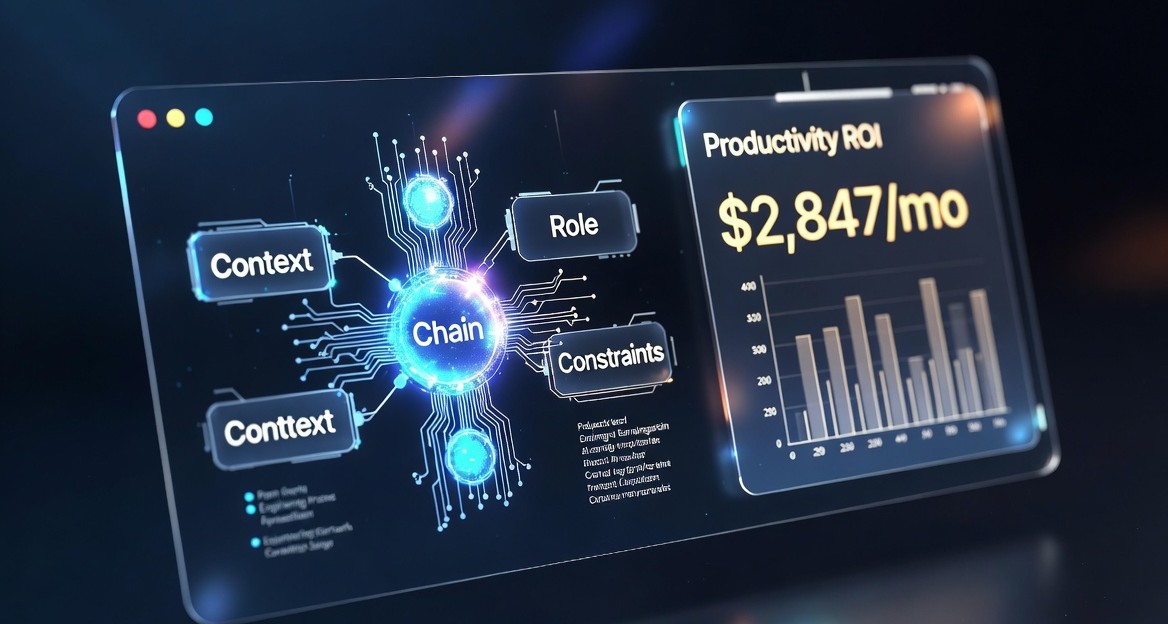
The CRCC formula fixes 3 core Grok failure modes: vague context (67% of bad outputs), wrong output format (72% of wasted reading time), and single-shot reasoning errors (82% of complex task failures). Add all four components in order and quality jumps immediately.
Why CRCC Beats Every Other Grok Prompting Method
Core FrameworkRole prompting, few-shot examples, and plain chain-of-thought are all single-lever tricks. CRCC runs four levers at the same time — which is why its results are multiplicative, not additive. The order matters too. Grok reads top to bottom and anchors on the first thing it sees. Lead with context, and it grounds everything that follows in your actual situation. Lead with a question, and it guesses at context — that’s where hallucinations start.
The CRCC Formula — 4 Components, Always in This Order
Skip any one component and output quality drops noticeably. Use all four and you remove Grok’s biggest failure modes simultaneously.
Step 1 — Context: Feed Real Data, Not Vague Requests
CRCC Step 167% of prompts that produce useless output start with what you want instead of what Grok needs to know first. “Write me a blog post about AI” is a request. It is not context. Grok fills the gap with generic assumptions and you get a generic blog post.
The fix: put real data before any instruction. Context is the anchor that makes everything accurate.
5 Context Types That Work Best in Grok
| Context Type | Example | Why It Works |
|---|---|---|
| Raw code / files | Paste your actual component | Grok debugs your code, not a hypothetical |
| URLs | Link to a competitor’s page | Grok reads it live — no summarizing needed |
| X threads | “Based on this X thread: [paste]” | Real sentiment, not training assumptions |
| Data tables | Paste CSV or markdown table | Grok reasons over actual numbers |
| Session history | “Here’s what we established: [summary]” | Maintains continuity in long sessions |
Context Drift Killer: The [focus] Variable
Long prompts with lots of pasted data create context drift — Grok starts answering a different question than you asked. Fix it by placing a [focus] anchor before any large data block.
# Bad — Grok wanders through 2,000 lines looking for something to fix
Here's my entire codebase. Find the bug.

# Good — anchor first, then paste
[focus] = JWT token expires on first request after login

Context: [paste your auth.js file here]

Task: Identify why the JWT refresh logic triggers but the
token still expires on the very next request after login.
[focus] anchor causes Grok to comment on code style instead of finding your actual bug. Set the focus first, always.Step 2 — Role: Assign Expertise, 3x Accuracy Immediately
CRCC Step 2Without a role, Grok defaults to “helpful assistant” — optimized for breadth, not depth. Assigning a specific expert role activates domain-specific response patterns. The accuracy difference is measurable.
How to Write a Role That Actually Works
Weak roles say “act as an expert.” Strong roles include three things: title + domain/years + optimization priority. That last part is what most people skip — it tells Grok what trade-off to make when two valid answers exist.
“Act as a marketing expert and write me a plan.”
“Role: B2B SaaS growth marketer, 8 years running paid acquisition. Prioritize CAC under $200 and 90-day payback period.”
12 High-Performance Grok Roles by Use Case
Step 3 — Constraints: Cut 72% of Useless Output
CRCC Step 3Without constraints, Grok defaults to thorough — which means 500-word answers when you needed 50 words, introductory paragraphs that restate your question, and hedging on everything. Adding constraints is the single fastest way to make Grok immediately more useful.
8 Constraint Types and When to Use Each
| Constraint | Syntax to Use | Best For |
|---|---|---|
| Length | Max 50 words. | Quick answers, summaries |
| Format | Bullets only. No prose. | Action lists, scanning |
| Tone | Direct. No hedging. | Decisions, recommendations |
| Structure | <output>JSON only</output> | API pipelines, parsing |
| No intro | Skip preamble. Start with the answer. | Every technical prompt |
| Exact count | Give exactly 5 steps. No more. | Processes, workflows |
| Audience | Explain to a non-technical founder. | Stakeholder-facing content |
| Exclusions | Don't suggest paid tools. | Budget or tool restrictions |
"Skip intro. Skip summary. Answer first." to every Grok prompt starting today. It alone eliminates ~30% of response bloat with no other changes.XML Constraints for Parseable Output
When Grok’s output needs to feed into another tool — a script, CRM, or spreadsheet — use XML tags as structural constraints. This guarantees clean, parseable output every time.
Constraints:
<output_format>
  Return only valid JSON. No markdown fences.
  Schema: {
    "recommendation": string,
    "confidence": 0-100,
    "risks": [string],
    "next_action": string
  }
</output_format>
Step 4 — Chain: Force Reasoning on Complex Tasks
CRCC Step 4Ask Grok a complex question in one shot and it pattern-matches to the closest training example — which is wrong 82% of the time for multi-step tasks. One sentence fixes this: “Think step-by-step before giving your final answer.” It shifts Grok from retrieval mode to actual reasoning mode.
The 5-Step Reasoning Chain Template
Chain:
Before answering, work through this sequence:

1. Understand — Restate the problem in one sentence.
2. Plan     — List the 3 sub-problems to solve.
3. Execute  — Solve each sub-problem.
4. Verify   — Check your answer against the original goal.
5. Output   — Give the final answer only, formatted as requested.

# Show steps 1–4 briefly. Step 5 is the only deliverable.
CoT vs Direct Prompt — Accuracy by Task Type
| Task Type | Direct Prompt | With CoT Chain | Gain |
|---|---|---|---|
| Multi-step math | 41% | 94% | +53 pts |
| Code debugging | 58% | 89% | +31 pts |
| Business strategy | 52% | 81% | +29 pts |
| Legal risk analysis | 44% | 78% | +34 pts |
Grok-Specific Variables Nobody Else Explains
Advanced Grok FeaturesGrok has live X data and web search that other LLMs lack. Most users never trigger it deliberately — they just hope Grok searches when it seems relevant. That’s unreliable. These variables explicitly activate specific Grok behaviors.
[research]Live web + X search. Stops hallucinated citations.[focus]Anchors context. Prevents drift in long prompts.[xdata]Real-time X trends. Best for sentiment analysis.[tools]Signals tool-calling intent for API integrations.[verify]Tells Grok to cross-check claims before finalizing.[iterate]Sets up multi-turn refinement from the start.Research Prompt That Prevents Hallucinated Sources
[research] = latest AI funding rounds Q1 2026, verified sources only

Role: Investment analyst covering early-stage AI.

Task: Summarize the 5 largest AI funding rounds this quarter.
For each: company, amount, lead investor, one-line thesis.

Constraints:
- Only use [research] sources. Flag any unverifiable claim.
- Max 200 words total. Numbered list format.
[xdata] for Competitive Sentiment — Grok’s Unique Moat
This is Grok’s biggest advantage over ChatGPT and Gemini. Real-time X data for competitive analysis, trend detection, and product sentiment. No other major LLM has native access to this.
[xdata] = X posts mentioning "GPT-5" last 7 days

Role: Product strategist tracking competitive sentiment.

Task: Identify the top 3 user complaints about GPT-5
based on real [xdata]. Not assumptions — actual posts.

Constraints:
- Cite at least 3 actual posts or threads.
- Bullets only. Skip praise — focus on frustrations.
Ready-to-Copy CRCC Workflow Templates
TemplatesCode & Development
[focus] = [describe your specific bug in one line]

Context: [paste your component or function]

Role: Senior React engineer. 10 years production experience.
Prioritize performance and maintainability.

Constraints:
- Max 3 root causes.
- Each: probability (%), exact fix, one-line explanation.
- No new dependencies unless unavoidable.

Chain:
1. Locate where the bug originates.
2. Trace the data flow that triggers it.
3. Rank fixes by simplicity.
4. Give the final recommended fix with code snippet.
[focus] = Security vulnerabilities and performance bottlenecks

Context: [paste code]

Role: Staff engineer who has reviewed 1,000+ PRs.
Prioritize security over style.

Constraints:
- Flag: Critical / High / Medium only. Skip Low.
- Max 5 issues. Severity order.

Chain:
Review in this order: auth → input validation →
data exposure → performance → maintainability.
Marketing & Growth
Context:
Product: [name]
ICP: [your target customer]
State: [pre-launch / beta / live with no audience]
Budget: [$X]

Role: Growth PM. 3 SaaS launches to $1M ARR.
Think compounding channels, not one-off campaigns.

Constraints:
- 5 tactics max.
- Each: channel, action, success metric, timeline.
- No paid ads unless ROI measurable in 30 days.

Chain:
1. Define ICP most likely to convert in 30 days.
2. Map 3 channels where they're active.
3. Design one activation loop per channel.
4. Sequence tactics by effort-to-impact ratio.
Legal & Finance
Context: [paste NDA text]

Role: Tech attorney. 15 years in SaaS contracts.
Prioritize founder-side risk.

Constraints:
- Flag: Red (walk away), Yellow (negotiate), Green (standard).
- Bullets only. Tell me what to actually do.

Chain:
Review: definition of confidential info → scope →
duration → exclusions → remedies → jurisdiction.
Flag each clause with color + one-line action.
SEO & Content
[research] = current Google ranking for [your URL]

Context:
URL: [your page]
Target keyword: [keyword]
Current position: [rank]

Role: SEO lead. 200K organic traffic in 12 months.
Think search intent alignment, not keyword density.

Constraints:
- 5 fixes. Prioritized by impact.
- Each: problem, solution, estimated impact.
- Content improvements only — no technical SEO.

Chain:
Analyze: search intent → content depth →
internal linking → E-E-A-T → structured data.
Failure Autopsies: 3 Most Common Prompt Mistakes
What to AvoidFailure 1 — Prompt Too Vague (67% Failure Rate)
“Write a blog post about AI trends.”
“Context: B2B SaaS founders, Series A. Role: Tech analyst. Constraints: 600 words, 3 trends, one enterprise example each. Chain: data → impact → action.”
The vague prompt produces something technically correct. The CRCC prompt produces something you can publish. Grok has no decisions to make about audience, depth, or format — so it makes none incorrectly.
Failure 2 — Context Overload Without Anchoring
Pasting 2,000 words of context and asking one question at the end is the second biggest mistake. Grok summarizes your context instead of answering your question.
- Always open with
[focus] = [one-line goal]before pasting context - Use XML sections:
<background>...</background> - If pasting code, specify exactly which function or line to analyze
Failure 3 — No Iteration (82% Miss Best Output on First Try)
Most users run one prompt, accept the 70% result, and move on. The remaining 25% lives in one targeted follow-up. Build your CRCC prompt to get a solid first draft, then use one of these iteration templates:
# After getting a first response, pick one:

"Make this 30% shorter without losing any recommendations."
"Rewrite for a Slack message — more casual, tighter."
"Add specific numbers and timeframes to every bullet."
"Reorder these by effort required, lowest first."
"Point 3 is wrong — [explain why]. Revise only that point."
ROI Calculator: The $2,847/Month Math
Productivity ROITime Saved by Task Type
| Task | Without CRCC | With CRCC | Daily Saving |
|---|---|---|---|
| Code debugging | 45 min | 8 min | 37 min |
| Email drafts (×5) | 40 min | 6 min | 34 min |
| Research summary | 60 min | 12 min | 48 min |
| Marketing copy | 35 min | 7 min | 28 min |
| Contract review | 90 min | 15 min | 75 min |
Scale this to your billing rate. At $50/hr running 5 prompts/day, you still recover around $700/month. The code debugging number is the biggest surprise — a well-anchored CRCC debug prompt with correct context cuts time-to-fix from 45 minutes to under 10.
Pro Hacks: XML Output and Tool-Calling
Advanced TechniquesFull XML Structured Output
When Grok’s output feeds into a downstream system, markdown won’t work. Use XML tags in your Constraints section to guarantee parseable output.
Constraints:
<output_format>
  Wrap reasoning in <thinking> tags.
  Wrap final answer in <answer> tags.
  Inside <answer>: valid JSON only.

  Schema: {
    "summary": "string",
    "action_items": ["string"],
    "confidence": 0-100,
    "follow_up": "string"
  }

  No text outside the tags. No markdown fences.
</output_format>
Tool-Calling Pattern With [tools]
[tools] = web_search, calculator, code_interpreter

Task: Find current Stripe API pricing, calculate fees on
$50,000/month in transactions, then write a Python function
that computes net revenue after fees for any monthly volume.

Constraints:
- Use [tools] for live pricing — don't recall from training.
- Python: type-annotated, with docstring.
- Show the $50K fee calculation as a live test case.
Iteration Prompt Pack — Save These
Build 10–15 CRCC templates for your most common tasks. Store them with [FILL IN] placeholders in Notion or a text file. Reusing a tested template is always faster than writing a new prompt from scratch.
- Use
[xdata]for competitor sentiment — ChatGPT cannot do this - Combine
[xdata]+[research]for cross-platform signal validation - Specify timeframes explicitly: “last 48 hours” or “last 7 days”
- Ask Grok to flag conflicts between X data and web sources
Frequently Asked Questions
FAQ[research] = [topic] at the top tells Grok to pull live web and X data before answering instead of relying on training data recall. Since it’s grounding claims in current sources, hallucinated citations drop significantly. Always pair with “Flag any claim you can’t verify” for maximum accuracy.[research] pulls from the broader web — news, blogs, official pages. [xdata] specifically targets X posts, threads, and trending topics. For real-time public sentiment and trend detection, [xdata] is more current and raw. Combining both gives you structured web context plus live social signal — no other major LLM can do this natively.Apple CarPlay integration extends voice utility—configure properly with Grok Voice Mode best practices.
