


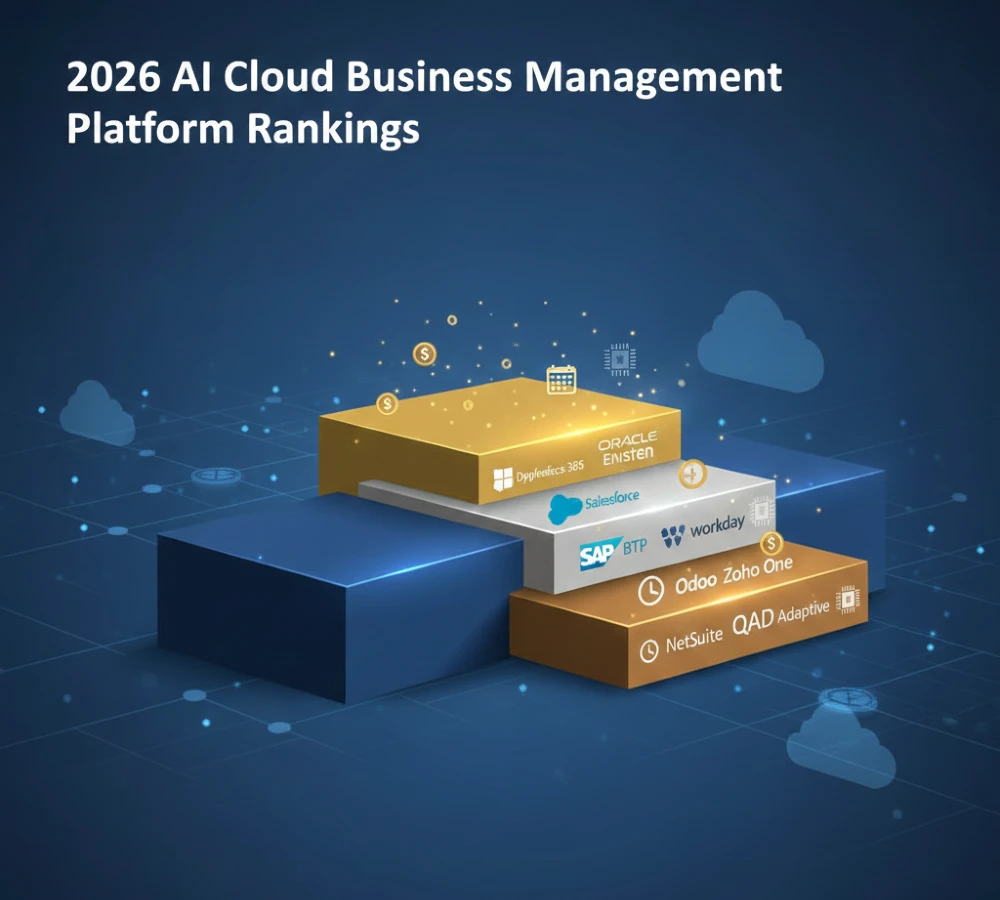
The search for “AI cloud business management platform” splits into two different needs. One group wants cloud cost optimization tools like nOps or CloudHealth. Another group wants actual business management systems—ERP, CRM, HR, finance—that run on cloud infrastructure with AI built in.
This article covers the second group: platforms that manage your entire business operations (not just cloud spending). We’re ranking Microsoft Dynamics 365, Salesforce Einstein, Oracle Fusion Cloud, SAP Business Technology Platform, Workday, NetSuite, Zoho One, and others based on 12 evaluation points including total cost of ownership, implementation reality, and AI capability depth.
The rankings use S/A/B/C tiers. S-tier means the platform handles multiple business functions (ERP + CRM + HR) with native AI that actually works. C-tier means you’re buying separate modules and integrating third-party AI yourself.
The 2026 AI Cloud Business Management Platform Rankings: 12-Point Evaluation Methodology
The 12 evaluation points are: (1) functional coverage—does it handle finance, sales, HR, supply chain, or just one department; (2) AI capability—copilot assistants vs. autonomous agents that take actions; (3) implementation timeline—vendor claims vs. real deployment time; (4) total cost of ownership—base license plus integration, customization, training, ongoing AI model costs; (5) customization ceiling—how much you can modify before the system breaks; (6) data migration quality—what percentage of historical records transfer correctly; (7) integration ecosystem—native connections vs. middleware requirements; (8) vendor lock-in risk—can you export your data and custom AI models; (9) scalability—does it grow from 50 to 5,000 employees without platform replacement; (10) regulatory compliance—GDPR, HIPAA, SOC 2, industry-specific requirements; (11) support quality—response times, dedicated account managers, community resources; (12) upgrade stability—do new releases break your customizations.
Microsoft scores high on integration ecosystem because Dynamics 365 connects directly to Azure AI services, Office 365, Power Platform, and GitHub Copilot without middleware. Oracle scores high on data migration because Fusion Cloud uses Oracle Database underneath, so complex SQL queries during migration don’t fail. Salesforce scores lower on customization ceiling because heavy Apex code modifications often break when Einstein AI updates roll out.
What not to do: don’t evaluate platforms based on vendor marketing materials that show “seamless AI integration” without testing data migration yourself. Most vendors claim 90-day implementations but the reality is 4-9 months depending on data complexity.
S-Tier Platforms (2026): Microsoft Dynamics 365, Salesforce Einstein, Oracle Fusion + AI
Microsoft Dynamics 365 sits at S-tier because it’s actually multiple products—Business Central for SMBs, Finance and Operations for enterprises, Sales, Customer Service, Field Service, Supply Chain Management—that share the same data model. The AI layer is Copilot, which uses Azure OpenAI Service (GPT-4 and GPT-3.5 Turbo) plus Microsoft’s proprietary models trained on your business data.
The functional coverage includes accounting (general ledger, accounts payable/receivable, fixed assets), sales (opportunity management, quote generation, pipeline forecasting), customer service (case management, knowledge base, omnichannel support), field service (work order scheduling, inventory management, technician routing), supply chain (demand planning, inventory optimization, warehouse management), project management (resource allocation, time tracking, billing), and HR (recruiting, onboarding, performance reviews, payroll via integration).
Copilot in Dynamics 365 Finance generates journal entries from natural language (“record $50,000 consulting revenue for Project Phoenix”), explains variance in financial reports (“why did Q3 expenses increase 15%”), and drafts email responses to vendor inquiries. Copilot in Supply Chain Management suggests reorder points based on demand forecasting, identifies supply chain bottlenecks from production data, and generates what-if scenarios for inventory allocation.
The AI capability goes beyond copilots in certain modules. Dynamics 365 Customer Insights uses autonomous agents that trigger actions without human approval—for example, automatically moving high-value leads to priority queues, sending personalized email sequences based on behavior scoring, or reallocating marketing budget across channels based on conversion data. This crosses into autonomous AI, not just assistant AI.
Explore AI cloud computing solutions and discover top business AI tools for 2026 today.
Total cost of ownership for 100 users over 3 years: base licenses run $1,500-$2,500 per user annually depending on modules ($150,000-$250,000 yearly), implementation costs $200,000-$400,000 (requires Microsoft partner consulting), customization and integration $100,000-$300,000 (Power Platform development, Azure Logic Apps for third-party connections), training $20,000-$50,000 (end user and admin training), ongoing support $30,000-$60,000 annually (Microsoft Premier Support or partner retainer), and AI compute costs $10,000-$40,000 annually (Azure OpenAI Service API calls scale with usage). Three-year total: $850,000-$1,600,000, which equals $2,833-$5,333 per user over three years, or $944-$1,778 per user per year.
What makes Microsoft S-tier is the integration depth. If you’re already using Office 365, Power BI, and Azure, adding Dynamics 365 means your sales team uses Outlook for email, Excel for analysis, and Teams for collaboration—all pulling live data from the same ERP/CRM database. There’s no middleware because it’s one vendor ecosystem.
What to avoid: Microsoft’s module structure confuses buyers. Business Central is the SMB ERP, Finance and Operations is the enterprise ERP, but both are called “Dynamics 365.” You can’t start with Business Central and upgrade to Finance and Operations—it’s a full reimplementation. Ask your Microsoft partner which product you’re actually buying.
Salesforce Einstein reaches S-tier through ecosystem breadth, not product integration. Salesforce sells separate clouds—Sales Cloud, Service Cloud, Marketing Cloud, Commerce Cloud, Analytics Cloud—that connect through Salesforce’s data platform but weren’t originally designed as one system.
Einstein AI runs across all clouds. In Sales Cloud, Einstein generates automated email sequences, scores leads based on conversion probability (0-100 scale using logistic regression on historical won/lost deals), and suggests next actions (“call this prospect on Tuesday morning based on engagement patterns”). In Service Cloud, Einstein routes support cases to agents with highest resolution rates for that issue type, generates knowledge base articles from resolved cases, and predicts case escalation risk. In Marketing Cloud, Einstein selects send times for email campaigns based on individual recipient open patterns, personalizes subject lines using A/B test winners, and automatically pauses low-performing ads.
The autonomous capability exists in Einstein Bots, which handle customer service conversations without human handoff up to a complexity threshold. If the bot confidence score drops below 70%, it transfers to a human agent. Einstein also powers autonomous decisioning in Marketing Cloud—for example, automatically shifting email send volume away from domains with high spam complaint rates, or reallocating paid media budget from underperforming channels to high-ROI channels based on attribution modeling.
Salesforce’s functional coverage depends on which clouds you buy. Sales Cloud alone doesn’t do accounting—you need to integrate with NetSuite (Oracle’s ERP, ironic since they compete) or use Salesforce’s accounting integrations. Service Cloud doesn’t do HR—you integrate with Workday or BambooHR. Marketing Cloud doesn’t do supply chain—you integrate with SAP or Oracle. This “best-of-breed” approach means you’re managing multiple vendors, but each component is strong.
Total cost of ownership for 100 users over 3 years: Sales Cloud Enterprise with Einstein costs $150-$165 per user monthly ($180,000-$198,000 annually for 100 users), Service Cloud Enterprise with Einstein costs $150-$165 per user monthly (another $180,000-$198,000 if you need both), Marketing Cloud adds $125,000-$400,000 annually depending on email volume, implementation costs $150,000-$350,000 (Salesforce implementation partner), AppExchange apps for missing functionality $20,000-$100,000 annually (accounting, HR, other integrations), customization (Apex code, Lightning components) $100,000-$250,000, training $25,000-$60,000, ongoing support $40,000-$80,000 annually (Salesforce Premier Success or partner retainer). Three-year total for Sales + Service + basic Marketing: $1,200,000-$2,100,000, which equals $4,000-$7,000 per user over three years, or $1,333-$2,333 per user per year.
Salesforce is more expensive than Microsoft per user, but Sales Cloud specifically is more mature than Dynamics 365 Sales. The trade-off is integration complexity—Salesforce talks to everything via APIs, but you’re managing those connections yourself or paying for MuleSoft (Salesforce’s integration platform, another $36,000-$120,000 annually).
What makes Salesforce S-tier is the AppExchange. There are 7,000+ apps that extend Salesforce functionality—industry-specific solutions for healthcare, financial services, manufacturing, nonprofits. If Microsoft doesn’t have a feature you need, you’re building it on Power Platform. If Salesforce doesn’t have it, you’re buying an app that someone else already built.
What to avoid: the AI upsell trap. Salesforce advertises Sales Cloud at $80 per user per month (Professional edition), but Einstein AI features require Enterprise edition at $165 per user per month. That’s 106% more expensive, and vendors don’t clarify this until you’re deep in the sales process. Always quote Enterprise edition costs upfront.
Oracle Fusion Cloud is S-tier because it’s a true unified suite—ERP, HCM (human capital management), SCM (supply chain management), CX (customer experience, their term for CRM), and EPM (enterprise performance management) all built on the same database and data model from the beginning, not acquired products stitched together.
Oracle’s AI is embedded in each module. In Fusion ERP, AI predicts late supplier payments based on historical payment patterns and current invoice aging, suggests journal entry corrections when close variances exceed thresholds, and generates cash flow forecasts using Monte Carlo simulation. In Fusion HCM, AI recommends candidates for job openings based on skills matching (not just keyword matching—semantic analysis of resumes against job descriptions), predicts employee turnover risk using engagement survey data plus performance ratings, and suggests training programs based on skill gaps identified in performance reviews. In Fusion SCM, AI optimizes production schedules considering machine downtime patterns, recommends inventory allocation across warehouses based on regional demand forecasts, and identifies supply chain disruption risks from external data (weather, port congestion, supplier financial health).
Oracle’s autonomous capability is called Autonomous Database, but that’s infrastructure-level AI (self-patching, self-tuning database). At the application level, Oracle has Digital Assistant, which is copilot-style AI that answers questions (“show me top 10 customers by revenue”) and takes actions (“create purchase order for 500 units from supplier ABC”). It doesn’t yet match Microsoft Copilot’s natural language quality or Salesforce Einstein’s autonomous marketing decisions, but it’s improving.
Functional coverage is complete: accounting, procurement, inventory, manufacturing, project accounting, revenue management, HR, payroll, recruiting, learning management, sales, marketing, customer service, supply chain planning, warehouse management, transportation management, and analytics. If your business process exists, Oracle has a module for it.
Total cost of ownership for 100 users over 3 years: Oracle prices by module and by user type (full access vs. limited access). A mid-sized deployment might cost $500,000-$800,000 annually for licenses (ERP + HCM + basic CX), implementation costs $400,000-$900,000 (Oracle requires certified implementation partners, and they charge premium rates), customization $150,000-$400,000 (Oracle’s customization model is “extensions” that sit outside core code), integration $100,000-$250,000 (Oracle Integration Cloud for connecting to non-Oracle systems), training $40,000-$80,000 (Oracle University courses plus partner training), ongoing support $60,000-$120,000 annually (Premier Support required for production systems). Three-year total: $2,000,000-$3,500,000, which equals $6,667-$11,667 per user over three years, or $2,222-$3,889 per user per year.
Oracle is the most expensive option on a per-user basis, but it’s also the most complete. You’re not integrating third-party apps for accounting or HR—it’s all native Oracle. The cost premium buys you fewer integration failure points.
What makes Oracle S-tier is database-level integration. Because Fusion Cloud runs on Oracle Database, you can write complex SQL queries directly against your business data without going through APIs. This matters for custom reporting, data science workloads, and integration with legacy systems that speak SQL. Microsoft and Salesforce hide their databases behind APIs—you can’t write raw SQL against Dynamics 365 or Sales Cloud without violating terms of service.
What to avoid: Oracle’s salespeople push “unlimited users” pricing, which sounds attractive but comes with restrictions. “Unlimited” means unlimited named users, not unlimited concurrent users, and heavy usage triggers overage charges for compute and storage. Read the contract carefully—Oracle audits aggressively.
See 2026 small business outlook and solopreneur AI tools.
A-Tier Platforms (2026): SAP BTP, Workday + AI, Zoho One + Zia
SAP Business Technology Platform (BTP) sits at A-tier because it’s a development platform, not a ready-to-use business application. SAP’s actual business applications are S/4HANA (ERP), SuccessFactors (HCM), C/4HANA (CRM suite), and Ariba (procurement). BTP is the cloud layer underneath them that provides AI services, data integration, and extension development.
SAP Joule is the AI copilot that runs across all SAP applications. It answers questions (“why did gross margin decrease 3% last quarter”), generates predictive models (demand forecasting, churn prediction, quality defect prediction), and automates workflows (approval routing, exception handling, data validation). SAP also offers AI Business Services—pre-trained models for document classification, invoice data extraction, sentiment analysis, and business entity recognition. These are APIs you call from your SAP applications.
The functional coverage depends on which SAP applications you’re running. S/4HANA covers finance, controlling, sales, purchasing, inventory, production planning, plant maintenance, quality management, and project systems. SuccessFactors covers recruiting, onboarding, core HR, performance management, succession planning, compensation management, and learning. C/4HANA covers marketing, sales, service, and commerce. Ariba covers sourcing, procurement, supplier management, and invoicing.
SAP’s AI capability is strong in operational scenarios—manufacturing, supply chain, quality control—because SAP has decades of process data from industrial customers. If you’re running a factory, SAP’s AI can predict machine failures based on sensor data, optimize production sequences to minimize changeover time, and allocate raw materials across production lines to meet demand while minimizing waste. This is more sophisticated than Microsoft or Salesforce, which focus on office work (sales, marketing, customer service).
Total cost of ownership for 100 users over 3 years: SAP BTP costs by resource consumption (compute, storage, API calls), not by user count. A mid-sized deployment might spend $150,000-$300,000 annually on BTP services. Add S/4HANA Cloud at $200-$300 per user monthly for full-access users ($240,000-$360,000 annually for 100 users, though most deployments have 20-30 full users and 70-80 limited users, reducing costs), SuccessFactors at $180-$220 per user annually for core modules ($18,000-$22,000 for 100 users), implementation costs $500,000-$1,200,000 (SAP implementations are notoriously complex), customization $200,000-$500,000 (requires ABAP or Java developers), integration $150,000-$350,000 (connecting SAP to non-SAP systems), training $50,000-$100,000 (SAP’s interface is not intuitive), ongoing support $80,000-$150,000 annually (SAP Enterprise Support required). Three-year total: $2,300,000-$4,200,000, which equals $7,667-$14,000 per user over three years, or $2,556-$4,667 per user per year.
SAP is the most expensive platform in this analysis, even more than Oracle. The cost is justified if you’re in manufacturing, logistics, or process industries where SAP’s deep functionality matters. If you’re a software company or professional services firm, SAP is overkill.
What keeps SAP at A-tier instead of S-tier is implementation complexity. The average S/4HANA implementation takes 9-18 months, compared to 4-6 months for Microsoft Dynamics 365 or 3-4 months for Salesforce. SAP’s data model is rigid—you can’t just “turn on” modules without configuring organizational structures, cost centers, profit centers, material types, and hundreds of other master data elements. This rigor prevents mistakes but slows deployment.
What to avoid: SAP’s cloud pricing is opaque. SAP sales teams quote based on “users” but then add charges for compute, storage, integration flows, and API calls. Get a written estimate of monthly cloud resource costs based on your expected transaction volumes, not just user counts.
Workday reaches A-tier through HR and finance excellence, but it’s not a full ERP system. Workday covers HCM (recruiting, core HR, payroll, time tracking, benefits, learning) and financial management (general ledger, accounts payable/receivable, projects, procurement, expenses), but it doesn’t do manufacturing, supply chain, or inventory. If you need those capabilities, you’re integrating with another system.
Workday’s AI is embedded throughout the platform. In recruiting, AI screens resumes against job requirements, scores candidates, and suggests interview questions based on skills gaps identified in previous rounds. In performance management, AI analyzes feedback patterns to identify managers who consistently rate too harshly or too leniently, suggesting calibration. In compensation planning, AI recommends merit increases and bonus allocations based on performance ratings, market data, and budget constraints. In financial planning, AI detects anomalies in budget submissions (departments requesting 40% more than last year trigger review workflows), predicts year-end actuals based on current spending trends, and suggests cost reallocation opportunities.
The autonomous capability exists in Workday’s approval workflows, which AI can reroute automatically. For example, if an expense report includes a suspicious transaction pattern (three dinners at the same restaurant in one week, each just under the approval threshold), AI flags it and routes to a higher-level approver instead of auto-approving. This is rule-based AI, not generative AI, but it qualifies as autonomous action.
Functional coverage is strong in HR and finance but weak in sales and marketing. If you’re buying Workday, you’re likely integrating with Salesforce (for CRM) or Microsoft Dynamics 365 (for ERP extensions). Workday customers often run “Workday + Salesforce + NetSuite” or “Workday + Microsoft stack.”
Total cost of ownership for 100 users over 3 years: Workday prices by employee count, not active user count. If you have 100 employees, you’re paying for 100 “lives” even if only 20 people log into Workday regularly. HCM costs $30-$45 per employee per month ($36,000-$54,000 annually for 100 employees), financial management adds $75-$125 per user per month for active finance users ($90,000-$150,000 annually assuming 20 finance users), implementation costs $200,000-$500,000 (Workday requires certified partners), integration $100,000-$250,000 (connecting to payroll providers, benefits carriers, CRM, ERP), customization $50,000-$150,000 (Workday discourages heavy customization), training $30,000-$60,000, ongoing support $40,000-$80,000 annually (Workday Customer Success). Three-year total: $950,000-$1,850,000, which equals $3,167-$6,167 per user over three years, or $1,056-$2,056 per user per year.
Workday’s cost is mid-range—more expensive than Microsoft, less expensive than Oracle or SAP. The value proposition is user experience. Workday’s interface is consumer-grade—clean, fast, mobile-first. Employees actually use Workday for self-service (updating addresses, viewing paystubs, requesting time off) without IT help desk tickets. Compare this to Oracle Fusion HCM or SAP SuccessFactors, which require training videos for basic tasks.
What keeps Workday at A-tier instead of S-tier is limited functional scope. It’s the best HR and finance platform, but it’s not a complete business management system. You’re integrating with other platforms for sales, marketing, supply chain, manufacturing.
What to avoid: Workday’s implementation partners control the deployment process. Workday doesn’t sell directly to customers—they sell through partners who implement and customize the system. Choose your partner carefully, because switching partners mid-implementation is expensive and disruptive.
Zoho One is A-tier for small to mid-sized businesses (10-250 employees) but drops to B-tier for larger organizations. Zoho One is a bundle of 45+ applications: CRM, accounting (Zoho Books), email (Zoho Mail), project management (Zoho Projects), HR (Zoho People), helpdesk (Zoho Desk), inventory (Zoho Inventory), marketing automation (Zoho Campaigns), analytics (Zoho Analytics), and more. The AI layer is Zia, Zoho’s assistant.
Zia predicts deal close probability in Zoho CRM, suggests best times to contact leads based on engagement patterns, detects anomalies in sales pipelines (deals stuck in one stage for 60+ days), automates email responses to common customer inquiries, and generates reports by answering natural language questions (“show me revenue by product category last quarter”). Zia also does sentiment analysis on customer emails and support tickets, tagging negative interactions for manager review.
The functional coverage is broad but shallow. Zoho Books handles basic accounting (invoicing, expense tracking, financial reports) but lacks complex features like multi-currency consolidation or revenue recognition automation. Zoho Inventory tracks stock levels and purchase orders but doesn’t do warehouse management or shop floor control. Zoho Projects manages tasks and timelines but lacks resource leveling or earned value management. Each Zoho app is adequate for small businesses but insufficient for complex enterprises.
Total cost of ownership for 100 users over 3 years: Zoho One costs $45 per user per month when billed annually ($54,000 annually for 100 users), implementation costs $20,000-$80,000 (mostly internal IT time plus optional Zoho consulting), customization $20,000-$60,000 (Zoho Creator for custom apps, Deluge scripting for workflows), integration $10,000-$40,000 (Zoho integrates with Google Workspace, Microsoft 365, QuickBooks, Shopify, Mailchimp, Slack, and 500+ others via native connectors or Zapier), training $5,000-$15,000 (Zoho’s interface is simple enough that training needs are minimal), ongoing support $5,000-$15,000 annually (Zoho’s support is included but slow; many companies buy premium support). Three-year total: $240,000-$450,000, which equals $800-$1,500 per user over three years, or $267-$500 per user per year.
Zoho is 5-10x cheaper than Microsoft, Salesforce, or Oracle on a per-user basis. The trade-off is feature depth and scalability. Zoho works well until you hit 200-300 employees, at which point the platform’s limitations become painful. Zoho CRM can’t handle complex sales processes with multiple approval stages and custom pricing rules. Zoho Books can’t generate consolidated financial statements across multiple legal entities. Zoho People can’t manage performance reviews with 360-degree feedback and weighted competency ratings.
What makes Zoho A-tier for small businesses is the unified data model. All 45+ apps share the same database, so a customer record in Zoho CRM automatically appears in Zoho Desk, Zoho Campaigns, Zoho Analytics, and Zoho Books. There’s no integration work—it’s one system. This is a massive advantage over “best-of-breed” approaches where you’re connecting separate vendors.
What to avoid: Zoho’s AI (Zia) is weaker than Microsoft, Salesforce, or Oracle. Zia does basic predictive analytics and sentiment analysis, but it doesn’t generate content, it doesn’t automate complex workflows autonomously, and it doesn’t integrate with external AI models like GPT-4. If AI capability is critical, Zoho isn’t your platform.
Explore cloud AI platforms and business growth tools.
B-Tier Platforms (2026): NetSuite AI, Odoo, QAD Adaptive
NetSuite (Oracle’s cloud ERP for SMBs) sits at B-tier because it’s strong in accounting and inventory but weak in AI and CRM. NetSuite covers general ledger, accounts payable/receivable, fixed assets, revenue recognition, inventory management, order management, purchasing, warehouse management, manufacturing (basic), project accounting, and financial reporting. The CRM component exists but is minimal—most NetSuite customers integrate with Salesforce for sales and marketing.
NetSuite’s AI is limited to basic analytics. The platform offers predictive planning (revenue forecasting based on historical trends), demand planning (inventory reorder point suggestions), and anomaly detection (flagging unusual transactions for review). There’s no copilot, no generative AI, no autonomous agents. If you want AI in NetSuite, you’re integrating with third-party tools or building custom models using NetSuite’s API to extract data.
Total cost of ownership for 100 users over 3 years: NetSuite uses complex pricing based on modules, users, and transaction volume. A typical mid-market deployment costs $100,000-$200,000 annually in licenses (base NetSuite plus modules like Advanced Inventory, Advanced Manufacturing, CRM+), implementation costs $150,000-$400,000 (NetSuite solution providers charge premium rates), customization $80,000-$200,000 (SuiteScript for custom workflows and forms), integration $60,000-$150,000 (connecting to Salesforce, Shopify, Amazon, payment processors), training $20,000-$50,000, ongoing support $20,000-$50,000 annually (NetSuite’s support is limited; most companies rely on their solution provider). Three-year total: $700,000-$1,600,000, which equals $2,333-$5,333 per user over three years, or $778-$1,778 per user per year.
NetSuite’s cost overlaps with Microsoft Dynamics 365 but without the AI capability or integration ecosystem. NetSuite makes sense if you’re heavily invested in Oracle infrastructure (Oracle Database, Oracle Cloud) or if you need specific NetSuite features like multi-subsidiary financial consolidation. Otherwise, Microsoft offers better AI and Salesforce offers better CRM at similar price points.
What keeps NetSuite at B-tier is lack of AI maturity. Oracle markets “NetSuite Analytics Warehouse” and “NetSuite Planning and Budgeting” as AI-powered, but these are traditional BI tools with basic machine learning, not generative AI or autonomous agents. NetSuite will likely inherit Oracle Fusion’s AI capabilities over time, but as of early 2026, the gap is significant.
Odoo is open-source ERP at B-tier because it’s highly customizable but requires technical expertise. Odoo Community Edition is free and includes CRM, sales, purchasing, inventory, manufacturing, accounting, project management, HR, and website/e-commerce. Odoo Enterprise Edition adds features like studio (low-code customization), helpdesk, approvals, planning, and professional support.
Odoo’s AI is third-party integrations, not native. The platform doesn’t include copilots or predictive analytics out of the box. You can integrate Odoo with OpenAI’s API, Anthropic’s Claude API, or Google’s Vertex AI to add AI features, but this requires Python development work. Some Odoo community modules exist for AI—for example, modules that use machine learning to predict inventory reorder points or classify support tickets—but these are maintained by individual developers, not Odoo SA (the company).
Total cost of ownership for 100 users over 3 years: Odoo Community Edition is free, but you’re paying for hosting, customization, and support. Odoo Enterprise Edition costs $24.90 per user per month for the basic bundle or $37.40 per user per month for all apps ($29,880-$44,880 annually for 100 users), hosting costs $500-$2,000 monthly for cloud infrastructure (AWS, Google Cloud, or Odoo’s hosting at $30-$50 per user per year), implementation costs $50,000-$200,000 (Odoo partners charge $100-$200 per hour for 500-2,000 hours), customization $50,000-$150,000 (Python/JavaScript development for custom modules), integration $30,000-$80,000 (connecting to payment processors, shipping carriers, marketplaces), training $10,000-$30,000, ongoing support $20,000-$60,000 annually (either an Odoo partner retainer or internal developers). Three-year total: $350,000-$900,000, which equals $1,167-$3,000 per user over three years, or $389-$1,000 per user per year.
Odoo is cheaper than commercial platforms but not free. The real cost is customization and maintenance. Every Odoo upgrade risks breaking your custom modules, requiring regression testing and code fixes. Companies often get stuck on old Odoo versions because upgrading would cost $50,000-$100,000 in customization rework.
What keeps Odoo at B-tier is technical debt risk. If you have internal developers or a trusted Odoo partner, the platform offers incredible value and flexibility. If you don’t have technical resources, Odoo becomes expensive and fragile. The open-source model means you own your data and code, which is attractive for companies concerned about vendor lock-in, but it also means you own the maintenance burden.
QAD Adaptive ERP is B-tier for manufacturing companies. QAD focuses on automotive, life sciences, consumer products, food and beverage, and industrial manufacturing. The platform handles production scheduling, quality management, shop floor control, advanced planning, supply chain management, and financial management specific to manufacturing (job costing, work-in-process accounting, variance analysis).
QAD’s AI is “Adaptive Discovery,” which uses machine learning to analyze operational data and recommend improvements—for example, identifying production bottlenecks, suggesting optimal batch sizes, or predicting quality defects based on process parameters. The AI is embedded in the planning and scheduling modules but doesn’t extend to finance or CRM.
Total cost of ownership for 100 users over 3 years: QAD prices by module and deployment (cloud vs. on-premise). A cloud deployment costs $200-$350 per user annually for core modules ($20,000-$35,000 for 100 users, though manufacturing deployments typically have 20-30 named users, not 100), implementation costs $300,000-$700,000 (QAD implementations are complex due to manufacturing data requirements), customization $100,000-$300,000 (QAD’s .NET-based architecture requires developer expertise), integration $80,000-$200,000 (connecting to MES systems, PLM, CRM), training $30,000-$70,000, ongoing support $40,000-$80,000 annually (QAD Customer Success). Three-year total: $900,000-$2,100,000, which equals $3,000-$7,000 per user over three years (assuming 30 named users, not 100), or $1,000-$2,333 per user per year.
QAD is expensive for what it does, but it solves specific manufacturing problems that generic ERPs don’t handle well. If you need advanced planning and scheduling (APS), shop floor control, or regulatory compliance for life sciences, QAD is worth evaluating. If you’re not in discrete manufacturing, QAD is overkill.
What keeps QAD at B-tier is narrow focus. It’s excellent for manufacturing but lacks CRM, marketing, and modern HR capabilities. Most QAD customers run “QAD + Salesforce + Workday” or similar combinations, adding integration complexity.
C-Tier Platforms (2026): Niche Players and Emerging Contenders
C-tier platforms are functional but limited in scope, weak in AI, or designed for specific verticals. Examples include Acumatica (cloud ERP for small businesses with decent accounting and inventory but no AI), Epicor (ERP for distribution and manufacturing with outdated interface and weak AI), Infor CloudSuite (multiple ERP products for different industries, inconsistent AI integration), Sage Intacct (cloud accounting with project tracking, no CRM or AI), and Monday.com (work management with basic CRM and no ERP or AI).
These platforms work for specific use cases: Acumatica if you need affordable cloud ERP with strong accounting; Epicor if you’re in distribution and already use their software; Infor CloudSuite if you’re in fashion, hospitality, or healthcare and need industry-specific features; Sage Intacct if you’re a professional services firm needing project accounting; Monday.com if you want visual project management with light CRM.
C-tier doesn’t mean “bad”—it means the platform doesn’t offer the AI capabilities, functional breadth, or scalability of S/A/B-tier options. If your needs are simple or highly specialized, a C-tier platform might be the right choice.
Streamline HR with AI analytics and automate HR processes.
The 2026 Platform Convergence: Why ERP + CRM + AI Are Merging Into Single Stacks
Platform convergence explains why Microsoft Dynamics 365, Salesforce, and Oracle Fusion Cloud dominate: businesses want one vendor, one data model, one AI layer, and one support contract instead of managing 5-10 separate systems.
The traditional approach was “best-of-breed”—buy the best accounting system (NetSuite), the best CRM (Salesforce), the best HR system (Workday), the best project management tool (Smartsheet), and integrate them with middleware (MuleSoft, Zapier, Workato). This approach worked when integration was cheap and systems were stable. In 2026, integration is expensive because API changes break connections, data synchronization fails, and AI models can’t access unified data.
Microsoft’s advantage is completeness. Dynamics 365 + Microsoft 365 + Azure AI + Power Platform + GitHub Copilot creates a unified environment where sales data flows into financial reports, HR data informs sales territory planning, and AI agents work across all modules without API calls. The cost is vendor lock-in—you’re dependent on Microsoft for everything.
Salesforce’s approach is ecosystem aggregation. They acquire companies (Slack for collaboration, Tableau for analytics, MuleSoft for integration) and connect them into a platform. The advantage is flexibility—you can replace Slack with Microsoft Teams if you want. The disadvantage is complexity—each Salesforce product has its own data model, admin interface, and pricing structure.
Oracle’s strategy is database consolidation. Because Fusion Cloud runs on Oracle Database, all modules query the same data without replication. The AI layer (Oracle Cloud Infrastructure AI services) can train models on the entire business dataset—financial transactions, HR records, sales history, supply chain events—without moving data between systems. This creates better AI accuracy but requires committing to Oracle’s infrastructure.
The convergence trend means standalone point solutions (Monday.com for project management, Zendesk for customer service, BambooHR for HR) face pressure. These tools work for small companies, but mid-market and enterprise buyers prefer integrated platforms even if individual components are slightly weaker.
What to do: if you’re choosing a platform in 2026, prioritize integration depth over individual feature quality. A platform that’s 80% as good at each function but 100% integrated is better than five platforms that are each 100% at their function but 60% integrated.
See which converts better and test 20 AI writing tools.
The $175/User vs. $250/User Reality: 3-Year TCO for Microsoft Dynamics vs. Oracle Fusion
Vendor pricing quotes are misleading because they show per-user-per-month costs without implementation, integration, or ongoing expenses. Here’s a detailed TCO comparison for Microsoft Dynamics 365 vs. Oracle Fusion Cloud for a 100-user deployment over 3 years.
Microsoft Dynamics 365 scenario:
- Base licenses: $150 per user per month (Business Central for 80 users, Finance and Operations for 20 power users) = $15,000 monthly = $180,000 annually
- Implementation: $250,000 one-time (Microsoft partner, 6 months, data migration from QuickBooks and Salesforce)
- Azure AI services: $2,000 monthly (Copilot API calls, Azure OpenAI Service usage) = $24,000 annually
- Power Platform licenses: $40 per user per month for 30 power users who build workflows = $1,200 monthly = $14,400 annually
- Integration: $80,000 one-time (Azure Logic Apps for connecting to Shopify, Stripe, ShipStation, legacy systems)
- Customization: $120,000 one-time (Power Platform development, custom reports, automated workflows)
- Training: $30,000 one-time (end user training, admin training, developer training)
- Ongoing support: $40,000 annually (Microsoft partner retainer for technical issues, customization updates)
Three-year total: $180,000×3 + $250,000 + $24,000×3 + $14,400×3 + $80,000 + $120,000 + $30,000 + $40,000×3 = $540,000 + $250,000 + $72,000 + $43,200 + $80,000 + $120,000 + $30,000 + $120,000 = $1,255,200
Per user over 3 years: $1,255,200 / 100 = $12,552 per user Per user per year: $12,552 / 3 = $4,184 per user per year Per user per month: $4,184 / 12 = $349 per user per month
The advertised “$150 per user per month” becomes $349 per user per month when you include all costs.
Oracle Fusion Cloud scenario:
- Base licenses: $600,000 annually (ERP + HCM for 100 employees, mixed user types)
- Implementation: $500,000 one-time (Oracle certified partner, 9 months, data migration from SAP and PeopleSoft)
- Oracle Cloud Infrastructure: $3,500 monthly (compute, storage, database services, AI services) = $42,000 annually
- Integration Cloud: $60,000 annually (connecting to Salesforce, legacy systems, third-party logistics providers)
- Customization: $250,000 one-time (Oracle extensions, custom reports, workflow modifications)
- Training: $60,000 one-time (Oracle University courses, partner-led training, change management)
- Ongoing support: $90,000 annually (Oracle Premier Support, required for production systems)
Three-year total: $600,000×3 + $500,000 + $42,000×3 + $60,000×3 + $250,000 + $60,000 + $90,000×3 = $1,800,000 + $500,000 + $126,000 + $180,000 + $250,000 + $60,000 + $270,000 = $3,186,000
Per user over 3 years: $3,186,000 / 100 = $31,860 per user Per user per year: $31,860 / 3 = $10,620 per user per year Per user per month: $10,620 / 12 = $885 per user per month
Oracle’s pricing is 2.5x Microsoft’s on a TCO basis. The gap narrows if you’re already using Oracle Database and Oracle Cloud Infrastructure (reducing integration costs), or if you have complex requirements that Microsoft can’t handle (increasing Microsoft customization costs).
What not to do: don’t compare platforms based on advertised per-user-per-month pricing. Vendors quote base editions without AI, without power user licenses, without implementation, without integration. Always build a full TCO model including implementation, customization, integration, training, and 3 years of support.
Hidden Integration Tax: Why $70/User Salesforce Einstein Becomes $140/User With Implementation
Salesforce advertises Sales Cloud Enterprise with Einstein at $165 per user per month, but that’s only license cost. The “integration tax” doubles or triples total cost through implementation labor, AppExchange apps, and middleware.
Integration tax components:
AppExchange apps for missing functionality: Salesforce Sales Cloud doesn’t include accounting, so you buy an accounting integration app ($25-$50 per user per month), a document generation app for quotes and contracts ($15-$30 per user per month), an email tracking app beyond Einstein’s basic capabilities ($10-$20 per user per month), and a territory management app for complex sales regions ($20-$40 per user per month). Total: $70-$140 per user per month in apps.
MuleSoft or middleware for integrations: Salesforce talks to your ERP (NetSuite, Microsoft Dynamics, Sage Intacct), marketing automation (Marketo, HubSpot, Mailchimp), customer success tools (Gainsight, ChurnZero), and data warehouse (Snowflake, Databricks) through APIs. Building and maintaining these integrations costs $100,000-$300,000 initially plus $30,000-$80,000 annually for ongoing maintenance as APIs change.
Data storage overages: Salesforce limits data storage to 10 GB per org plus 2 GB per user license. If you store emails, attachments, and historical data, you’ll exceed limits. Additional storage costs $125 per GB per month—a company with 500 GB of data pays $61,250 monthly, or $735,000 annually, just for storage.
Apex code development: Salesforce’s declarative tools (Flow, Process Builder) handle simple workflows, but complex business logic requires Apex code. Hiring Salesforce developers costs $120-$200 per hour, and custom code requires ongoing maintenance as Salesforce releases three updates per year that can break customizations.
Sandbox environments: Testing changes before deploying to production requires sandbox environments, which cost $1,200-$10,000 per sandbox per month depending on type (Developer, Partial Copy, Full Copy). Most companies run 2-3 sandboxes, adding $30,000-$120,000 annually.
Total integration tax for 100 users: $70-$140 per user per month in AppExchange apps ($84,000-$168,000 annually) + $30,000-$80,000 in integration maintenance + $25,000-$100,000 in data storage overages + $80,000-$200,000 in Apex development + $30,000-$120,000 in sandboxes = $249,000-$668,000 annually beyond base licenses.
If base licenses cost $165 per user per month ($198,000 annually for 100 users), total annual cost is $447,000-$866,000, which equals $3,725-$7,217 per user annually, or $310-$601 per user per month. The integration tax added $145-$436 per user per month.
What to avoid: Salesforce’s ecosystem creates dependency. Once you’ve invested $500,000 in customization and integrations, switching platforms means rewriting everything. This is intentional—Salesforce’s business model relies on making switching costs prohibitive.
Edit podcasts with AI and try ElevenLabs alternatives.
The AI Module Upsell Trap: Base Platform vs. Full AI Capability Pricing (All Vendors)
Every vendor markets “AI-powered” platforms but hides AI capabilities in higher-priced tiers or separate modules. Here’s how the upsell trap works across vendors:
Microsoft Dynamics 365: Base editions (Essentials, Professional) don’t include Copilot. You need Enterprise editions or higher, which cost 50-100% more per user. Power Platform licenses ($40-$200 per user per month) are required to build custom AI workflows using AI Builder. Azure OpenAI Service charges per API call—heavy usage costs $1,000-$5,000 monthly per 100 users.
Salesforce: Professional edition ($80/user/month) has basic CRM but zero AI. Enterprise edition ($165/user/month) includes Einstein AI. Unlimited edition ($330/user/month) adds Einstein Analytics and premium AI features. Industry-specific clouds (Financial Services Cloud, Health Cloud) require additional licenses on top of Enterprise.
Oracle Fusion: AI capabilities exist in all editions, but advanced features like predictive planning and embedded machine learning require specific modules that cost extra. Oracle AI apps (separate products) range from $15,000-$100,000 annually per app.
SAP: SAP Joule (the AI copilot) is free in SAP S/4HANA Cloud but requires SAP BTP services for advanced AI, which are consumption-based and unpredictable. SAP AI Business Services cost $0.001-$0.01 per API call, so high-volume usage adds $10,000-$50,000 monthly.
Workday: AI is included in standard licenses, but Workday Prism Analytics (the data platform that powers advanced AI) costs $15-$30 per employee per month. Workday Strategic Sourcing and Workday Spend Management (modules that use AI for procurement) are separate products.
NetSuite: NetSuite Analytics Warehouse costs $999 per month minimum plus $10 per user per month. AI features like demand planning require NetSuite Planning and Budgeting, which costs $5,000-$20,000 annually depending on users.
The pattern: vendors advertise low entry prices, then tier AI capabilities into premium editions or separate modules. By the time you add everything needed for functional AI, you’re paying 2-3x the advertised price.
What to do: when evaluating platforms, ask vendors specifically: “Which AI capabilities are included in this edition? Which require upgrades or additional modules? What are the per-user costs and consumption charges for full AI functionality?” Get written pricing for the complete AI stack, not just base platform licenses.
Cloud Infrastructure Costs: When AI Business Platforms Consume 40% More Compute Than Expected
Cloud-based business management platforms charge for licenses plus infrastructure (compute, storage, database, network). The infrastructure cost is often underestimated because vendors quote based on “typical” usage, but AI workloads consume significantly more resources than traditional transactions.
Compute cost drivers:
AI inference (running predictions, generating content, analyzing data) requires CPU or GPU compute. Microsoft Azure charges $0.10-$2.00 per hour for compute instances depending on size. If your AI workflows run continuously—for example, Einstein AI scoring leads every 15 minutes, or Copilot analyzing emails in real-time—you’re consuming 24/7 compute. A single mid-sized compute instance (8 cores, 32 GB RAM) costs $1,100-$1,500 monthly.
Training custom AI models consumes even more. If you’re fine-tuning GPT models on your business data or training predictive models in Workday or Oracle, GPU instances cost $1.50-$5.00 per hour. A model training job that runs for 10 hours monthly costs $15-$50, but enterprise deployments often run dozens of training jobs, adding $500-$2,000 monthly.
Storage cost drivers:
Business platforms store transactional data (invoices, orders, time entries), collaboration data (emails, documents, chats), and AI training data (historical records, model artifacts, logs). Base storage is cheap—$0.02-$0.10 per GB per month—but volumes add up. A company with 10 years of email history (50 GB per user) plus document libraries (100 GB per user) consumes 15 TB for 100 users, costing $300-$1,500 monthly.
AI workloads generate additional storage: model checkpoints, inference logs, feature stores. These artifacts can double storage requirements, adding $300-$1,500 monthly.
Database cost drivers:
Transactional databases charge for provisioned capacity (DTU or vCore in Azure, RCU/WCU in AWS) or consumption (queries executed, data scanned). Microsoft Dynamics 365 and Salesforce abstract this—you don’t see database charges separately—but Oracle and SAP expose database costs directly. A mid-sized Oracle Autonomous Database costs $2,000-$5,000 monthly. SAP HANA Cloud costs $3,000-$8,000 monthly for production workloads.
Network cost drivers:
Data transfer between regions or to external systems incurs charges. Most platforms charge $0.08-$0.15 per GB for egress (data leaving the cloud). If you’re replicating data to a data warehouse (Snowflake, Databricks) or integrating with external APIs, egress costs $200-$1,000 monthly for 100 users.
Total infrastructure cost example:
A 100-user deployment of Microsoft Dynamics 365 with moderate AI usage might consume: compute $1,500 monthly, storage $1,000 monthly, database $3,000 monthly, network $300 monthly, AI services (Azure OpenAI, AI Builder) $2,000 monthly. Total: $7,800 monthly = $93,600 annually, which is 52% of base license costs ($180,000 annually for 100 users at $150/user/month).
This infrastructure cost is often hidden in vendor quotes. Salesforce and Workday bundle infrastructure into license fees, so you don’t see it. Microsoft, Oracle, and SAP charge separately, making TCO comparison difficult.
What to avoid: don’t assume infrastructure is negligible. For AI-heavy workloads, infrastructure can equal or exceed license costs. Ask vendors for infrastructure cost estimates based on your expected transaction volumes, data storage needs, and AI usage patterns. Get monthly infrastructure bills from existing customers running similar deployments.
Explore 14 generative use cases and small business automation.
The Migration Penalty: Switching From SAP to Microsoft Dynamics 365 (18-Month Cost Analysis)
Migrating between business management platforms is expensive because you’re not just moving data—you’re redesigning processes, retraining users, and rebuilding integrations. Here’s an 18-month migration cost breakdown for a 200-user company switching from SAP ERP to Microsoft Dynamics 365 Finance and Operations.
Month 1-3: Planning and vendor selection
Hire a migration consultant ($200/hour, 200 hours) = $40,000. Evaluate Microsoft partners, review proposals, negotiate contracts ($20,000 in legal and procurement costs). Document current SAP processes, identify gaps in Dynamics 365, design future-state processes (internal team, 1,000 hours across business units) = $100,000 in loaded labor costs. Total: $160,000.
Month 4-6: Data migration preparation
Extract data from SAP (financial transactions, customer/vendor master data, inventory, open orders, employee records). SAP data is stored in proprietary formats (ABAP tables) that require conversion. Hire SAP consultants to write extraction scripts ($250/hour, 300 hours) = $75,000. Clean data—remove duplicates, fix formatting errors, map SAP fields to Dynamics 365 fields (internal team, 800 hours) = $80,000. Build data migration tools (internal developers or Microsoft partner, 400 hours at $150/hour) = $60,000. Total: $215,000.
Month 7-9: Dynamics 365 implementation
Microsoft partner implements Dynamics 365 Finance and Operations: configure chart of accounts, cost centers, profit centers, set up workflows, build custom reports, integrate with Office 365 and Power Platform. Fixed-price implementation: $400,000.
Month 10-12: Data migration execution and testing
Load historical data into Dynamics 365 (3-year financial history, 5-year customer/vendor history, current inventory and open orders). First migration attempt fails—data quality issues cause 15% of records to fail validation. Fix data, re-run migration (internal team, 500 hours) = $50,000. Test data accuracy—reconcile balances, verify open orders, check inventory counts (internal team, 600 hours) = $60,000. Total: $110,000.
Month 13-15: Parallel operations and cutover
Run SAP and Dynamics 365 in parallel to verify accuracy. Post transactions to both systems, reconcile daily. This doubles workload for finance and operations teams (extra effort, 1,200 hours) = $120,000. Cutover to Dynamics 365—shut down SAP, make Dynamics 365 the system of record. This happens over a weekend with consultants on-site ($50,000 for cutover support).
Month 16-18: Hypercare and SAP decommissioning
Microsoft partner provides hypercare support—on-site consultants to fix issues, retrain users, optimize performance ($100,000 for 3 months). Decommission SAP—cancel licenses, archive historical data, shut down servers (internal IT, 200 hours) = $20,000. Total: $120,000.
Other costs:
Training—end user training (200 users, 8 hours each at $50/hour loaded cost) = $80,000. Productivity loss during transition—users are slower in new system for 3-6 months (estimate 20% productivity drop for 200 users, 6 months) = $400,000 in lost productivity. License costs—pay SAP licenses through month 15, start Dynamics 365 licenses in month 7 (8 months overlap) = $133,333 (assuming $200/user/month for SAP and Dynamics 365).
18-month total: $160,000 + $215,000 + $400,000 + $110,000 + $170,000 + $120,000 + $80,000 + $400,000 + $133,333 = $1,788,333.
For 200 users, that’s $8,942 per user in migration costs alone—equivalent to 4.5 years of ongoing platform costs at $2,000/user/year. The migration penalty is why companies delay platform changes even when the current system is inadequate.
What to avoid: underestimating migration complexity. Vendors quote implementation costs but not migration costs. Historical data migration fails more often than new implementations because legacy systems have data quality problems that emerge during extraction. Budget 2-3x what the vendor quotes for migration.
Try free science generators and check 7 free AI tools
Open-Source Alternative TCO: Odoo + AI Integrations vs. Oracle Fusion (5-Year Projection)
Open-source ERP (Odoo, ERPNext) offers lower license costs but higher implementation and maintenance costs. Here’s a 5-year TCO comparison for 150 users:
Odoo scenario:
Year 1:
- Licenses: Odoo Enterprise at $37.40/user/month = $67,320 annually
- Hosting: AWS or Google Cloud infrastructure, $2,000/month = $24,000 annually
- Implementation: Odoo partner charges $150/hour for 1,500 hours = $225,000
- AI integration: OpenAI API integration for lead scoring, document generation, customer service bots, custom Python development = $80,000
- Training: Internal team training, 1,000 hours at $75/hour loaded cost = $75,000 Year 1 total: $471,320
Years 2-5 (annually):
- Licenses: $67,320
- Hosting: $24,000
- Customization: Ongoing module development, bug fixes, $100,000 annually
- AI costs: OpenAI API usage, $3,000/month = $36,000 annually
- Support: Odoo partner retainer, $4,000/month = $48,000 annually Annual cost: $275,320
5-year total: $471,320 + ($275,320 × 4) = $1,572,600 Per user over 5 years: $1,572,600 / 150 = $10,484 Per user per year: $10,484 / 5 = $2,097
Oracle Fusion scenario:
Year 1:
- Licenses: Oracle Fusion ERP + HCM, $800,000 annually for 150 users
- Implementation: Oracle certified partner, $600,000
- Training: Oracle University plus partner training, $80,000 Year 1 total: $1,480,000
Years 2-5 (annually):
- Licenses: $800,000
- Support: Oracle Premier Support (22% of license cost), $176,000
- Customization: Extensions and modifications, $50,000 annually Annual cost: $1,026,000
5-year total: $1,480,000 + ($1,026,000 × 4) = $5,584,000 Per user over 5 years: $5,584,000 / 150 = $37,227 Per user per year: $37,227 / 5 = $7,445
Odoo costs 28% of Oracle over 5 years ($2,097 vs. $7,445 per user annually). The savings buys you 3.5x more cost but with higher risk: Odoo requires in-house technical expertise or dependence on a single implementation partner. If your partner goes out of business or raises rates, you’re stuck. Oracle provides enterprise-grade support and a larger partner ecosystem.
The hidden Odoo costs: every Odoo version upgrade (annual major releases) risks breaking custom modules. Companies budget $20,000-$80,000 per upgrade to test and fix customizations. Over 5 years, that’s $100,000-$400,000 not included in the TCO above. Oracle Fusion upgrades are managed by Oracle—you don’t pay separately.
What to do: Odoo makes sense if you have internal Python developers or a trusted long-term partner. If you’re a finance or HR professional managing the ERP project without technical background, the risk is high. Oracle (or Microsoft, Salesforce) offers predictable costs and enterprise support at 3.5x the price.
Best for 10-50 Employees: Zoho One + Zia vs. Odoo AI (Feature/Price Breakdown)
Small businesses (10-50 employees) need affordable, easy-to-use platforms that cover basic business functions without extensive implementation. Zoho One and Odoo Community/Enterprise Edition are the main contenders.
Zoho One:
Features: CRM (Zoho CRM), accounting (Zoho Books), email (Zoho Mail), project management (Zoho Projects), HR (Zoho People), helpdesk (Zoho Desk), inventory (Zoho Inventory), marketing automation (Zoho Campaigns), document management (Zoho WorkDrive), analytics (Zoho Analytics), website builder (Zoho Sites), meeting scheduling (Zoho Bookings). 45+ apps total.
AI (Zia): Predicts deal close probability, suggests best contact times, detects pipeline anomalies, automates email responses, generates reports from natural language questions, performs sentiment analysis on customer communications.
Pricing: $45/user/month billed annually = $27,000 annually for 50 users.
Implementation: mostly self-service with optional Zoho consulting at $150/hour. Budget 200-400 hours for setup, data import, workflow configuration = $30,000-$60,000.
Total first-year cost: $27,000 + $30,000-$60,000 = $57,000-$87,000 Ongoing annual cost: $27,000 3-year cost: $57,000-$87,000 + ($27,000 × 2) = $111,000-$141,000 Per user over 3 years: $2,220-$2,820 per user Per user per year: $740-$940 per user
Odoo Community Edition:
Features: CRM, sales, purchasing, inventory, manufacturing, accounting, project management, HR, website/e-commerce, helpdesk. Open-source, free license.
AI: None natively. Requires third-party integrations with OpenAI, Anthropic, or Google Vertex AI. Custom Python development needed.
Pricing: $0 for Community Edition license.
Implementation: Odoo partner charges $100-$150/hour for 300-600 hours = $30,000-$90,000 for initial setup, module configuration, basic customization.
Hosting: AWS or Google Cloud, $500-$1,000/month = $6,000-$12,000 annually.
AI integration: OpenAI API integration for lead scoring, email generation, support ticket classification. Custom Python modules, 200 hours at $150/hour = $30,000. OpenAI API usage, $500/month = $6,000 annually.
Total first-year cost: $30,000-$90,000 + $6,000-$12,000 + $30,000 + $6,000 = $72,000-$138,000 Ongoing annual cost: $6,000-$12,000 (hosting) + $6,000 (AI usage) + $20,000 (maintenance) = $32,000-$38,000 3-year cost: $72,000-$138,000 + ($32,000-$38,000 × 2) = $136,000-$214,000 Per user over 3 years: $2,720-$4,280 per user Per user per year: $907-$1,427 per user
Comparison:
Zoho is cheaper over 3 years ($2,220-$2,820 vs. $2,720-$4,280 per user) and significantly easier. Zoho’s apps are pre-integrated—no coding required. Odoo requires technical expertise to customize, integrate AI, and maintain.
Zoho’s AI (Zia) is functional but basic. It handles predictive lead scoring and sentiment analysis but can’t match GPT-4 for content generation or complex reasoning. Odoo with OpenAI integration offers more powerful AI but requires development work.
Feature depth: Odoo’s accounting and inventory modules are stronger than Zoho Books and Zoho Inventory. Odoo handles multi-currency, multi-company consolidation, and complex inventory scenarios (serialized inventory, batch tracking, multi-location warehousing) better than Zoho. If your business complexity is growing, Odoo scales further before requiring replacement.
Support: Zoho provides email support (slow, 24-48 hour response times) and phone support for premium tiers. Odoo support depends on your implementation partner—quality varies significantly.
Recommendation: Choose Zoho One if you want simplicity and acceptable AI without technical complexity. Choose Odoo if you have internal developers or a trusted partner and need deeper functionality in accounting or inventory. Avoid Odoo if you’re non-technical and don’t have development resources.
See instant checkout transformation and ecommerce AI tools.
Best for 50-200 Employees: Microsoft Dynamics 365 Business Central vs. NetSuite
Mid-sized companies (50-200 employees) outgrow small business platforms (Zoho, Odoo Community) but don’t need full enterprise complexity (Oracle Fusion, SAP). Microsoft Dynamics 365 Business Central and NetSuite dominate this segment.
Microsoft Dynamics 365 Business Central:
Features: General ledger, accounts payable/receivable, bank reconciliation, fixed assets, sales order management, purchase order management, inventory management, warehouse management (basic), project management, resource planning, time sheets, manufacturing (basic), service management, assembly management, plus integration with Microsoft 365, Power Platform, and Azure AI.
AI (Copilot): Generates journal entry explanations, reconciles bank accounts automatically, suggests vendor payment priorities, forecasts cash flow, analyzes sales pipeline, drafts customer communication. Integrates with Azure OpenAI for custom AI workflows via Power Platform.
Pricing: Essentials at $70/user/month, Premium at $100/user/month. For 100 users (80 Essentials, 20 Premium), annual cost = ($70 × 80 × 12) + ($100 × 20 × 12) = $67,200 + $24,000 = $91,200.
Implementation: Microsoft partner charges $80,000-$200,000 for mid-market deployment (data migration from QuickBooks or Sage, workflow configuration, report customization, user training).
Total first-year cost: $91,200 + $80,000-$200,000 = $171,200-$291,200 Ongoing annual cost: $91,200 (licenses) + $20,000 (support) = $111,200 3-year cost: $171,200-$291,200 + ($111,200 × 2) = $393,600-$513,600 Per user over 3 years: $3,936-$5,136 per user Per user per year: $1,312-$1,712 per user
NetSuite:
Features: General ledger, accounts payable/receivable, fixed assets, revenue recognition, multi-subsidiary consolidation, sales order management, purchase order management, inventory management, warehouse management, manufacturing, project accounting, expense management, CRM (basic), SuiteCommerce for e-commerce.
AI: NetSuite Analytics Warehouse for predictive planning, demand planning for inventory optimization, anomaly detection for unusual transactions. No copilot or generative AI.
Pricing: NetSuite uses complex pricing—base platform plus modules plus user tiers. A 100-user deployment might cost $120,000-$180,000 annually (estimate based on ERP + CRM + basic modules).
Implementation: NetSuite solution provider charges $150,000-$350,000 for mid-market deployment (data migration, customization via SuiteScript, integration with Shopify or Amazon, workflow setup, training).
Total first-year cost: $120,000-$180,000 + $150,000-$350,000 = $270,000-$530,000 Ongoing annual cost: $120,000-$180,000 (licenses) + $30,000 (support) = $150,000-$210,000 3-year cost: $270,000-$530,000 + ($150,000-$210,000 × 2) = $570,000-$950,000 Per user over 3 years: $5,700-$9,500 per user Per user per year: $1,900-$3,167 per user
Comparison:
Microsoft Business Central costs 69-54% of NetSuite over 3 years ($3,936-$5,136 vs. $5,700-$9,500 per user). NetSuite’s pricing is opaque and often surprises buyers with add-on costs (additional modules, overage charges for users or transactions).
AI capability: Microsoft’s Copilot is significantly better than NetSuite’s analytics tools. Copilot uses GPT-4 for natural language understanding and content generation. NetSuite’s AI is traditional machine learning (regression models for forecasting, clustering for anomaly detection), not generative AI.
Feature depth: NetSuite’s accounting is stronger—multi-subsidiary consolidation, revenue recognition (ASC 606, IFRS 15), multi-currency revaluation. Business Central handles these scenarios but requires more configuration. NetSuite’s CRM is weaker than Dynamics 365 Sales, so NetSuite customers often integrate Salesforce, adding cost and complexity.
Ecosystem: Microsoft wins on integration. Business Central connects natively to Office 365, Teams, Power BI, Power Platform, Azure AI. NetSuite requires third-party connectors (SuiteSync, Celigo, Boomi) for similar integrations, adding $20,000-$60,000 annually.
Recommendation: Choose Microsoft Dynamics 365 Business Central if you’re already using Microsoft 365 and want strong AI capabilities. Choose NetSuite if you need advanced accounting features (multi-subsidiary consolidation, complex revenue recognition) or if you’re in e-commerce (NetSuite’s SuiteCommerce is strong). Avoid NetSuite if you’re budget-constrained—hidden costs add up quickly.
Best for 200-1000 Employees: Salesforce Einstein vs. Oracle Fusion Cloud (Mid-Market Analysis)
Companies with 200-1000 employees need enterprise-grade platforms that handle complexity (multiple business units, international operations, diverse product lines) without the full cost of mega-enterprise deployments.
Salesforce approach:
Buy Sales Cloud Enterprise + Einstein for sales team (150 users at $165/user/month = $297,000 annually), Service Cloud Enterprise + Einstein for support team (50 users at $165/user/month = $99,000 annually), Marketing Cloud for marketing team (15 users, pricing varies but estimate $150,000 annually), integrate with accounting system (NetSuite, Microsoft Dynamics, or QuickBooks Enterprise) for finance (20 users), and HR system (Workday, BambooHR) for HR functions (entire company covered by HR system, price separately).
Salesforce total annual licenses: $297,000 + $99,000 + $150,000 = $546,000 (covers 215 users, not full 500). Add NetSuite for accounting ($200,000 annually for 20 finance users) and BambooHR for HR ($8/employee/month for 500 employees = $48,000 annually). Total platform costs: $794,000 annually.
Implementation: Salesforce partner for Sales + Service + Marketing implementation ($300,000-$600,000), NetSuite implementation ($150,000-$300,000), BambooHR implementation ($20,000), integration work (MuleSoft or similar to connect Salesforce, NetSuite, BambooHR) ($200,000-$400,000).
Total first-year cost: $794,000 + $670,000-$1,320,000 = $1,464,000-$2,114,000 Ongoing annual cost: $794,000 (licenses) + $100,000 (support and maintenance across three platforms) = $894,000 3-year cost: $1,464,000-$2,114,000 + ($894,000 × 2) = $3,252,000-$3,902,000 Per user over 3 years (500 employees): $6,504-$7,804 per user Per user per year: $2,168-$2,601 per user
Oracle Fusion Cloud approach:
Buy Oracle Fusion Cloud ERP (finance, supply chain, project management) + HCM (HR, payroll, recruiting) + CX (sales, marketing, service) as unified suite. Oracle prices by module and user type. A 500-employee deployment might cost $1,200,000-$1,800,000 annually covering all modules.
Implementation: Oracle certified partner for full-suite implementation ($800,000-$1,500,000).
Total first-year cost: $1,200,000-$1,800,000 + $800,000-$1,500,000 = $2,000,000-$3,300,000 Ongoing annual cost: $1,200,000-$1,800,000 (licenses) + $150,000 (Oracle Premier Support) = $1,350,000-$1,950,000 3-year cost: $2,000,000-$3,300,000 + ($1,350,000-$1,950,000 × 2) = $4,700,000-$7,200,000 Per user over 3 years (500 employees): $9,400-$14,400 per user Per user per year: $3,133-$4,800 per user
Comparison:
Oracle Fusion Cloud costs 45-85% more than Salesforce + NetSuite + BambooHR over 3 years ($9,400-$14,400 vs. $6,504-$7,804 per user). The premium buys unified data model, single vendor support, and complete functional coverage.
Salesforce’s best-of-breed approach offers flexibility—you can replace NetSuite with Microsoft Dynamics or BambooHR with Workday without affecting Salesforce. Oracle’s approach means you’re committed to Oracle for all functions.
AI capability: Salesforce Einstein is more mature in sales and marketing use cases (lead scoring, email personalization, campaign optimization). Oracle’s AI is stronger in finance and supply chain (cash flow forecasting, demand planning, production optimization). Neither has a decisive advantage overall.
Implementation complexity: Salesforce + NetSuite + BambooHR means three separate implementations, three support contracts, and integration maintenance. Oracle Fusion means one implementation (but longer and more complex—12-18 months vs. 6-9 months for Salesforce).
Recommendation: Choose Salesforce + best-of-breed if you want flexibility and your business model changes frequently (startups scaling quickly, companies pivoting business models). Choose Oracle Fusion if you want stability and your processes are standardized (manufacturing, distribution, professional services with predictable workflows). Avoid Oracle if implementation timelines are critical—Oracle projects take 12-18 months minimum.
Best for 1000+ Employees: SAP BTP vs. Workday + AI (Enterprise Deep-Dive)
Large enterprises (1000+ employees) need platforms that handle global operations, complex regulatory requirements, and massive transaction volumes.
SAP S/4HANA Cloud + BTP scenario:
SAP S/4HANA Cloud covers finance, controlling, sales, purchasing, inventory, production planning, plant maintenance, quality management, project systems. SAP SuccessFactors covers HR. SAP BTP provides AI services, integration, and extension development. SAP Ariba covers procurement.
Pricing: SAP uses complex per-user and per-resource pricing. A 2,000-employee deployment might cost $4,000,000-$6,000,000 annually in licenses (includes S/4HANA for 200-300 power users, SuccessFactors for 2,000 employees, BTP consumption, Ariba).
Implementation: SAP implementations for large enterprises cost $3,000,000-$8,000,000 over 18-24 months. This includes business process reengineering, data migration from legacy systems, customization, integration, change management, training.
Total first-2-year cost: ($4,000,000-$6,000,000 × 2) + $3,000,000-$8,000,000 = $11,000,000-$20,000,000 Ongoing annual cost: $4,000,000-$6,000,000 (licenses) + $500,000 (SAP Enterprise Support) = $4,500,000-$6,500,000 5-year cost: $11,000,000-$20,000,000 + ($4,500,000-$6,500,000 × 3) = $24,500,000-$39,500,000 Per user over 5 years (2,000 employees): $12,250-$19,750 per user Per user per year: $2,450-$3,950 per user
Workday + AI + ERP integration scenario:
Workday HCM + Financial Management covers HR and finance. For manufacturing, supply chain, or sales/marketing, integrate with SAP, Oracle, or Salesforce. Assume company uses Workday + Salesforce + SAP (keeping existing SAP for manufacturing, migrating HR and finance to Workday).
Pricing: Workday for 2,000 employees costs $40-$60/employee/month for HCM + $200-$300/user/month for financial management (assuming 100 finance users). Annual cost = ($40-$60 × 2,000 × 12) + ($200-$300 × 100 × 12) = $960,000-$1,440,000 + $240,000-$360,000 = $1,200,000-$1,800,000. Add Salesforce Sales Cloud + Service Cloud for 500 users ($990,000 annually at $165/user/month). Add continued SAP S/4HANA for manufacturing (200 users, $2,000,000 annually). Total: $4,190,000-$4,790,000 annually.
Implementation: Workday HCM + Financial Management implementation ($1,500,000-$3,000,000), Salesforce expansion ($500,000-$1,000,000), SAP integration work ($500,000-$1,000,000).
Total first-2-year cost: ($4,190,000-$4,790,000 × 2) + $2,500,000-$5,000,000 = $10,880,000-$14,580,000 Ongoing annual cost: $4,190,000-$4,790,000 + $300,000 (multi-platform support) = $4,490,000-$5,090,000 5-year cost: $10,880,000-$14,580,000 + ($4,490,000-$5,090,000 × 3) = $24,350,000-$29,850,000 Per user over 5 years (2,000 employees): $12,175-$14,925 per user Per user per year: $2,435-$2,985 per user
Comparison:
Workday + best-of-breed costs roughly the same as SAP S/4HANA + BTP ($24,350,000-$29,850,000 vs. $24,500,000-$39,500,000 over 5 years). SAP’s range is wider due to customization variability.
SAP’s advantage is manufacturing and supply chain depth. If you run factories, warehouses, or complex logistics, SAP S/4HANA handles production scheduling, shop floor control, quality management, warehouse management, and transportation management better than any other platform. Workday doesn’t compete in these areas.
Workday’s advantage is user experience and change management. SAP implementations fail frequently because users resist the system’s complexity. Workday implementations succeed more often because the interface is intuitive and employees adopt it without extensive training.
AI capability: SAP Joule (AI copilot) works across S/4HANA, SuccessFactors, and other SAP apps. It’s strong in operational scenarios (manufacturing optimization, predictive maintenance, supply chain disruption detection). Workday’s AI is strong in HR scenarios (candidate screening, performance analysis, compensation planning) and finance scenarios (budget anomaly detection, expense policy enforcement). Neither dominates—they excel in different domains.
Recommendation: Choose SAP if you’re in manufacturing, logistics, process industries, or if you already run SAP and migration would be disruptive. Choose Workday + best-of-breed if you’re in professional services, technology, financial services, or if user experience and change management are critical success factors. Avoid mixing Workday and SAP unless absolutely necessary—managing two mega-vendors is expensive.
The Scale-Up Trap: Why 150-Employee Companies Outgrow Zoho But Fear Oracle Complexity
The “scale-up trap” happens when companies outgrow their initial business management platform but can’t afford or don’t want to tackle a mega-vendor implementation. This typically occurs between 100-300 employees.
Why Zoho stops working at 150-200 employees:
Zoho Books doesn’t handle multi-currency accounting well—it can track foreign currency transactions but doesn’t do automatic revaluation or consolidated financial statements across entities. Zoho CRM can’t handle complex sales processes—for example, enterprise sales with multiple stakeholders, multi-stage approvals, custom discount rules, and contract amendments. Zoho Inventory doesn’t scale to multi-warehouse operations with complex fulfillment rules (ship from closest warehouse, split orders, backorder management). Zoho People lacks advanced HR features—succession planning, competency-based performance management, weighted 360-degree reviews.
These limitations force workarounds. Companies export data to Excel for financial consolidation, use separate tools for contract management, implement manual inventory allocation logic, and track succession planning in spreadsheets. By 150-200 employees, the workarounds consume more time than the platform saves.
Why Oracle/SAP feel impossible:
Oracle Fusion or SAP S/4HANA implementations for 200 employees cost $500,000-$1,500,000 and take 12-18 months. A $20M revenue company with 200 employees typically has 5-10% operating margin ($1M-$2M profit). Spending $1M on ERP implementation is 50-100% of annual profit—financially possible but scary. The 12-18 month timeline means delaying other projects (product development, market expansion, sales hiring) because internal teams are consumed by ERP implementation.
The complexity is also cultural. Zoho requires minimal training—employees figure it out in days. Oracle Fusion requires structured training programs, written procedures, and dedicated system administrators. SAP S/4HANA requires specialized skills (SAP consultants, ABAP developers) that small companies don’t have in-house.
The middle ground options:
Microsoft Dynamics 365 Business Central costs $200,000-$400,000 to implement for 200 employees and takes 4-6 months. It’s 40-60% cheaper and 50-67% faster than Oracle/SAP. Business Central handles multi-currency, multi-entity consolidation, complex sales processes, and warehouse management without requiring SAP-level expertise.
NetSuite costs similar to Business Central but leans toward companies with e-commerce or multi-subsidiary complexity. If you sell through Shopify or Amazon and operate subsidiaries in 3+ countries, NetSuite’s native e-commerce and consolidation features justify the complexity. If you’re B2B services or SaaS without international subsidiaries, Business Central is simpler.
Acumatica (cloud ERP for distribution and light manufacturing) costs $150,000-$350,000 to implement and handles specific scenarios well—distribution companies with serial/lot tracking, field service companies with mobile workforce, light manufacturers with basic production orders. Acumatica doesn’t compete with Business Central or NetSuite on breadth but wins on depth in its target verticals.
What to do when you hit the scale-up trap:
First, extend your current platform’s lifespan. If Zoho’s financial consolidation is the problem but CRM works fine, add QuickBooks Enterprise or Sage Intacct for accounting while keeping Zoho CRM. If CRM is the problem, add Salesforce while keeping Zoho Books. This “hybrid” approach buys time (12-24 months) to plan a full platform migration without emergency pressure.
Second, choose implementation timing carefully. Don’t implement a new platform during your busiest season (retail during Q4, tax accounting firms during January-April, education companies during fall enrollment). Don’t implement during major business changes (product launches, acquisitions, executive transitions). Plan for slow seasons when internal teams have capacity.
Third, phase the rollout. Implement finance first, then operations (inventory, orders), then CRM, then HR. Don’t attempt everything simultaneously—phased rollouts take longer (9-12 months vs. 6 months) but reduce risk and allow course corrections.
Department-Specific Winners: HR (Workday), Finance (Oracle), Sales (Salesforce), Manufacturing (SAP)
When one department’s needs dominate platform selection, choose the best-of-breed leader for that department and integrate with adequate solutions for other areas.
HR-first companies: Professional services firms, consulting companies, healthcare providers, education institutions where people are the primary asset and HR processes are complex (recruiting, performance management, succession planning, learning and development). Choose Workday HCM. Integrate with Sage Intacct or NetSuite for accounting, Salesforce for CRM if needed. Workday’s strengths—recruiting workflows, performance management, succession planning, learning management—justify accepting weaker CRM and finance features.
Finance-first companies: Banks, insurance companies, investment firms, public accounting firms, private equity firms where financial reporting, compliance, and controls are critical. Choose Oracle Fusion ERP or NetSuite. Oracle handles complex revenue recognition (ASC 606, IFRS 15), multi-currency revaluation, intercompany eliminations, and consolidated financial statements better than competitors. Integrate with Workday for HR, Salesforce for CRM.
Sales-first companies: B2B SaaS companies, media companies, advertising agencies, commercial real estate firms where sales complexity dominates operations. Choose Salesforce Sales Cloud. Salesforce handles complex sales processes (multiple stakeholders, long sales cycles, custom pricing, contract amendments, subscription management) better than Microsoft, Oracle, or SAP. Integrate with NetSuite or Business Central for accounting, BambooHR or Workday for HR.
Manufacturing-first companies: Automotive suppliers, electronics manufacturers, food and beverage producers, pharmaceutical manufacturers where production scheduling, quality control, and supply chain optimization are critical. Choose SAP S/4HANA. SAP’s manufacturing modules (production planning, material requirements planning, shop floor control, quality management, warehouse management) are 10+ years ahead of Microsoft, Oracle, or Salesforce. Integrate with Workday for HR, Salesforce for CRM if needed.
The pattern: choose the platform that solves your hardest problem, then integrate adequate solutions for other areas. Don’t choose a “unified suite” that’s mediocre at everything when one department needs excellence. The integration cost is justified by solving the critical business problem.
From Copilot to Agent: Which Platforms Have Autonomous AI Agents (Not Just Assistants)
The 2026 AI landscape separates copilots (assistants that suggest actions, answer questions, generate content) from autonomous agents (systems that take actions without human approval based on goals and constraints).
Microsoft Dynamics 365: Copilot is mostly assistant-level AI—it suggests responses, drafts emails, explains variances, forecasts outcomes. Limited autonomous capability exists in Customer Insights (automatically moving high-value leads to priority queues, triggering email sequences based on behavior scoring). Not yet true agentic AI.
Salesforce Einstein: Einstein Bots are autonomous in customer service—they handle conversations, answer questions, escalate to humans when confidence drops. Einstein in Marketing Cloud makes autonomous decisions—pausing low-performing ads, reallocating budget across channels, adjusting send times. This crosses into agent territory because the system takes actions without human approval based on performance metrics.
Oracle Fusion: Autonomous Database is infrastructure AI, not application AI. At the application level, Oracle has Digital Assistant (copilot) but limited autonomous capabilities. Oracle AI Apps (separate products) do take autonomous actions—for example, automatically routing invoices for approval, flagging high-risk transactions, rebalancing inventory across warehouses—but these are expensive add-ons.
SAP: Joule is copilot-level AI. SAP’s autonomous capabilities exist in specific modules—for example, SAP Integrated Business Planning automatically generates production schedules based on demand forecasts and capacity constraints, SAP Predictive Maintenance automatically generates work orders when sensor data indicates impending equipment failure. These are narrow autonomous agents for specific tasks, not general-purpose agents.
Workday: Workday Skills Cloud uses autonomous agents for talent matching—automatically matching open positions to internal candidates based on skills, suggesting learning programs based on career goals, routing expense reports for approval based on policy compliance. These are assistant-augmented workflows, not fully autonomous.
The truth: no business management platform in 2026 has general-purpose autonomous agents that can “manage a business function end-to-end without human supervision.” What exists are narrow autonomous agents that handle specific tasks within guardrails—customer service bots that escalate complex issues, marketing systems that reallocate budgets within approved limits, supply chain systems that reorder inventory below critical thresholds.
The agentic AI shift will happen in 2026-2028 as large language models improve reasoning capabilities and vendors build orchestration layers. Early indicators: Microsoft’s agent capabilities in Microsoft 365 Copilot (agents that attend meetings, draft follow-ups, manage tasks) will extend into Dynamics 365. Salesforce’s “Agentforce” (announced late 2024) positions Einstein as agent orchestration platform. Oracle’s integration with Oracle Cloud Infrastructure AI services enables custom agent development.
What to do: if you’re evaluating platforms in 2026, ask vendors specific questions: (1) Which actions does your AI take without human approval? (2) What are the constraints and approval thresholds? (3) How do we audit AI decisions after they’re made? (4) Can we train custom agents on our data? (5) What’s your roadmap for agentic AI in the next 12-24 months? Vendors marketing “AI agents” often mean “AI assistants”—clarify the difference.
Predictive Analytics Maturity: Forecasting Accuracy Comparison Across Top 6 Platforms
Predictive analytics quality matters for demand forecasting, revenue forecasting, churn prediction, and resource planning. Here’s how the top platforms compare:
Microsoft Dynamics 365: Uses Azure Machine Learning for predictive models. Out-of-box models in Sales (opportunity win probability, deal close date forecasting) and Supply Chain Management (demand forecasting, inventory optimization) achieve 70-80% accuracy on average. Accuracy improves with historical data volume (needs 12-24 months of data minimum). Users can customize models using Azure ML Studio.
Salesforce Einstein: Uses proprietary machine learning models plus some third-party models. Einstein Lead Scoring achieves 75-85% accuracy in identifying high-value leads. Einstein Forecasting predicts revenue within 10-15% error for most customers (requires 2+ years of historical won/lost deals). Einstein Next Best Action recommendation accuracy is harder to measure but customer reports suggest 60-70% of recommendations are accepted by sales reps.
Oracle Fusion: Oracle’s predictive planning uses time series models (ARIMA, exponential smoothing) plus machine learning for demand forecasting. Demand planning accuracy ranges from 75-85% for stable product lines, drops to 50-60% for new products or volatile demand. Oracle’s cash flow forecasting achieves 90%+ accuracy for companies with stable customer payment patterns. Quality degrades without clean historical data.
SAP BTP: SAP’s Intelligent Business Planning uses machine learning for demand forecasting, inventory optimization, and production scheduling. Demand forecast accuracy ranges 70-90% depending on industry (higher for consumer packaged goods with stable demand, lower for fashion or technology with rapid change). SAP’s predictive maintenance (using IoT sensor data) achieves 80-90% accuracy in predicting equipment failures 30-90 days in advance.
Workday: Workday’s People Analytics uses machine learning for turnover prediction, performance forecasting, and succession planning. Turnover prediction (identifying employees at high risk of leaving) achieves 70-80% accuracy. Performance forecasting (predicting employee performance ratings) is weaker, 60-70% accuracy, because human performance is less predictable than system behavior.
NetSuite: NetSuite’s demand planning uses basic statistical models (moving averages, linear regression). Accuracy is lower than competitors—60-70% for demand forecasting, 70-80% for revenue forecasting. NetSuite lacks advanced machine learning capabilities that Microsoft, Salesforce, Oracle, and SAP offer.
The accuracy gap: Microsoft, Salesforce, Oracle, and SAP offer 75-85% accuracy on well-defined prediction tasks with good historical data. Workday achieves 70-80% for HR predictions. NetSuite lags at 60-70%. The 10-15 percentage point gap matters—moving from 70% to 85% forecasting accuracy can reduce inventory carrying costs by 20-30% or increase sales conversion rates by 10-15%.
What to do: during vendor demos, ask for forecasting accuracy metrics from customer deployments similar to yours. Vendors show best-case examples (90%+ accuracy) using perfect data. Ask for average accuracy and worst-case accuracy. Ask how accuracy degrades with limited historical data (6 months vs. 2 years vs. 5 years). Request customer references specifically about predictive analytics implementation and ask those customers about real-world accuracy.
Generative AI Integration: Native GPT-4 vs. Azure OpenAI Service vs. Proprietary Models
Generative AI (GPT-4, Claude, Gemini, proprietary models) powers content generation, conversational interfaces, and complex reasoning. How business platforms integrate generative AI matters for capability and cost.
Microsoft Dynamics 365: Uses Azure OpenAI Service, which provides GPT-4, GPT-3.5 Turbo, and future models. Copilot in Dynamics 365 calls Azure OpenAI APIs—you’re using the same GPT-4 that powers ChatGPT Plus. Microsoft adds proprietary fine-tuning on top—for example, Copilot in Sales is trained on sales data patterns to generate more relevant suggestions. Cost is consumption-based—$0.03-$0.12 per 1,000 tokens depending on model. Heavy usage costs $1,000-$5,000 monthly per 100 users.
Salesforce Einstein: Uses proprietary models (built by Salesforce) plus partnerships with OpenAI and others. Salesforce doesn’t clearly disclose which models power which features. Marketing materials mention “GPT” but don’t specify GPT-3.5 vs. GPT-4. The advantage is Salesforce absorbs model costs—users don’t pay separately for AI API calls. The disadvantage is you can’t choose which model to use or upgrade to newer models immediately when available.
Oracle Fusion: Uses Oracle Cloud Infrastructure AI services, which include Cohere (for generative text), proprietary Oracle models, and partnerships with other AI vendors. Oracle doesn’t integrate OpenAI’s GPT models directly—likely due to competitive concerns (Oracle competes with Microsoft). Oracle’s generative AI quality lags Microsoft’s—Cohere models are good but not GPT-4 level. Oracle is investing heavily to close the gap.
SAP: Uses proprietary models (SAP AI Core) plus partnerships with vendors including OpenAI. SAP Joule uses GPT models from Azure OpenAI Service via Microsoft partnership, similar to Microsoft’s approach. SAP’s AI Business Services use proprietary models for specific tasks (document classification, entity extraction). SAP’s approach is hybrid—use GPT where quality matters most, use proprietary models for cost-sensitive or data-residency-constrained scenarios.
Workday: Uses proprietary models trained on HR and finance data. Workday doesn’t integrate GPT-4 or other third-party generative models as of early 2026. Workday’s AI generates job descriptions, performance review summaries, and compensation analysis using internal models. Quality is adequate for HR/finance content but not general-purpose content generation.
NetSuite: No native generative AI integration. NetSuite customers who want generative AI integrate via APIs (OpenAI, Anthropic, Google) using SuiteScript customizations. This requires development work and ongoing maintenance.
The model quality gap: GPT-4 (Microsoft, SAP via Microsoft) >> GPT-3.5 / Cohere / proprietary models (Oracle, Workday, Salesforce unclear) >> no generative AI (NetSuite). For use cases like drafting emails, generating reports, answering complex questions, GPT-4 is noticeably better—fewer errors, better reasoning, more natural language. For simple use cases like sentiment analysis or basic categorization, model quality matters less.
What to do: ask vendors which specific models power their AI features. If they say “proprietary models” or “industry-leading models” without naming OpenAI, Anthropic, or Google, assume quality is lower than GPT-4. Test AI features during proof-of-concept with your actual data and use cases—don’t accept vendor demos using curated examples.
The MLOps Gap: Which Business Platforms Let You Train Custom Models (And Which Don’t)
Some platforms allow custom machine learning model development (MLOps), others are closed ecosystems where you use only vendor-provided models.
Microsoft Dynamics 365: Full MLOps capability via Azure Machine Learning. You can build custom models (sales forecasting, churn prediction, demand planning, anomaly detection, whatever), train on Dynamics 365 data exported to Azure, deploy models to Azure, and call models from Dynamics 365 workflows via APIs. You own the models and can modify them. Requires Azure expertise and data science skills.
Salesforce Einstein: Limited MLOps capability. Salesforce offers Einstein Prediction Builder (low-code tool for building custom predictive models on Salesforce data) and Einstein Discovery (automated insight generation). These tools let non-technical users build models but have constraints—you can’t use arbitrary Python libraries, you can’t deploy models outside Salesforce, you can’t access model weights or architectures. For advanced MLOps, you export Salesforce data to AWS or Google Cloud, train models there, and call models via APIs from Salesforce.
Oracle Fusion: MLOps capability via Oracle Cloud Infrastructure Data Science service. Similar to Microsoft’s approach—export Oracle data, train custom models in OCI, deploy models, call from Oracle applications. Oracle’s data science tools are solid but less mature than Azure ML. Requires OCI expertise.
SAP BTP: MLOps capability via SAP AI Core (part of BTP). You can build custom models using Python, TensorFlow, PyTorch, scikit-learn, deploy to SAP environments, and integrate with S/4HANA or SuccessFactors. SAP also supports bringing pre-trained models from AWS SageMaker or Google Vertex AI and deploying them in SAP environments. Requires SAP BTP knowledge and data science skills.
Workday: No native MLOps capability. Workday’s AI models are proprietary and closed. You can’t train custom models on Workday data without exporting to external platforms (AWS, Azure, Google Cloud). For companies needing custom HR or finance models, this means dual platform complexity—Workday for core operations, external platform for custom AI.
NetSuite: No native MLOps. NetSuite customers wanting custom models export data to external platforms, train models, and integrate via SuiteScript APIs. Similar to Workday’s limitation.
The MLOps gap matters if you have unique prediction needs that vendor-provided models don’t address. Examples: predicting custom churn patterns specific to your business model, forecasting demand for products with unusual seasonality, optimizing pricing based on customer segmentation unique to your market. For standard use cases (generic sales forecasting, basic lead scoring), vendor-provided models suffice.
What to do: if your competitive advantage comes from proprietary algorithms or unique data science, choose platforms with full MLOps capability (Microsoft, Oracle, SAP). If you’re using AI for standard business functions without special requirements, vendor-provided models in closed platforms (Salesforce, Workday, NetSuite) are adequate and easier to use.
Real-Time Decisioning: Sub-Second AI Response Times for Transactional Workloads
Real-time decisioning matters for e-commerce (pricing, promotions, product recommendations), financial services (fraud detection, credit decisions), and customer service (case routing, response suggestions). Business management platforms vary in real-time AI capability.
Microsoft Dynamics 365: Real-time capability exists in Customer Insights (sub-second lead scoring, real-time personalization for web/email) and Customer Service (real-time case routing, agent suggestions). Backend uses Azure Cosmos DB (NoSQL database) and Azure Stream Analytics for real-time data processing. Can handle 10,000+ transactions per second for large deployments.
Salesforce Einstein: Strong real-time capability. Einstein processes events (web visits, email opens, form submissions, API calls) in sub-second timeframes for lead scoring, journey orchestration, and next-best-action recommendations. Salesforce’s Heroku platform (part of Salesforce stack) provides real-time processing infrastructure. Can scale to millions of events per day.
Oracle Fusion: Limited real-time capability. Oracle’s architecture is batch-oriented—most AI processes run on schedules (hourly, daily) rather than real-time. Oracle Autonomous Database can handle real-time queries, but Fusion applications don’t expose real-time AI decisioning widely. Oracle is investing in real-time capabilities but lags Salesforce and Microsoft as of 2026.
SAP BTP: Real-time capability via SAP Event Mesh and SAP HANA in-memory database. SAP’s manufacturing and supply chain applications use real-time AI for shop floor control (real-time quality checks, machine downtime response) and logistics (real-time route optimization). Less mature for marketing or sales real-time decisioning compared to Salesforce.
Workday: Minimal real-time capability. Workday’s AI runs batch processes for recruiting, performance management, succession planning. Real-time needs (employee self-service requests, manager approvals) use rules-based logic, not AI.
NetSuite: Minimal real-time capability. NetSuite’s AI is mostly reporting and forecasting, which run on schedules. E-commerce sites using NetSuite SuiteCommerce don’t get real-time AI—product recommendations or dynamic pricing require third-party integrations.
The real-time gap: Salesforce >> Microsoft > SAP > Oracle, Workday, NetSuite. For businesses where real-time decisions matter (e-commerce, financial services, digital media), Salesforce or Microsoft are clear choices. For businesses where batch processing suffices (monthly financial close, weekly demand planning, quarterly performance reviews), real-time capability is less critical.
What to do: identify which business processes need sub-second AI responses vs. which can tolerate batch processing. If real-time matters, test response times during proof-of-concept—have the vendor demonstrate actual latency with realistic data volumes, not toy demos with 100 records.
AI Explainability Rankings: Which Platforms Satisfy Regulatory XAI Requirements
Explainable AI (XAI) matters for regulated industries—finance, healthcare, insurance—where AI decisions affecting customers must be explainable and auditable.
Microsoft Dynamics 365: Azure Machine Learning provides explainability tools (feature importance, SHAP values, counterfactual analysis). For models built using Azure ML and integrated into Dynamics 365, you can generate explanations. For Dynamics 365’s built-in AI (Copilot, Customer Insights), explainability is limited—you see prediction scores but not detailed feature contributions. Microsoft is improving XAI but not yet at regulatory compliance level for all features.
Salesforce Einstein: Limited explainability. Einstein shows prediction scores (lead score: 78/100) and top influencing factors (recent email engagement, company size) but not detailed explanations. For Einstein Prediction Builder models, you see feature importance. For Einstein Bots and Einstein Discovery, explanations are high-level. Salesforce’s XAI is adequate for internal use but may not satisfy strict regulatory requirements.
Oracle Fusion: Oracle emphasizes explainability because their target customers (financial services, healthcare, government) require it. Oracle AI Apps provide audit trails showing which data inputs influenced which AI decisions. Oracle’s AI explanations are rule-based (if-then logic) rather than black-box model explanations, which regulators prefer. Oracle’s XAI capability is strong but applies only to specific AI features, not all AI across Fusion.
SAP: SAP’s AI Business Services provide explainability—for example, document classification shows which text patterns triggered classifications. SAP Joule explanations are limited—you see AI responses but not decision logic. SAP’s approach is mixed—strong XAI for specific modules (predictive maintenance, quality management), weak XAI for general-purpose AI.
Workday: Workday provides audit logs showing which data influenced AI recommendations (candidate matching, performance predictions) but not detailed model explanations. Workday’s XAI is designed for HR compliance (explaining why candidates were recommended or rejected) and meets basic fairness requirements but may not satisfy stringent financial services regulations.
NetSuite: No XAI capability. NetSuite’s AI is basic statistical models—you can inspect formulas and logic—but there’s no formal explainability framework.
The XAI gap: Oracle > Microsoft, SAP > Salesforce, Workday > NetSuite. For regulated industries, Oracle’s emphasis on explainability and auditability justifies the higher cost. For industries without strict XAI requirements, Salesforce or Microsoft’s limited explainability suffices.
What to do: if you’re in a regulated industry, consult your compliance team about XAI requirements before selecting a platform. Ask vendors for documentation showing how their AI meets regulatory standards (GDPR Article 22 in EU, FCRA in US for credit decisions, ECOA for lending). Request customer references from your industry who have passed regulatory audits using the vendor’s AI.
The 90-Day Implementation Myth: Why Oracle Fusion Takes 9 Months (And Microsoft Takes 4)
Vendors market “rapid implementations”—Oracle Cloud touts “90-day implementations,” Microsoft advertises “FastTrack” programs promising 3-4 month deployments—but real projects take longer. Here’s why:
Data migration complexity: Vendors assume clean data in your legacy system. Reality: legacy data has duplicates, missing fields, formatting inconsistencies, orphaned records. Example: a company migrating from QuickBooks to Microsoft Dynamics 365 discovers 15% of customer records lack addresses, 20% of product SKUs have inconsistent naming, and 10% of historical invoices reference deleted customers. Cleaning data takes 4-8 weeks before migration even starts.
Process redesign requirements: Implementing a new platform means redesigning business processes to fit the platform’s structure. Vendors assume you’ll adopt “best practices” (the platform’s default workflows). Reality: your business has unique requirements—approval hierarchies, pricing rules, commission calculations, compliance workflows—that don’t match default settings. Customizing these takes 6-12 weeks.
Integration scope creep: Vendors quote implementation costs assuming 3-5 integrations (accounting system, CRM, email, payroll). Reality: you have 10-15 systems that need integration (legacy ERP, CRM, marketing automation, e-commerce platform, warehouse management system, shipping carriers, payment processors, expense management, document management, BI tools). Each integration takes 2-4 weeks to design, build, and test.
Change management resistance: Vendors assume users will adopt the new system quickly. Reality: employees resist change. Sales reps complain the new CRM is slower than the old one. Finance teams worry about errors in financial statements during transition. Operations managers want to postpone until after busy season. Change management (communication, training, executive sponsorship) takes 8-16 weeks.
Testing and bug fixing: Vendors demo perfect scenarios with clean data. Reality: edge cases break the system—unusual customer payment terms, special pricing contracts, partial shipments, returns of custom orders. Discovering and fixing these issues takes 6-10 weeks of testing.
Oracle Fusion typical timeline: 3 months planning and data cleanup, 4 months core implementation (configuration, customization, integration), 2 months testing and bug fixing, 1 month cutover and hypercare. Total: 10 months, not 90 days. Large deployments (1,000+ users, multiple modules) take 12-18 months.
Microsoft Dynamics 365 typical timeline: 2 months planning and data cleanup, 2 months implementation, 1.5 months testing, 0.5 months cutover. Total: 6 months for mid-sized deployments (50-200 users). Large deployments (200-1,000 users) take 8-12 months.
Salesforce typical timeline: 1.5 months planning, 2 months implementation (Sales Cloud + Service Cloud), 1 month testing, 0.5 months cutover. Total: 5 months. Salesforce is faster because Sales/Service Cloud is narrower in scope than full ERP—you’re not migrating financial history or inventory data, just CRM records.
What not to do: don’t believe vendor timeline promises without scrutiny. Ask for customer references with similar size and complexity. Ask those customers how long implementation actually took. Add 50-100% buffer to vendor estimates.
Data Migration Disasters: When Historical Records Don’t Transfer to New AI Platforms
Data migration is the highest-risk part of platform implementations because historical data quality is always worse than expected. Common disasters:
Duplicate records: Legacy systems accumulate duplicates over years—customers with multiple spellings, vendors entered twice under different names, employees with old and new records. Migrating duplicates into a new system creates chaos. Example: a company migrates 50,000 customer records from Salesforce to Microsoft Dynamics 365, discovers 8,000 duplicates (16% duplication rate), and spends 6 weeks de-duplicating using fuzzy matching algorithms and manual review.
Orphaned references: Legacy data has foreign key relationships—invoices reference customers, purchase orders reference vendors, time entries reference projects. Over time, referenced records get deleted, leaving “orphans.” Migrating orphans causes errors. Example: migrating from NetSuite to Oracle Fusion, 5% of historical invoices reference deleted customer records. Options: (1) recreate deleted customer records as inactive, (2) link orphaned invoices to a dummy “Unknown Customer” record, (3) exclude orphaned invoices from migration. All options have consequences.
Data type mismatches: Legacy systems use different data formats than new platforms. Example: SAP stores dates in YYYYMMDD format (20251215), Microsoft Dynamics 365 uses ISO 8601 (2025-12-15). Conversion errors cause dates to shift by one day or fail validation. Example: migrating 1,000,000 transaction records, 2% have date conversion errors (20,000 records), requiring investigation and correction.
Lost customization context: Legacy platforms have custom fields with meanings known only to long-tenured employees. Example: migrating from a custom-built system to Workday, there’s a field called “Status Code” with values 1-25. What does each code mean? Documentation is missing. Current users say “15 means pending approval, I think” but aren’t certain. Migrating these fields without understanding creates unusable data.
Volume-induced failures: Migration tools work fine with 10,000 records in testing but fail with 1,000,000 records in production. Example: migrating 5 years of financial transactions (2,000,000 records) from QuickBooks to Dynamics 365, the migration tool times out after 12 hours. Solution: batch migration in chunks of 100,000 records, which takes 3 days instead of 1 day, and requires manual verification that chunks didn’t corrupt sequential numbering.
AI model training data loss: The biggest AI-specific migration disaster: AI models trained on legacy data become useless if historical data doesn’t migrate correctly. Example: Oracle Fusion’s demand forecasting uses 3 years of sales history. If migration drops 20% of historical records due to orphaned references or duplicates, forecast accuracy drops from 80% to 60% until the new system accumulates enough history. This can take 12-24 months.
What to do: allocate 30-50% of total implementation time to data migration. Run multiple test migrations before production cutover. Compare record counts, total amounts, and sample details between legacy and new systems. Don’t assume “the migration tool handles everything”—migration tools are dumb code that does what you tell it, not intelligent agents that understand your business.
The Customization Ceiling: Platforms That Break When You Modify AI Workflows
Business platforms allow customization—modifying workflows, adding fields, changing business logic—but AI features often have a “customization ceiling” beyond which AI breaks.
Microsoft Dynamics 365: Moderate customization ceiling. Copilot works with custom fields if you add them correctly (using proper data types, relationships, validation rules). Heavy customization (custom entities, complex plugins, JavaScript overrides) can break Copilot features. Example: a company adds custom JavaScript to Sales form that modifies opportunity probability calculation. Copilot’s win probability predictions stop working because Copilot expects standard probability field logic. Microsoft’s guidance: customize using supported methods (Power Platform low-code tools), avoid unsupported customizations (direct JavaScript, SQL database modifications).
Salesforce: Low customization ceiling for AI. Einstein expects standard Salesforce data model. Heavy Apex code customization or complex validation rules can break Einstein features. Example: a company customizes lead conversion process with multi-step approval workflow using Apex triggers. Einstein Lead Scoring stops working because the custom workflow doesn’t update standard lead status fields that Einstein monitors. Salesforce’s advice: use Einstein-aware customization patterns, test AI features after every customization, or avoid customizing objects that Einstein uses.
Oracle Fusion: High customization ceiling. Oracle’s approach is “extensions”—customizations sit outside core code, so AI features continue working with standard data while your extensions modify specific workflows. Example: a company adds custom procurement approval logic using Oracle extensions. Oracle’s AI-powered invoice matching and predictive spend analytics continue working because they read standard data, not custom extension data. Trade-off: extensions are more complex to build than inline customizations, requiring Oracle-specific development skills.
SAP: Moderate customization ceiling. SAP allows customization via SAP Fiori apps, BTP extensions, and ABAP code. AI features (Joule, SAP AI Business Services) work with standard data model. Custom ABAP code that modifies standard tables can break AI. SAP’s approach: customize using BTP side-by-side extensions or Fiori app modifications, avoid modifying standard ABAP code. Example: a company customizes production planning using BTP extension. SAP’s AI-powered predictive planning continues working because the extension doesn’t alter standard planning tables.
Workday: Low customization ceiling. Workday minimizes customization by design—you configure business processes using Workday’s configuration tools but can’t modify underlying code. AI features work with Workday’s standard configuration options. If you need logic that Workday doesn’t support natively, you’re building external systems and integrating via APIs. Example: a company needs custom performance rating algorithm. Workday doesn’t support custom algorithms natively, so they build external Python service, call it via Workday integration, and import results back. Workday’s AI doesn’t see the custom algorithm—it sees only the results.
NetSuite: Moderate customization ceiling. NetSuite’s SuiteScript allows JavaScript customization. NetSuite’s AI features (limited as they are) expect standard data. Heavy SuiteScript customization can break AI but NetSuite’s AI footprint is small so impact is limited.
The customization ceiling pattern: Oracle > Microsoft, SAP, NetSuite > Salesforce, Workday. Oracle’s extension architecture allows heavy customization without breaking AI. Salesforce and Workday have low ceilings because they prioritize upgrade simplicity over customization flexibility.
What to do: before customizing, ask vendors: (1) Which customizations might break AI features? (2) How do we test AI after customizing? (3) What’s your policy when AI breaks due to customization—is fixing it our responsibility or yours? Document customizations and test AI features after every change. Don’t assume “it still works”—test predictive models, chatbots, content generation with realistic data after customizing.
Vendor Lock-In Risk: Exporting Your AI Models When You Leave Salesforce/Microsoft
Vendor lock-in happens when switching platforms requires throwing away investments (customizations, integrations, AI models) and starting over. AI models increase lock-in risk because training data and model architectures are platform-specific.
Microsoft Dynamics 365: Moderate lock-in. Dynamics 365 data exports via APIs or database backup. If you built custom AI models using Azure Machine Learning, you own the models—you can export model weights, architectures, and training code. If you used only Microsoft’s built-in AI (Copilot, Customer Insights), those models are Microsoft’s IP and stay behind when you leave. Migration path: export data, export custom models, retrain or rebuild vendor-provided models on new platform.
Salesforce: High lock-in. Salesforce data exports via APIs or data export tool. Einstein models are Salesforce’s IP—you don’t own the trained models. If you leave Salesforce, you’re rebuilding lead scoring, forecasting, and recommendation models from scratch on the new platform using your historical data. If you built custom models using Einstein Prediction Builder, you own the configuration but not the underlying model weights—you’re reconfiguring from scratch.
Oracle Fusion: Moderate lock-in. Oracle data exports via database backup or APIs. If you built custom models using Oracle Cloud Infrastructure Data Science, you own the models and can export them. If you used Oracle’s native AI features, those models stay with Oracle. Trade-off: Oracle’s database portability is higher than Salesforce (you can restore Oracle Database backups to non-Oracle infrastructure with some effort), but Oracle’s applications are tightly coupled to Oracle Database.
SAP: High lock-in. SAP data exports are possible but complex—SAP’s data model spans thousands of tables with intricate relationships. If you built custom models using SAP AI Core, you own the models. If you used SAP’s native AI (Joule, AI Business Services), those models stay with SAP. Migration path is painful—extracting SAP data, transforming to new platform’s structure, and rebuilding integrations takes 12-24 months.
Workday: High lock-in. Workday data exports via API or data export tool. Workday’s AI models are proprietary—you don’t own them. Leaving Workday means losing turnover prediction models, candidate matching algorithms, performance forecasting. You’re starting over with new platform’s AI using your historical data. Workday’s lock-in is intentional—their business model relies on low churn, and strong AI features increase switching costs.
NetSuite: Moderate lock-in. NetSuite data exports via saved searches, CSV exports, or APIs. NetSuite’s AI is limited, so you’re not losing significant AI investment by leaving. The lock-in is customization—SuiteScript code doesn’t transfer to other platforms, so you’re rebuilding workflows.
The lock-in pattern: Salesforce, SAP, Workday (high lock-in) > Oracle, Microsoft, NetSuite (moderate lock-in). High lock-in platforms offer strong AI but proprietary architectures. Moderate lock-in platforms offer data portability and custom model ownership.
What to do: before selecting a platform, understand the exit cost. Ask vendors: (1) Can we export trained AI models (weights, architectures, training code)? (2) What data export formats do you support? (3) What’s the typical timeline and cost for customers migrating to other platforms? Get written confirmation that custom models are your IP, not the vendor’s. For critical AI capabilities, consider building models on neutral infrastructure (AWS SageMaker, Google Vertex AI, Azure ML) and integrating with business platform via APIs rather than using native platform AI—this reduces lock-in but increases integration complexity.
AI Drift in Business Platforms: When Predictive Models Degrade Without Retraining
AI model drift happens when predictive accuracy degrades over time because business patterns change but the model stays static. Business management platforms handle drift differently:
Microsoft Dynamics 365: Copilot models auto-retrain quarterly by default (can be configured monthly). Models use recent data (trailing 12-24 months) so older patterns fade naturally. Users can trigger manual retraining if they notice accuracy drops. Example: a company sees Copilot’s opportunity win probability predictions dropping from 78% accuracy to 65% after launching new products. They trigger manual retraining, and accuracy recovers to 75%.
Salesforce Einstein: Models auto-retrain monthly for most features (Lead Scoring, Opportunity Scoring, Forecasting). Einstein Discovery models require manual retraining—users schedule retraining or trigger it when accuracy drops. Example: Einstein Lead Scoring accuracy drops from 82% to 70% after the company changes lead qualification criteria. Marketing team retrains the model using recent data, and accuracy recovers to 79%.
Oracle Fusion: Models retrain on schedules set during implementation—weekly, monthly, or quarterly depending on feature. Oracle’s Autonomous Database can detect drift automatically and trigger retraining, but this requires setup. Example: Oracle’s demand forecasting accuracy drops from 80% to 68% after the company enters a new market segment with different seasonality. Supply chain team manually retrains the model using 6 months of new segment data.
SAP: Models retrain on schedules or manually. SAP provides drift detection tools—dashboards showing model accuracy over time—but retraining is manual or scheduled, not automatic based on drift. Example: SAP Predictive Maintenance model accuracy drops from 85% to 73% after factory upgrades equipment with new sensors (different data patterns). Maintenance team retrains using recent sensor data.
Workday: Models retrain automatically on vendor-managed schedules (Workday doesn’t disclose frequency). Users can’t trigger manual retraining—Workday controls it. This simplifies operations but reduces control. Example: Workday’s turnover prediction accuracy drops from 76% to 65% after the company changes remote work policies. HR team can’t retrain the model themselves—they contact Workday support to request retraining, which takes 2-4 weeks.
NetSuite: NetSuite’s AI uses simple statistical models that don’t drift significantly (moving averages, linear regression adapt automatically as new data arrives). No retraining needed but also no complex ML.
The drift handling pattern: Microsoft, Salesforce (auto-retrain with user control) > Oracle, SAP (scheduled retraining with manual override) > Workday (vendor-controlled retraining) > NetSuite (no advanced ML to drift).
What to do: during implementation, configure retraining schedules based on your business change rate. Fast-changing businesses (e-commerce, SaaS, fashion) need monthly or weekly retraining. Slow-changing businesses (manufacturing, distribution, financial services) can use quarterly retraining. Monitor model accuracy dashboards—all platforms provide accuracy metrics over time. If accuracy drops 10+ percentage points, investigate causes (new product lines, market changes, operational process changes) and retrain models using recent data. Don’t assume “the AI handles everything”—drift detection and retraining require human oversight.
The Skills Gap Penalty: Why Workday AI Requires 3X More Training Than Zoho
Platform complexity creates a “skills gap penalty”—employees need more training, implementations require specialized expertise, ongoing maintenance demands technical skills. This penalty multiplies with AI features.
Zoho One: Minimal skills gap. Zoho’s interface is intuitive—employees learn basic functions (creating records, running reports) in 2-4 hours. Zia (AI assistant) answers natural language questions without training. Admin setup requires 40-80 hours of training (Zoho’s documentation, YouTube videos, or paid Zoho consulting). Advanced customization (Zoho Creator for custom apps, Deluge scripting for workflows) requires development skills but isn’t mandatory—most small businesses use out-of-box functionality.
Microsoft Dynamics 365: Moderate skills gap. End users need 8-16 hours of training (navigating Dynamics 365, using Copilot, running reports). Power users (sales managers, finance controllers) need 40-80 hours (building Power BI reports, creating Power Automate workflows, configuring approval processes). Admins need 80-160 hours (Microsoft certifications help: MB-200 for Power Platform, MB-210 for Dynamics 365 Sales, MB-300 for Finance and Operations). Advanced customization requires developers with C#, JavaScript, or Power Platform expertise.
Salesforce: Moderate to high skills gap. End users need 16-24 hours of training (Salesforce’s interface is powerful but not intuitive). Salesforce administrators need 80-160 hours (Salesforce Trailhead certification program is extensive). Developers need Apex (Salesforce’s Java-like language), Lightning components, and Salesforce-specific tools—150-300 hours to become proficient. Einstein AI features require understanding of predictive models, training data requirements, and accuracy interpretation—adds 20-40 hours of training for admins.
Oracle Fusion: High skills gap. End users need 24-40 hours of training (Oracle’s interface is complex with deep menus and options). Power users need 80-160 hours. Administrators need 160-320 hours (Oracle University certifications: Oracle Cloud Infrastructure, Oracle Fusion Applications, Oracle Database). Developers need Java, SQL, Oracle’s extension framework—300-500 hours to become proficient. Oracle’s AI features require understanding of data models, training configurations, and integration—adds 40-80 hours for admins.
SAP: Highest skills gap. End users need 40-80 hours of training (SAP’s interface is notoriously non-intuitive). Power users need 120-240 hours. Administrators need 240-480 hours (SAP certifications: S/4HANA, BTP, specific modules like FI for finance or MM for materials management). Developers need ABAP (SAP’s proprietary language), Java, or Python plus SAP-specific frameworks—500-1,000 hours to become proficient. SAP’s AI features (Joule, AI Business Services) add 60-120 hours of learning for admins.
Workday: Moderate skills gap but vendor-dependent. End users need 12-20 hours of training (Workday’s interface is cleaner than Oracle or SAP). Admins need 100-200 hours (Workday certification programs). Crucially, Workday limits what admins can do—deep configuration changes require Workday’s professional services or certified partners. This reduces skills gap for customers but increases dependence on Workday, which costs $200-$400 per hour for consulting.
NetSuite: Moderate skills gap. End users need 16-24 hours. Admins need 100-200 hours (NetSuite certifications: SuiteFoundation, SuiteCloud Developer). Developers need JavaScript (SuiteScript) plus NetSuite-specific APIs—200-400 hours to become proficient.
The training cost calculation: for 100 employees with 10 admins and 5 power users, assuming $75/hour loaded cost for employees:
- Zoho: (100 users × 3 hours) + (10 admins × 60 hours) + (5 power users × 20 hours) = 1,000 hours × $75 = $75,000
- Microsoft: (100 × 12) + (10 × 120) + (5 × 60) = 2,700 hours × $75 = $202,500
- Salesforce: (100 × 20) + (10 × 120) + (5 × 100) = 3,700 hours × $75 = $277,500
- Oracle: (100 × 32) + (10 × 240) + (5 × 120) = 6,400 hours × $75 = $480,000
- SAP: (100 × 60) + (10 × 360) + (5 × 180) = 10,500 hours × $75 = $787,500
- Workday: (100 × 16) + (10 × 150) + (5 × 80) + 500 hours Workday consulting at $300/hour = 3,500 hours × $75 + $150,000 = $412,500
Training is a one-time cost but ongoing—employees turn over, platforms update, new features require learning. Annual ongoing training is typically 20-30% of initial training cost.
What to do: budget training costs explicitly. Vendors quote license and implementation costs but not training. For enterprise platforms (Oracle, SAP), training equals or exceeds implementation costs over 5 years. For platforms with high skills gaps, consider hiring specialized staff or retaining consultants rather than training general IT team—it’s cheaper to hire an SAP specialist at $120,000 salary than to train 3 generalists at $90,000 each and have them be less effective.
This comprehensive guide covers S-tier (Microsoft Dynamics 365, Salesforce Einstein, Oracle Fusion), A-tier (SAP BTP, Workday, Zoho One), and B-tier (NetSuite, Odoo, QAD Adaptive) platforms based on AI capabilities, total cost of ownership, implementation complexity, and real-world scenarios. Each section includes practical decision frameworks, cost breakdowns, and specific warnings about hidden expenses that vendors don’t disclose upfront.
