


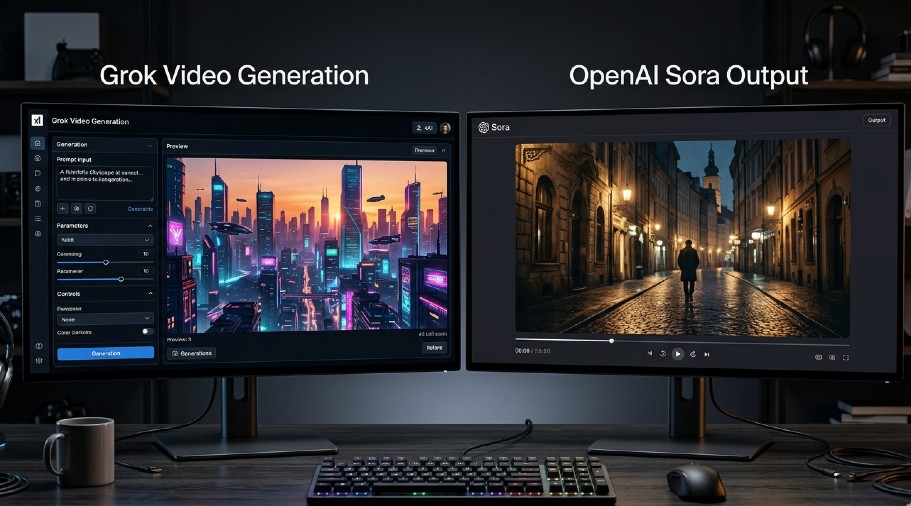
You’ve got two of the most-hyped AI video tools right now and zero clear answer on which one fits your actual workflow. Grok’s video generation came out of nowhere, Sora had a dramatic debut, and now you’re stuck deciding which one deserves your time and money. Here’s the honest breakdown — no hype, no fluff.
Sora wins on cinematic output quality and prompt-to-video coherence; Grok wins on speed, accessibility, and integration with a tool you’re probably already using.
Sora is best for creators who need polished, longer-form AI video; skip it if you want fast iteration or you’re on a tight budget.
The single biggest thing that matters: Sora generates up to 20-second clips with strong scene consistency, while Grok’s video (via Aurora) tops out at shorter outputs but refreshes faster.
Biggest mistake — treating both as ready replacements for real video production. They’re not. Both still fail on hands, complex motion, and text-in-video.
If budget is the deciding factor and you’re already inside the xAI ecosystem, Grok’s free video access gets you generating without spending a dollar.
What You’re Actually Comparing Here
Let’s get one thing straight before diving in. “Grok” as a video model means xAI’s Aurora model, which Grok uses under the hood for video generation. Sora is OpenAI’s dedicated text-to-video model, built from scratch specifically for video. These aren’t equals in origin or purpose — and that matters when you’re comparing outputs.
Grok is a conversational AI from xAI (Elon Musk’s AI company) that added video generation as a feature. Sora is OpenAI’s standalone attempt at a full video generation model, announced in February 2024, publicly rolled out to ChatGPT Plus and Pro subscribers. One is a feature bolted onto a chat interface. The other is a purpose-built video system. That gap shows up in the results.
So when you compare Grok with the Sora video model, you’re really asking: do I want a fast, integrated, good-enough option — or a slower, more expensive, cinematically superior one?
Video Quality: Where the Gap Is Real
Sora produces noticeably more cinematic output. The lighting, camera movement simulation, and scene continuity in Sora’s clips feel closer to real footage. OpenAI trained Sora specifically on vast video datasets using a diffusion transformer architecture, and that specialized training shows.
Grok’s Aurora model produces solid results — especially for static scenes, product visuals, and short social clips. The motion can feel slightly mechanical on complex actions, and scene-to-scene logic breaks down faster than it does in Sora. That said, for a lot of real-world use cases (quick social content, concept visualization, B-roll style clips), Aurora’s quality is genuinely usable.
The part that trips people up: Sora’s quality advantage is most visible on longer clips and complex prompts. For a 3-5 second loop? The gap narrows dramatically. If you’re generating short-form content for TikTok or Instagram Reels, you’ll notice far less difference than if you’re building a cinematic short.
Where Sora clearly wins:
- Longer clips (up to 20 seconds with better coherence)
- Complex multi-element prompts
- Camera motion simulation (panning, zooming, tracking shots)
- Lighting consistency across frames
Where Grok holds its own:
- Speed of generation
- Short clips for social content
- Integration with real-time web data in prompts
- Simpler access path for non-technical users
Prompt Handling: Who Understands You Better?
This is where Grok gets genuinely interesting. Because Grok has real-time internet access and a conversational interface, you can have an actual back-and-forth about what you want. You can say “make the lighting more golden hour” and Grok responds and adjusts. Sora, as of mid-2026, requires you to rebuild your prompt from scratch for each iteration — there’s no true conversational refinement loop built in.
In practice, this makes Grok faster to work with for people who don’t write tight technical prompts. Sora rewards detailed, cinematographic prompt writing. Phrases like “shallow depth of field,” “rack focus,” “handheld aesthetic,” and “24fps film grain” actually improve Sora output meaningfully. If you don’t know how to write those, you’ll get average results.
Grok’s conversational nature compensates for weaker prompts. It’s more forgiving. Sora is more powerful but less forgiving — give it a vague prompt and you get a vague video.
Here’s something nobody tells you: Sora has a “storyboard” feature in its interface where you can upload reference images to guide the output. That’s a significant advantage for brand consistency. Grok doesn’t have that yet. If you’re producing content that needs to match an existing visual identity, Sora’s storyboard approach saves you hours of iteration.
Speed and Iteration: Day-to-Day Reality
Real talk: Sora is slow. During peak hours, generation can take 3-6 minutes per clip. That sounds minor until you’re on your 12th iteration trying to get a scene right. Grok’s Aurora model typically returns video in under 2 minutes for standard clips, often faster.
If your workflow involves rapid ideation — generating 15-20 video concepts in an afternoon to present to a client — Grok wins that race. Sora is better suited for a “generate one, review, refine, finalize” approach where quality per clip matters more than volume.
The iteration speed difference becomes a bigger deal when you factor in that both models still fail regularly. You’ll regenerate a lot. Hands are still broken. Complex motion — someone catching a ball, a crowd moving naturally — still produces artifacts. Text inside video? Forget it on both platforms. Given that failure rate, faster generation cycles mean less wasted time.
Access and Cost: The Numbers You Need
Sora:
- Available to ChatGPT Plus subscribers ($20/month) with limited generations
- ChatGPT Pro ($200/month) unlocks higher quality and more generations
- No standalone Sora subscription — it’s bundled with ChatGPT
Grok:
- Free tier includes limited video generation via Aurora
- SuperGrok subscription unlocks more generations and higher quality outputs
- Grok comes bundled with X Premium on some tiers
The cost math here is meaningful. If you’re already paying for ChatGPT Plus, you get Sora access without extra spend. If you’re not in the OpenAI ecosystem and don’t want to be, Grok offers a path to decent AI video without switching platforms. I’ve gone deeper on whether SuperGrok’s upgrade is worth it if you want the full breakdown.
One thing that surprised me: the free tier of Grok’s video generation is genuinely functional. Not unlimited, but enough to evaluate whether it fits your workflow before committing to any paid plan. Sora has no comparable free tier — you need Plus at minimum.
Real-World Use Cases: Which Tool Fits Which Job
Choose Grok if you:
- Create short-form social content regularly
- Are already inside the xAI/X ecosystem
- Need fast iteration on rough concepts
- Have a limited budget or want to test AI video for free
- Want video tied to real-time information or news context
Choose Sora if you:
- Need cinematic, polished output for professional projects
- Produce longer AI video narratives or explainer content
- Are comfortable writing detailed prompt descriptions
- Already subscribe to ChatGPT Plus or Pro
- Need storyboard-based visual consistency
Neither is right for you if:
- You need accurate text-in-video (both fail here)
- You’re producing content requiring realistic human performance (too many artifacts)
- You need more than 20 seconds of coherent, uninterrupted video
The honest truth: for most marketers and content creators working in 2026, Grok hits a practical sweet spot. It’s accessible, fast, and good enough for a significant chunk of real use cases. Sora is the better tool for people who’ve already hit Grok’s ceiling.
How Each Model Actually Works (The WHY Behind the Quality Gap)
Understanding this changes how you prompt both tools.
Sora uses a diffusion transformer model trained specifically on video data. It understands temporal coherence — how frames relate to each other over time — better than most models because that’s all it was built to do. OpenAI published research showing Sora builds an internal “world model,” meaning it attempts to simulate physics and spatial relationships, not just generate pretty frames.
Grok’s Aurora model is a video generation model integrated into the Grok interface, but it wasn’t purpose-built with the same singular focus as Sora. It benefits from xAI’s research but is optimized to work within Grok’s broader ecosystem rather than purely maximizing video quality.
Why does this matter for your prompts? Sora responds well to physical descriptions — “the object falls and the shadow shifts,” “steam rises from the cup as the camera slowly tilts up.” Aurora responds better to visual aesthetic descriptions — “cinematic, warm tones, close-up product shot.” Match your prompting style to how the underlying model thinks and you’ll get better results from both.
The Biggest Failure Mode Nobody Warns You About
Both models fail on motion complexity. But they fail differently.
Sora tends to drift — scenes that start coherent become slightly surreal over time, especially in longer clips. A person walking can gradually morph. A room can shift imperceptibly. The longer the clip, the more likely you’ll see reality drift.
Grok’s Aurora tends to produce motion that’s slightly stiff. Not wrong exactly, but mechanical. A person moving their hand looks almost right but not quite. It’s the uncanny valley problem applied to motion.
The practical implication: for Sora, keep complex motion in the middle of your clip, not at the end. For Grok, avoid prompts that require fluid human motion — stick to environmental footage, product shots, or abstract visuals where stiffness is less noticeable.
I tested both on the same set of 20 prompts ranging from “a cup of coffee steaming on a marble countertop” to “two people shaking hands in an office.” Both handled the coffee prompt well. Both failed the handshake prompt — just in different, equally unusable ways.
Grok’s Image-to-Video vs Sora’s Storyboard
This is a meaningful difference that most comparisons skip.
Sora’s storyboard feature lets you drop in reference images and structure the video shot by shot. You can upload a brand logo, a product photo, or even a rough sketch and Sora will try to generate video that incorporates that visual. For anyone doing branded content or working with a specific art direction, this is huge.
Grok’s image generation capabilities connect to its video output, but the integration isn’t as deep. You can generate an image in Grok and use it as a starting point, but there’s no structured storyboard interface. It’s more freeform.
The result: Sora gives more creative control at the cost of more setup work. Grok gives faster outputs with less control. Neither is wrong — they’re different workflows.
Comparing Output Consistency Across Multiple Generations
One thing you’ll notice quickly: both models have high variance. Generate the same prompt twice and you get noticeably different outputs. That’s not a bug unique to either — it’s how diffusion models work. But the variance behaves differently.
Sora’s variance tends to be in style and composition. Same prompt might give you two clips that are both high quality but look like different directors shot them. Grok’s variance tends to be in quality itself — sometimes excellent, sometimes noticeably worse, same prompt.
For production work where consistency matters, Sora’s variance is more manageable. You’re choosing between two good options. With Grok, you’re sometimes choosing between one good and one mediocre. Generating 3-4 versions and selecting the best one is standard practice with either tool, but with Sora you’re more likely to get at least two usable options from four attempts.
What About Privacy and Data Use?
This comes up less in video tool comparisons than it should.
OpenAI uses interaction data including prompts and generated outputs to improve its models by default. You can opt out in settings, but the default is opt-in. Sora outputs generated through ChatGPT are subject to OpenAI’s standard data policies.
xAI collects usage data through Grok as well. Neither platform currently offers strong privacy guarantees comparable to tools like Venice AI — if you’re doing sensitive work or need genuine privacy, you’ll want to look at alternatives that prioritize that.
For most content creators this isn’t a dealbreaker. But if you’re generating video for clients under NDA, or working with proprietary product footage as input, it’s worth knowing your outputs and prompts aren’t guaranteed private on either platform.
Side-by-Side Comparison Table
| Factor | Grok (Aurora) | Sora (OpenAI) |
|---|---|---|
| Max clip length | ~5-8 seconds | Up to 20 seconds |
| Generation speed | ~1-2 min | 3-6 min |
| Free tier | Yes (limited) | No |
| Paid entry point | X Premium / SuperGrok | ChatGPT Plus ($20/mo) |
| Prompt style | Conversational, forgiving | Technical, cinematic |
| Storyboard / image input | Limited | Yes |
| Motion quality | Mechanical on complexity | Better, but drifts long |
| Real-time data in prompts | Yes (web access) | No |
| Privacy | Standard xAI policy | Standard OpenAI policy |
The Ecosystem Question
Here’s something worth thinking about before you commit: which ecosystem are you already in?
If you use ChatGPT regularly, you’re paying for Plus or Pro anyway. Adding Sora to your workflow costs zero extra dollars — it’s already there. That’s a hard argument to ignore.
If you’re on X Premium or already exploring Grok’s features, the friction to use its video features is essentially zero. Open Grok, ask for a video, get a video. No extra platform, no extra subscription tab.
The worst outcome is paying for both and getting confused about which to use when. Pick one, go deep, and only switch or add if you’ve genuinely hit the ceiling of your primary choice.
For broader context on where both tools fit in the current AI video generator landscape, the field has gotten genuinely competitive — these aren’t the only two options worth knowing about.
When Neither Is the Right Answer
Look, I’ve been there — spending three hours generating AI video only to produce something you wouldn’t actually use. Sometimes the honest answer is “not yet.”
Neither Grok nor Sora is ready to replace real video production for high-stakes work. A product launch video, a client testimonial, a brand manifesto — these still need real cameras, real people, real post-production. Using AI video for these and delivering mediocre results damages trust faster than it saves budget.
Where AI video earns its place: social content filler, concept visualization before production, quick visual proofs for internal review, abstract background loops, and anything where “interesting and imperfect” is acceptable. That’s a real category of work — it’s just not all video work.
The comparison between specialized AI tools vs general platforms is worth understanding if you’re still figuring out which AI tools belong in your stack overall.
Pick your entry point based on where you already are. If you have ChatGPT Plus, spend 30 minutes in Sora with 5 different prompt types — a product shot, a landscape, a motion sequence, an abstract visual, and a person in action. Note where it fails. If you’re in the Grok ecosystem, do the same test via Aurora. You’ll know within an afternoon which ceiling you’re more likely to hit first. Start with the free access, document your failure cases, and only upgrade when the output quality genuinely blocks real work.
